Brillcam Inc. Copyright 2020-2021 Page 45 , Total 83
• Cancel: it allows the user to cancel the settings.
3.1.6 Maintenance Management
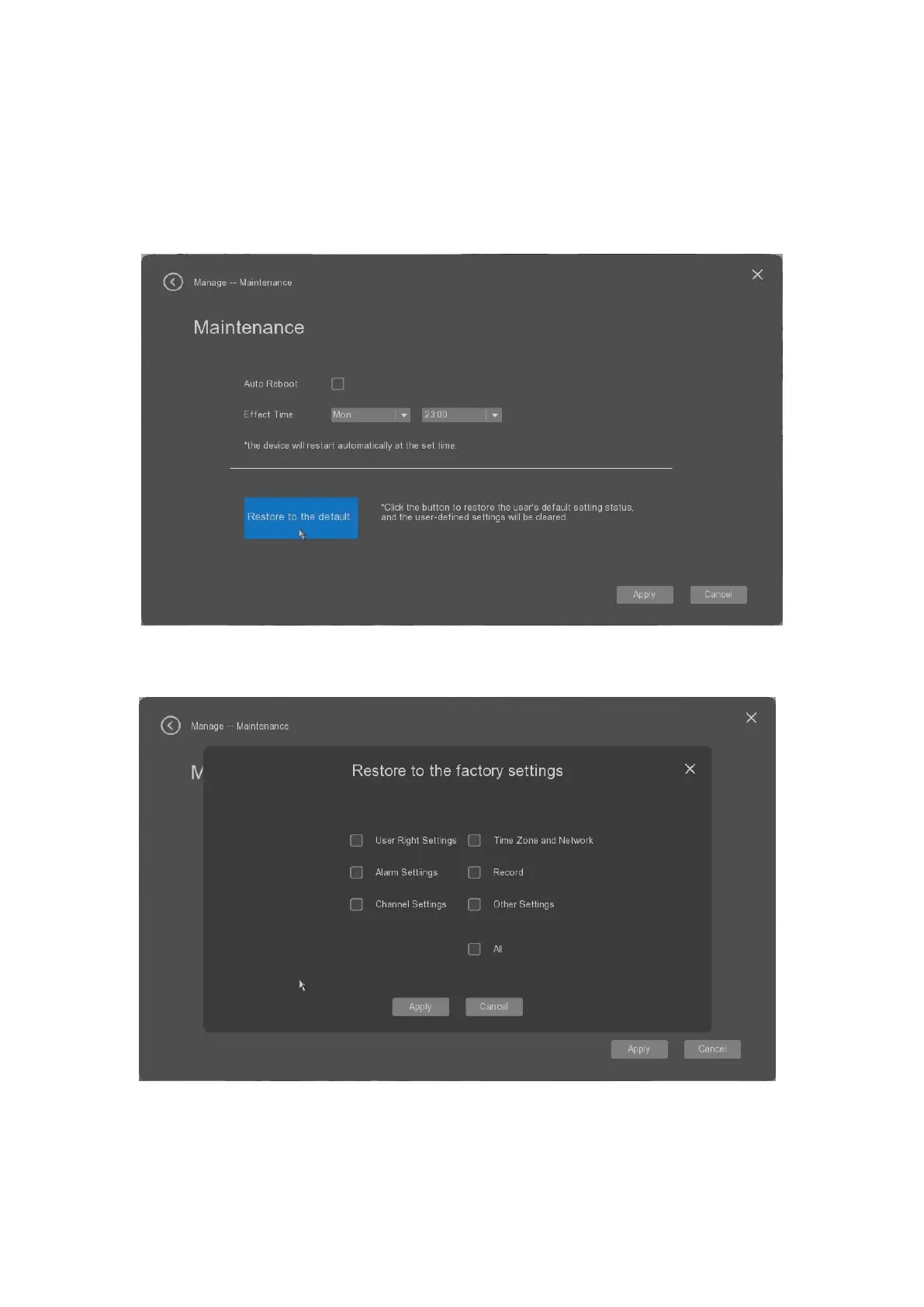
The user can select the “Maintenance” tab to make the device maintenance.
• Auto Reboot: it allow the user to enable or disable the deivce auto reboot as the defined time.
• Effective time: it’s allows the user to set the auto reboot time.
• Restore to the default: it alows the user to restore the device’s parameters to the factory settings.
• Apply: it allows the user to apply the settings.
• Cancel: it allows the user to cancel the settings.


 To Next Page