Brillcam Inc. Copyright 2020-2021 Page 44 , Total 83
3.1.5 Log Management
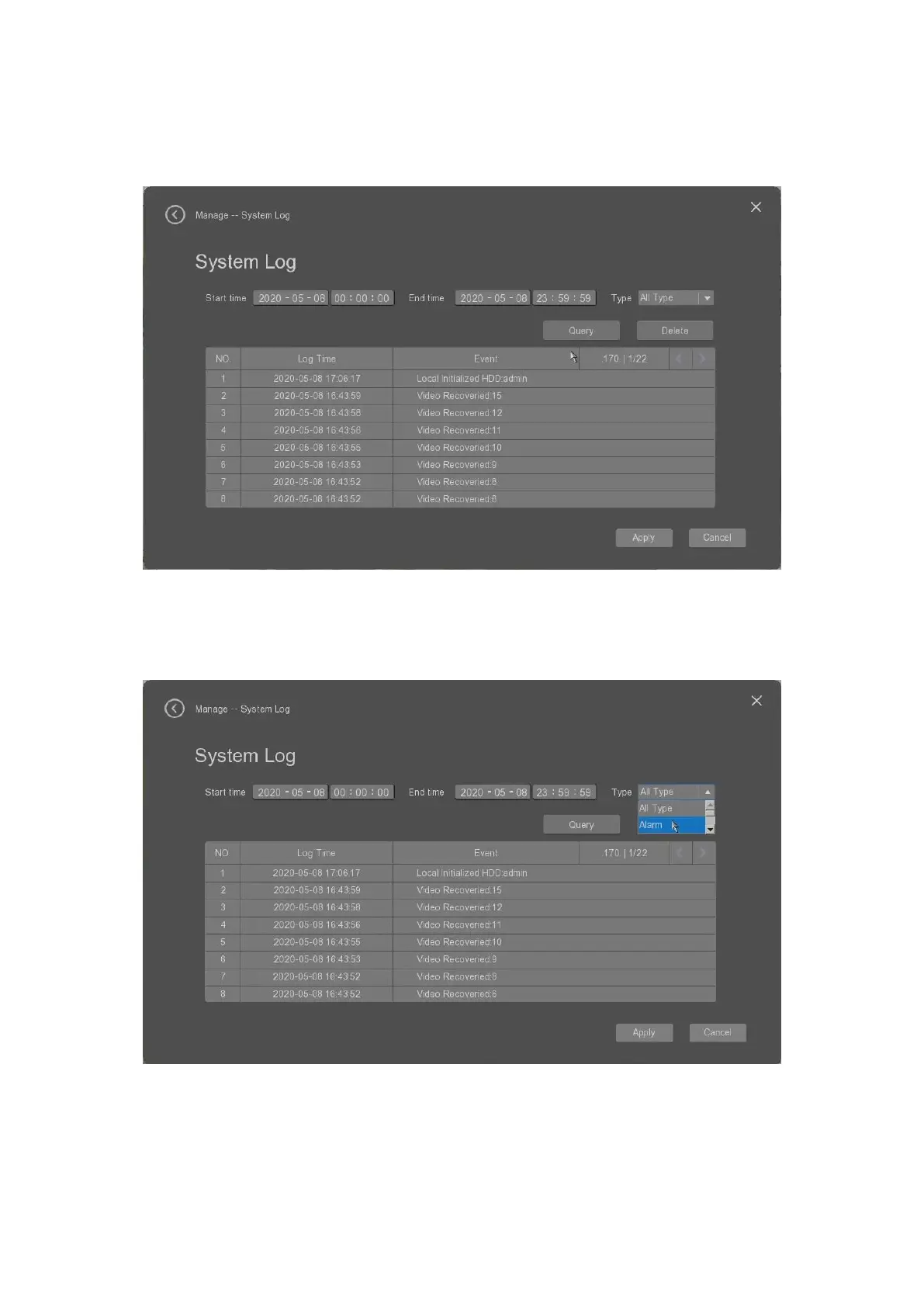
The user can select the “Log” tab to check the device operation log.
• Start time: it allow the user to fill out the start time for the log searching.
• End time: it allow the user to fill out the stop time for the log searching.
• Type: it allows the user to select the log type from the all types, alarm, abnormity, operating, information
etc.
• Query: it allow the user to click to search the log which will be listed in the below tab.
• Delete: it alows the user to delete the searched log.
• Apply: it allows the user to apply the settings.


 To Next Page