
 Need help?
Do you have a question about the Brillcam BVR-3808PS and is the answer not in the manual?
Ensuring compliance with safety codes for installation and operation, including grounding.
Guidelines for safe handling during transport, storage, and operating environment.
Requirement for qualified engineers for repairs and using manufacturer-recommended accessories.
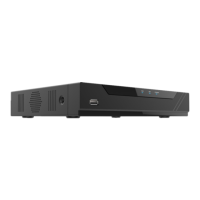
Description of front and backend panels for the BVR-3808PS model.
Description of front and backend panels for the BR-3816PD model.
Description of front and backend panels for the BVR-3504PS model.
Steps to check the NVR for any physical damage upon unpacking.
Detailed steps and requirements for installing a hard drive into the NVR.
Initial physical setup for NVR operation, connecting display and input devices.
Connecting cameras, router, and NVR power supply using Ethernet cables.
Configuring video output resolution for optimal display on monitors.
Instructions for powering the NVR device on and off correctly.
Overview of the initial setup process for NVR parameters.
Setting up mobile monitoring and configuring device time and time zone.
Setting up local area network parameters like IP address and subnet.
Details on IP, subnet, gateway, and DNS settings for LAN.
Adding the NVR to a mobile app using the QR code for remote access.
Finding and adding IP cameras to the NVR system.
Editing camera details like protocol, credentials, and parameters.
Configuring video encoding and stream parameters for cameras.
Checking the status of installed hard drives and performing formatting.
Defining recording periods and selecting record types (normal, motion, etc.).
Steps to reset a forgotten password using the NVR interface.
Understanding icons and information displayed in the live preview screen.
Introduction to the various options available in the main menu.
Explanation of main menu options like Menu, Mobile Monitoring, and IP Camera.
Viewing and managing added IP cameras within the NVR system.
Enabling and monitoring remote mobile access to the NVR.
Selecting different display layouts for multiple camera channels.
Manually starting, stopping, and managing recordings on selected channels.
Using playback controls and navigating the timeline for recorded footage.
Adjusting image parameters like brightness, contrast for individual channels.
Configuring PTZ presets, patterns, and guard positions.
Setting up PTZ tours and cruise paths for automated camera movement.
Accessing the system guide and options for system logout or reboot.
Setting language, resolution, device name, and other general parameters.
Setting device time, time zone, and configuring NTP synchronization.
Editing user passwords and defining access rights for device operations.
Creating new user profiles with login credentials and operation rights.
Checking the status of installed hard drives and performing formatting.
Searching, removing, and applying settings for system logs.
Configuring automatic reboot and restoring the device to factory defaults.
Setting up IP address, subnet mask, gateway, and DNS for the local network.
Configuring peer-to-peer mobile connectivity for remote access.
Setting up email alerts for events, including SMTP server configuration.
Configuring wide area network parameters, including DDNS and ports.
Configuring Point-to-Point Protocol over Ethernet for network access.
Setting PPPoE username, password, and IP address.
Finding and adding IP cameras to the NVR through search.
Editing camera details like protocol, credentials, and parameters.
Customizing channel names and display positions.
Adjusting image properties like brightness, contrast, and sharpness.
Managing PoE power status and configuring long distance transmission mode.
Defining and removing privacy zones on the video feed.
Accessing and reviewing recorded footage, including search functions.
Steps for backing up recorded data and managing backup disks.
Configuring motion detection sensitivity, area, and alarm actions.
Setting up external alarm inputs and configuring linkage actions.
Configuring alerts for loss of video signal from camera channels.
Configuring alerts for device hardware and software errors.
Configuring detection of objects crossing a defined line in the video.
Setting up detection of objects entering a defined area in the video.
Configuring detection of humans within the video feed.
Detailed settings for human detection, including zones and parameters.
Checking the current system software version of the NVR.
Steps to update the NVR's firmware using a USB drive.
Steps to update the firmware of connected IP cameras.
Resolving issues encountered during IP camera firmware updates.
Prerequisites and checks needed before accessing the NVR web interface.
Connecting to the NVR via a web browser on the local network.
Installing necessary browser plugins for web interface functionality.
Navigating the web interface for live camera feeds and recorded playback.
Accessing system logs and configuration menus through the web interface.
Step-by-step guide for setting up remote access using UPnP/DDNS.
Alternative method for setting up remote access via port forwarding.
Troubleshooting common issues related to NVR power and operation.
Diagnosing problems with storage, video output, and local recordings.
Resolving issues related to audio, PTZ controls, and motion detection.

 To Next Page
 General