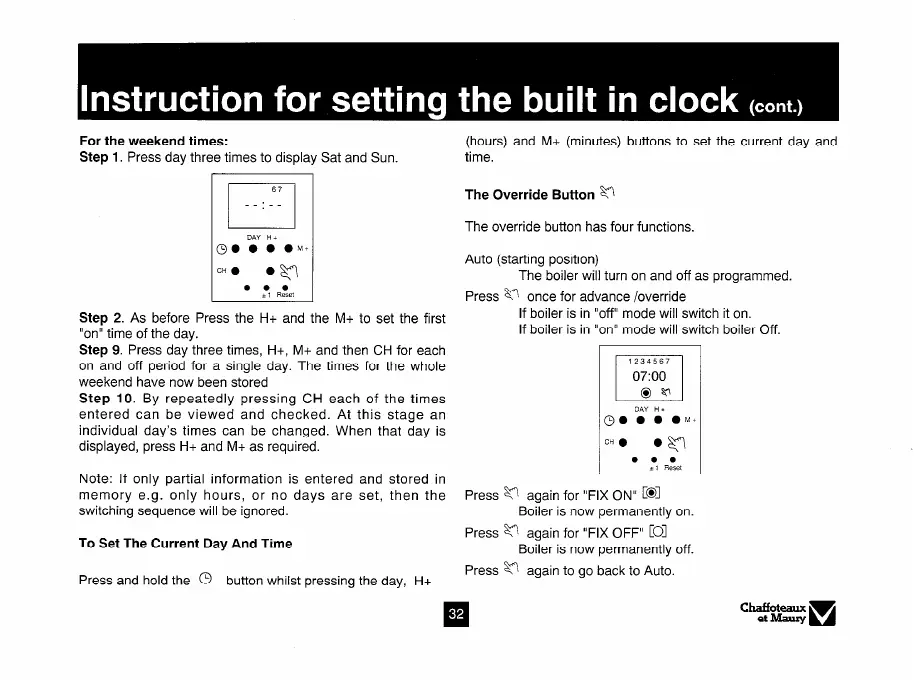
For the weekend times:
Step 1. Press day three times to display Sat and Sun.
(hours) and M+ (minutes) buttons to set the current day and
time.
67
1
__:__
D.4Y Hi
L-l
The Override Button M
The override button has four functions.
00 0 0 OM+
.w
Auto (starting position)
CH 0
The boiler will turn on and off as programmed.
. . .
1, Reset
Press 8 once for advance /override
Step 2. As before Press the H+ and the M+ to set the first
If boiler is in “off” mode will switch it on.
“on” time of the day.
If boiler is in “on” mode will switch boiler Off.
Step 9. Press day three times, H+, M+ and then CH for each
on and off period for a single day. The times for the whole
weekend have now been stored
Step 10. By repeatedly pressing CH each of the times
entered can be viewed and checked. At this stage an
individual day’s times can be changed. When that day is
displayed, press H+ and M+ as required.
Note: If only partial information is entered and stored in
memory e.g. only hours, or no days are set, then the
switching sequence will be ignored.
To Set The Current Day And Time
Press and hold the 0 button whilst pressing the day, H+
Press v again for “FIX ON” [@I
Boiler is now permanently on.
Press v again for “FIX OFF”
COI
Boiler is now permanently off.
Press v again to go back to Auto.



 To Next Page