Example 2
The boiler switches on at the same time Monday to Friday, but
at a later time at the weekend.
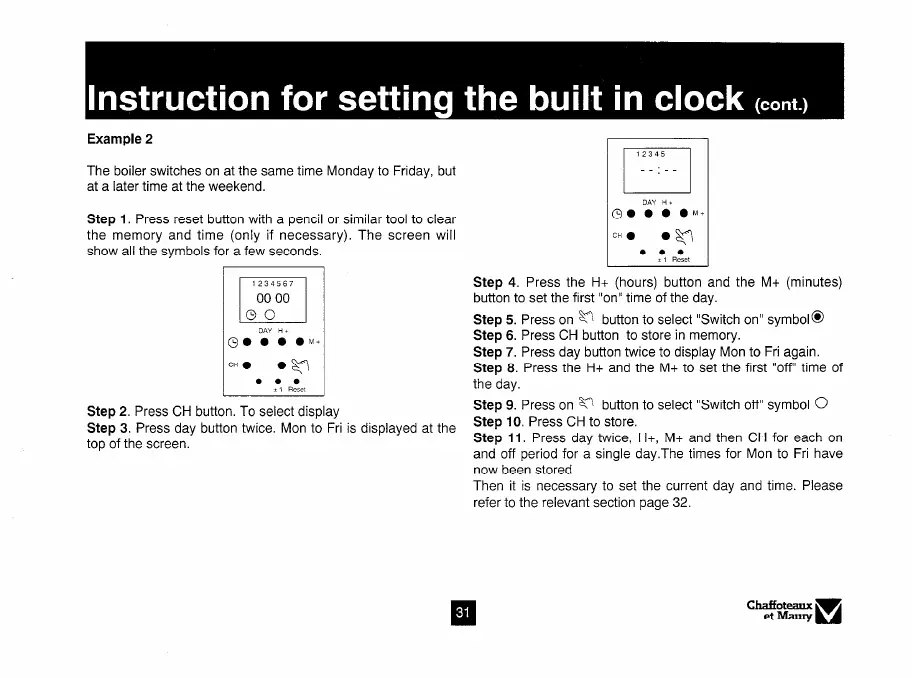
Step 1. Press reset button with a pencil or similar tool to clear
the memory and time (only if necessary). The screen will
show all the symbols for a few seconds.
Step 2. Press CH button. To select display
Step 3. Press day button twice. Mon to Fri is displayed at the
top of the screen.
12345
1
__:__
Step 4. Press the H+ (hours) button and the M+ (minutes)
button to set the first “on” time of the day.
Step 5. Press on g button to select “Switch on” symbol@
Step 6. Press CH button to store in memory.
Step 7. Press day button twice to display Mon to Fri again.
Step 8. Press the H+ and the M+ to set the first “off’ time of
the day.
Step 9. Press on M button to select “Switch off” symbol
0
Step 10. Press CH to store.
Step 11. Press day twice, H+, M+ and then CH for each on
and off period for a single day.The times for Mon to Fri have
now been stored
Then it is necessary to set the current day and time. Please
refer to the relevant section page 32.



 To Next Page