
 Need help?
Do you have a question about the BROMECH ATP ASP and is the answer not in the manual?
Procedures for safely removing the scale and accessories from packaging.
Steps for physically installing the scale on a level surface.
Guide to leveling the scale using the built-in level indicator.
Instructions for connecting the scale to a power source via AC adapter.
Information on using and managing the scale's rechargeable battery.
Detailed steps for charging the internal battery and indicator status.
Recommendations for maintaining the battery's health and storage.
Instructions for turning the scale on and off.
How to set the scale display to zero before weighing.
Procedure for taring containers to measure net weight.
How to switch between different weighing units (kg/lb).
Steps to set the unit price for calculations.
How to set and manage Product Look-Up (PLU) data.
Guide to saving and recalling unit prices using indirect PLU keys.
Guide to saving and recalling unit prices using direct PLU keys.
How to enable or disable automatic clearing of unit prices.
Instructions for connecting and operating with printers.
How to adjust or turn the backlight on/off.
This document is an operation manual for the ATP_ASP series of Price Computing Scales manufactured by Bromech. It provides comprehensive instructions for the installation, operation, and maintenance of these scales.
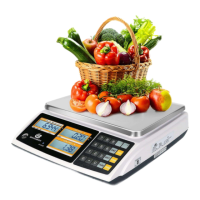
The ATP_ASP series of price computing scales are designed for economic use, offering compact size, reliability, high accuracy, and stability. These scales are primarily used for weighing items and calculating their price based on a set unit price. They feature a 15mm LCD display with white LED backlight for clear readability. The scales are equipped with a 20-membrane keyboard for data entry and operation. A key feature is the ability to store unit price values, with support for 10 indirect PLUs (Price Look-Up) and 2 direct PLUs, totaling 12 storable unit price values. The scales also include an auto unit price clear operation for convenience. For connectivity, a standard RS-232 interface is provided, allowing connection to a computer, ECR (Electronic Cash Register), or printer.
Power Management:
The scales can be powered by an AC adaptor or an internal rechargeable battery. The power switch is located below the right side of the scale. To turn the scale ON, press the switch forward and hold; the scale will display its capacity, enter a self-test mode, and then proceed to the weighing mode. To turn the scale OFF, press the switch forward once. The rechargeable battery provides up to 60 hours of continuous use without the backlight. A "BATT" symbol on the weight display indicates a low battery, prompting the user to charge the battery. If the scale continues to be used without charging, "
Basic Weighing Operations:
ZERO key, ensuring that weighing starts from an accurate zero point, even if environmental conditions cause minor fluctuations.TARE button. After placing the container on the pan, pressing TARE will set the display to zero, effectively subtracting the container's weight from subsequent measurements. The tared weight will be displayed as a minus value when the container is removed. Pressing TARE again will clear the tare weight and return the display to zero.UNIT key.Price Computing and PLU Functions:
PLU key. The display will show "save pos Ps 0-9". Press a numeric key (0-9) to select the storage location. For example, pressing '1' will save the unit price to numeric key 1. To recall a stored unit price, press the PLU key, and then the numeric key corresponding to the stored location. The stored unit price will appear on the display, and placing a load on the platform will automatically calculate the total price.SAVE key. When the save indicator is ON, the unit price will reappear after the scale returns to zero. When the save indicator is OFF, the unit price will be cleared automatically.Printing Operation:
The scales can connect to TPuP receipt printers and RP80VI label printers via the RS-232 interface. To enable printing, specific parameters must be set in the scale's menu: F11RS232 > Mode > Printer > TPuP or RP80VI; F11RS232 > BAUD > 9600; F11RS232 > PR > 8N1. After connecting the printer, users can recall a direct or indirect PLU, load items on the platter, and once the stable indicator is ON, press the PRT key to print the format.
Backlight Setting: The ATP/ASP scales offer options for backlight operation. In normal weighing mode, pressing and holding a specific key (not explicitly named but indicated by a square symbol) will cycle through backlight settings: "BLSET ModE AUto", "BLSET ModE on", and "BLSET ModE OFF".
TARE key confirms the selection and returns to normal weighing mode. It's important to note that the backlight function is not available when the battery is low.Battery Maintenance:
General Care:
Calibration: Calibration is a critical maintenance procedure to ensure the accuracy of the scale.
TARE key during the self-test.TARE key to confirm, entering the parameter settings, and the display will show "MENU UNIT KG".UNIT key until "lb" is shown on the display.TARE key to confirm, and the display will show "F0 CAL".TARE key to confirm calibration. The display will show "UNLOAD".TARE key to confirm. The display will show "CAP LOAD XX".PLU key.TARE key to confirm once the display is stable. The display will show "PASS".ZERO key to return to the weighing mode.The manual provides specific test weight lists for both pounds and kilograms, detailing minimum (1/3 capacity), 2/3 capacity, and full capacity maximum weights for various models (ZTP_ZSP-3, ZTP_ZSP-6, ZTP_ZSP-12, ZTP_ZSP-15, ZTP_ZSP-30, ZTP_ZSP-60).
 General
| Material | Stainless Steel |
|---|---|
| Protection Class | IP65 |
| Accuracy | 0.1 kg |
| Platform Size | 400 x 500 mm |
| Power Supply | Battery or AC adapter |

 To Next Page