ATP_ASP Price Computing Scales Operation Manual Rev:Y2,August,2020
4. DISPLAY&KEYS FUNTION
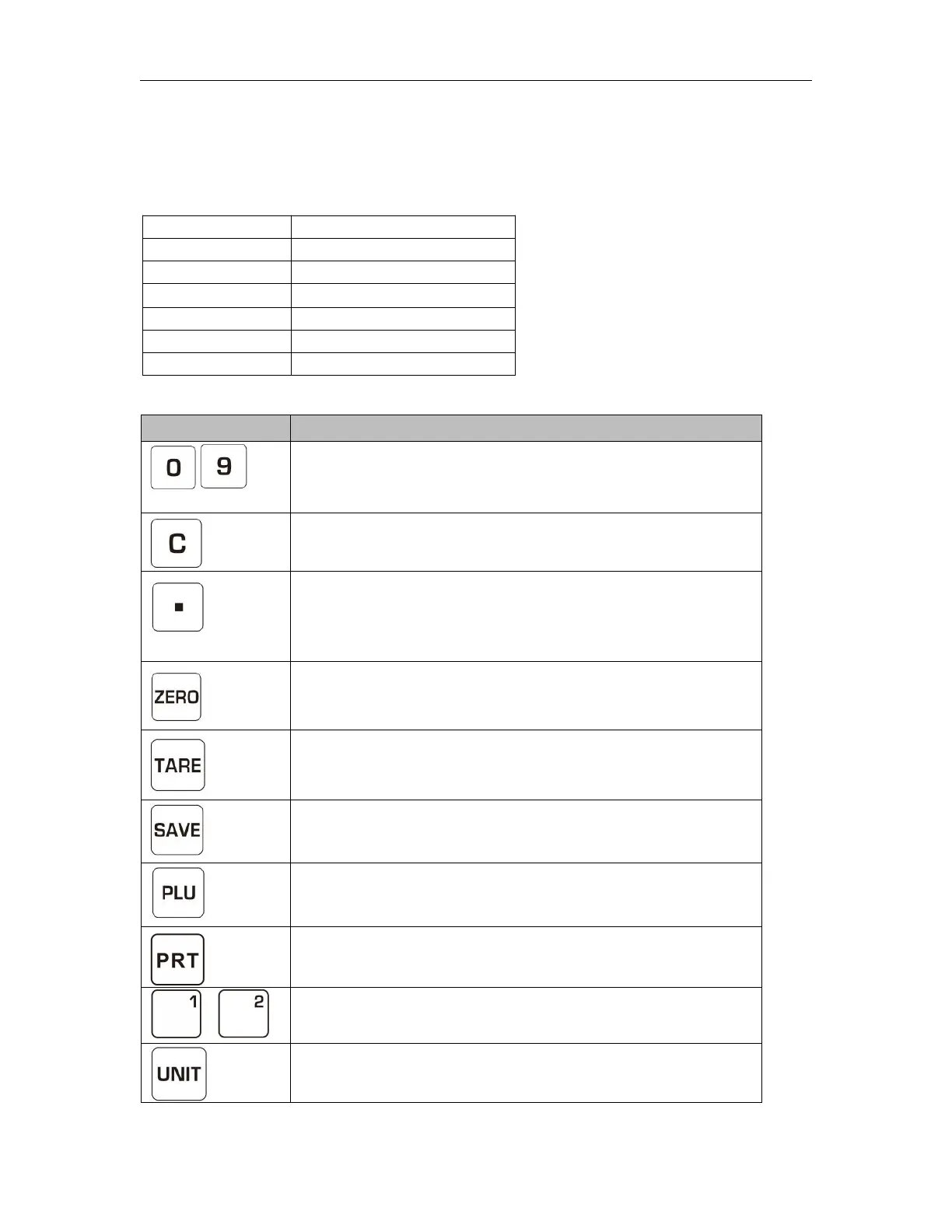
Indication
Keyboard
Numeric Keys, enter unit price / PLU;
In setting mode ,press numeric keys to enter
parameters setting
Clear incorrect entries and error conditions
Set unit price in fix mode,press the key to input
double zero;
Set unit price in float mode,press the key to input
decimal point
Returns the display to zero.
In setting mode,to escape from the menu
Subtracts the tare values,
Hold the key to enter parameter settings.
Enter to auto clear mode
Used to store or recall unit price,
In setting mode,used to scroll down the menu
Used to print out the print format
Used to store or recall direct PLU information
Used to change unit (kg/lb)


 To Next Page