9 10
The following instructions are based on the PS4 controller. For those using
other controller, please refer to the Corresponding Buttons List.
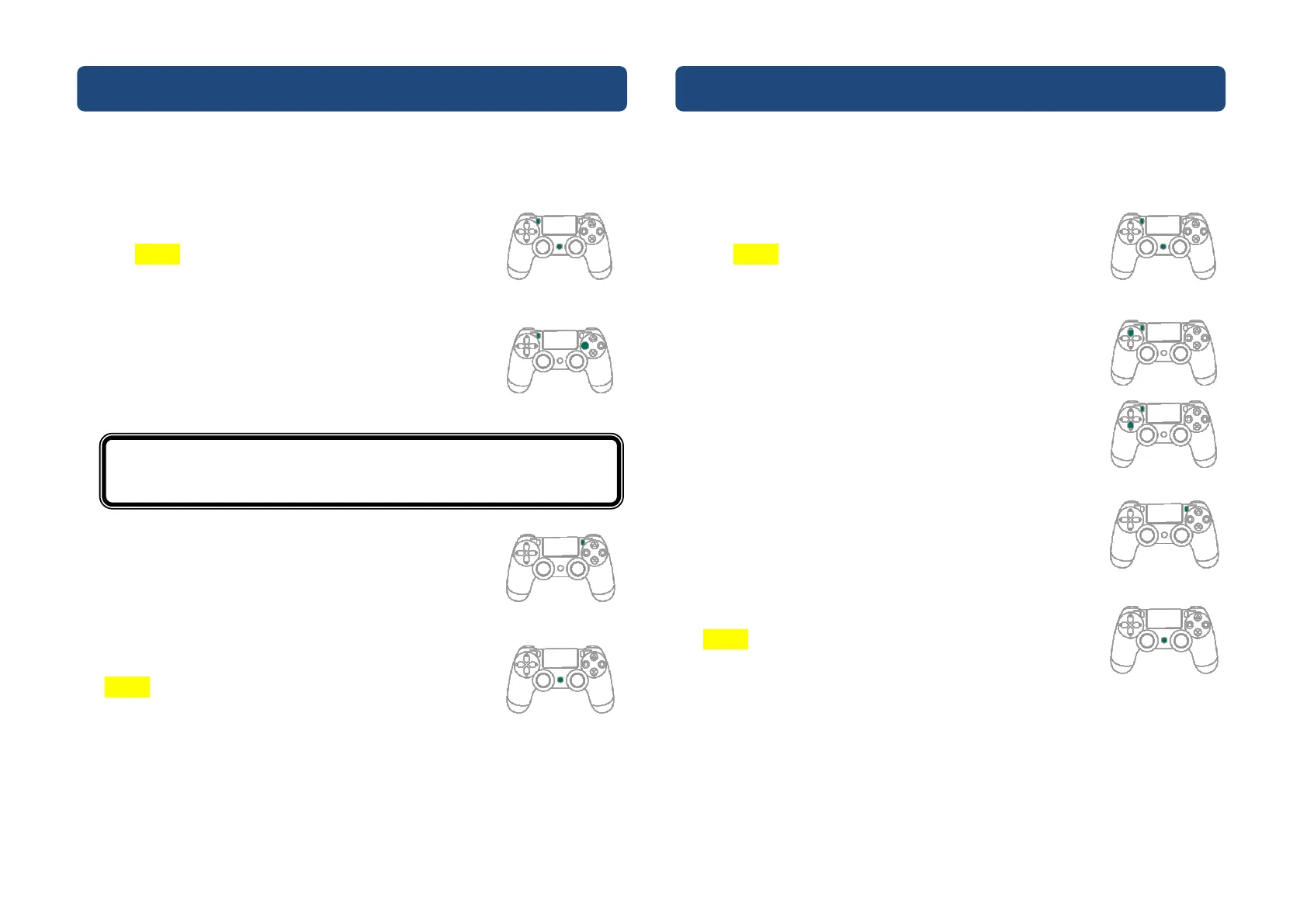
❶ Enter the setup mode
Press both SHARE and PS buttons to enter Turbo setup
mode.
The yellow indicator means you enter Turbo setup
mode.
❷ Choosing one or more turbo buttons (e.g. ■ as turbo
function)
Hold SHARE, then press ■. More than one button can
be chosen.
❸ Save
Press OPTION to save your settings.
❹ Exit
Press the PS button to leave Turbo setup mode. The
Yellow indicator will then turned off.
The following instructions are based on the PS4 controller. For those using
other controller, please refer to the Corresponding Buttons List.
❶ Enter the setup mode
Press both SHARE and PS buttons to enter Turbo setup
mode.
The yellow indicator means Turbo setup mode is on.
❷ Turbo Frequency Setting
The Up button increases frequency while the Down
button decreases it.
To increase frequency: press both SHARE and the Up
buttons, and the indicator will flash faster.
To decrease frequency: press both SHARE and Down
buttons, then the indicator will flash slower.
❸ Save
Press OPTION to save your settings.
❹ Exit
Press the PS button to leave Turbo setup mode. The
Yellow indicator will then turned off.
Buttons that can be set as Turbo include: ✕/●/■/▲/L1
/R1/L2/R2/L3/R3


 To Next Page