4. PREPARATION BEFORE SEWING
30KE-430D, BE-438D
4-7. Inserting the button (BE-438D)
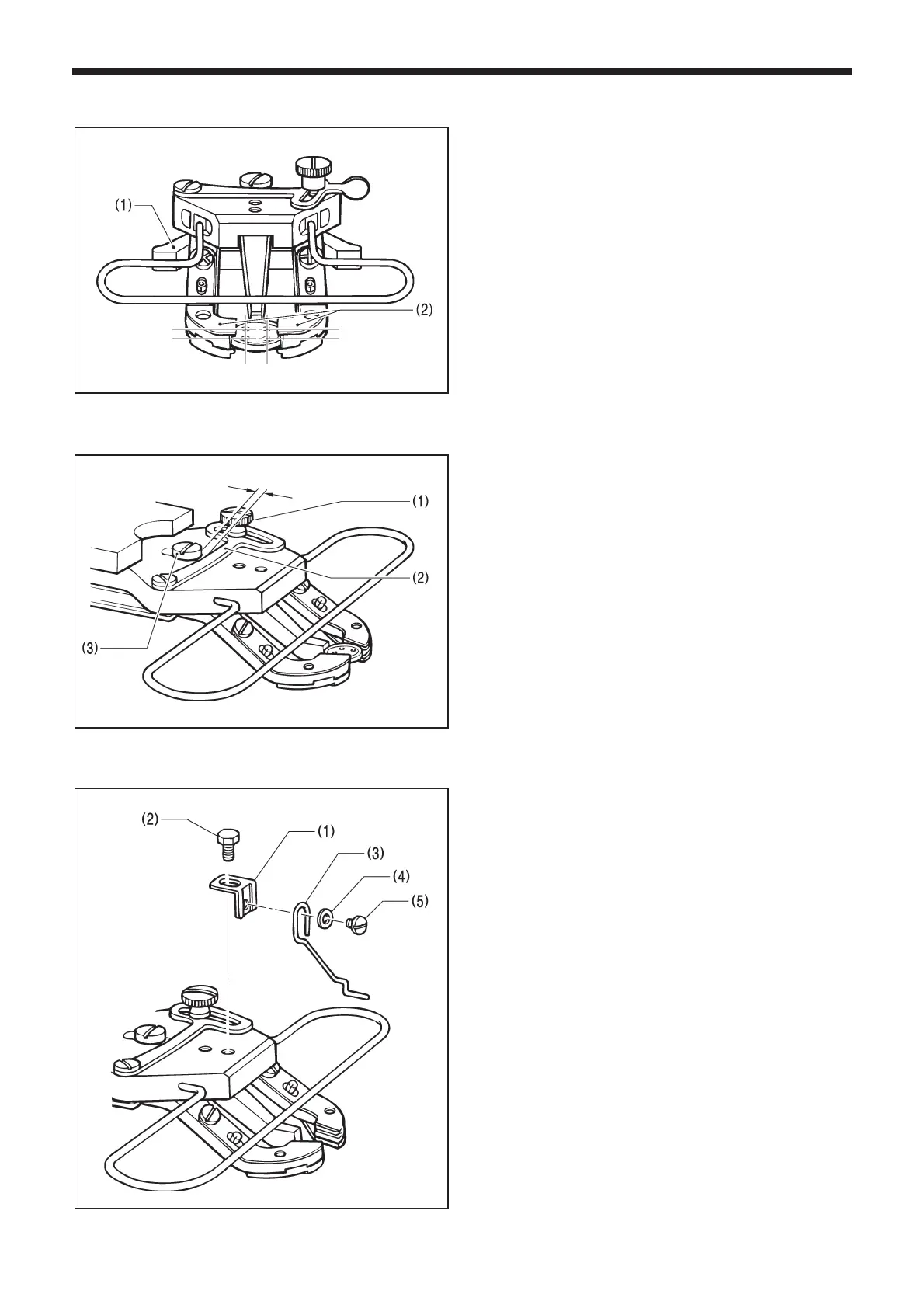
1. Press the button clamp plate cam (1) to open the button
holder (2).
2. Insert the button, making sure that the button is facing
the directing shown in the illustration, then release the
button clamp plate cam (1).
4-8. Adjusting the button clamp (BE-438D)
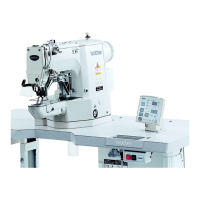
1. Insert the button in the button clamp. Confirm that the
button is securely held by the clamp.
2. Loosen the shoulder screw (1), while the button is held
by the clamp. Move the adjusting plate (2) so that the
space between the adjusting plate (2) and screw (3) is
approximately 0.5 - 1.0 mm, then tighten the shoulder
screw (1).
4-9. Installing the accessory spring (BE-438D)
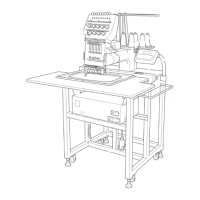
If you would like the button to be raised up more after it is
sewn, install the accessory spring.
1. Install the spring support (1) with the bolt (2).
2. Install the spring (3) with the washer (4) and the screw
(5).
4115M
2660Q
0.5 - 1.0mm
2661Q



 To Next Page