PhotoCapture Center
®
39
5
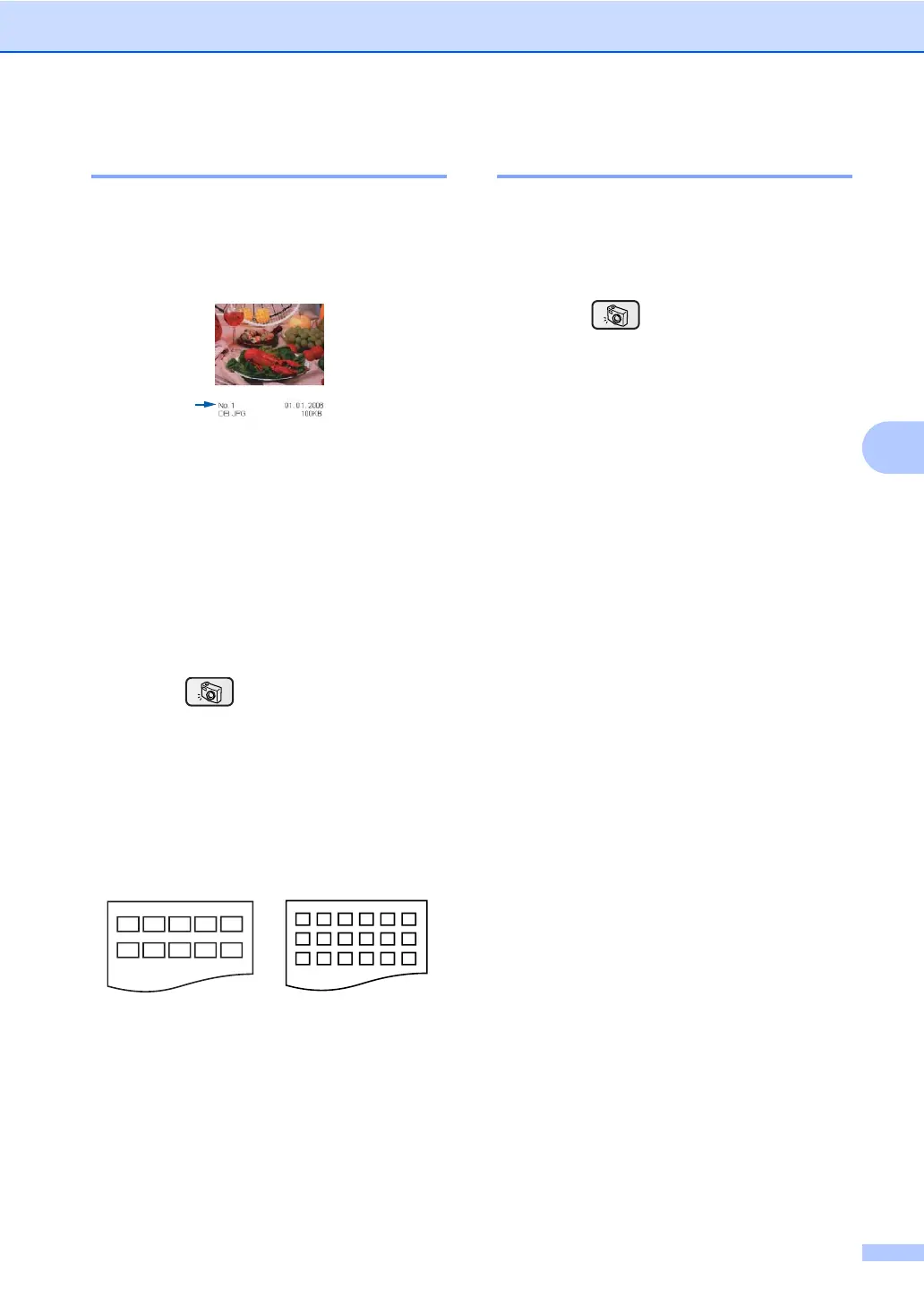
Print Index (Thumbnails) 5
The PhotoCapture Center
®
assigns numbers
for images (such as No.1, No.2, No.3, and so
on).
The PhotoCapture Center
®
does not
recognize any other numbers or file names
that your digital camera or PC has used to
identify the pictures. You can print a
thumbnail page (Index page with 6 or 5
images per line). This will show all the
pictures on the media card.
a Make sure you have put the media card
in the proper slot.
Press (PhotoCapture).
b Press a or b to choose Print Index.
Press OK.
c Press a or b to choose
6 Images/Line Fast or
5 Images/Line Photo.
Press OK.
Print time for 5 Images/Line will be
slower than 6 Images/Line, but the
quality is better.
d Press Color Start to print.
Print All Photos 5
You can print all the photos on your media
card.
a Make sure you have put the media card
in the proper slot.
Press (PhotoCapture).
b Press a or b to choose
Print All Photos.
Press OK.
c Press + or - repeatedly to enter the
number of copies you want.
d Do one of the following:
Change the print settings. (See
page 41.)
If you do not want to change any
settings, press Color Start to print.
5 Images/Line
Photo
6 Images/Line
Fast











 To Next Page