Chapter 1
8
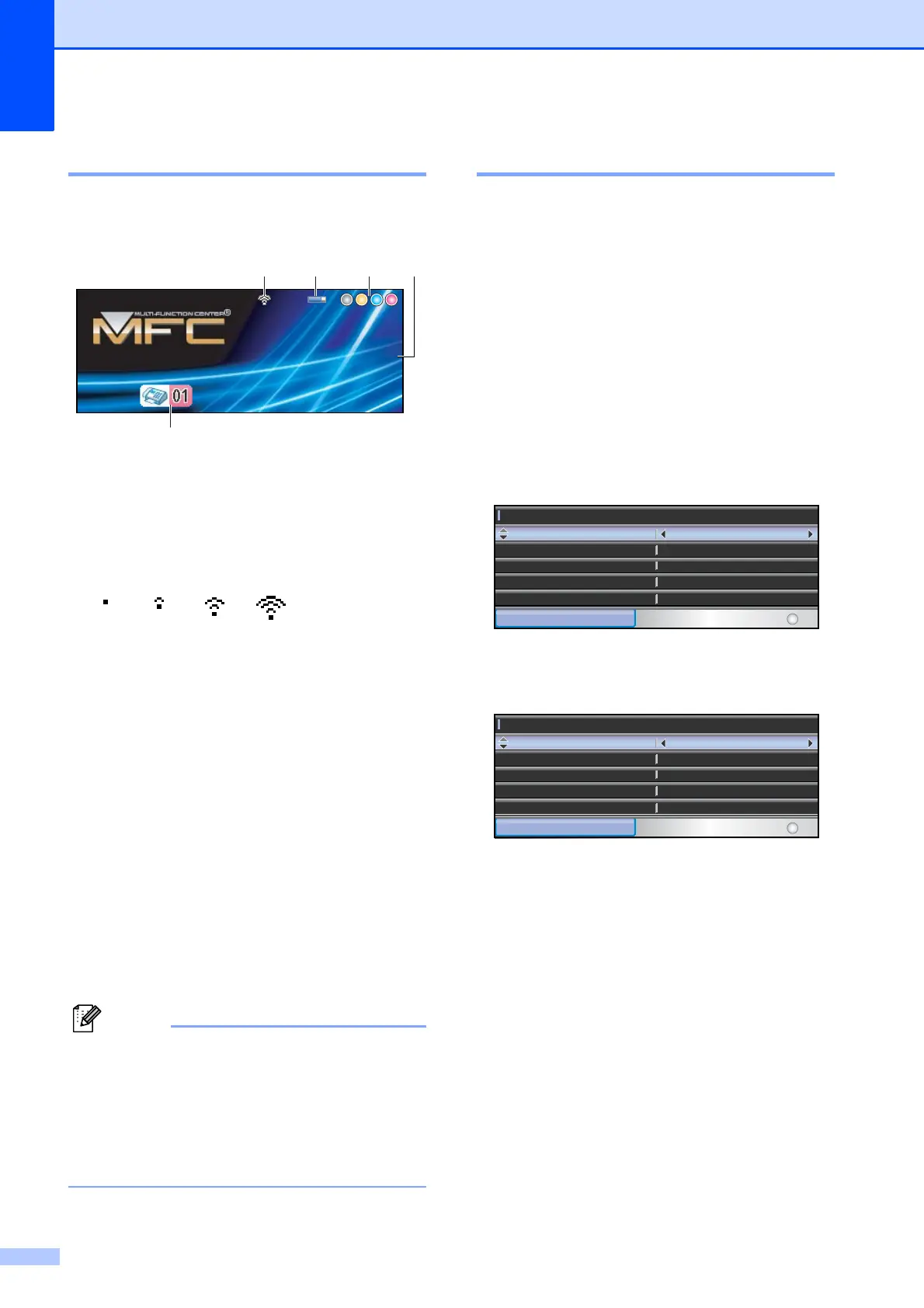
LCD screen 1
The LCD shows the current machine status
when the machine is idle.
1 Wireless Status (MFC-5895CW and
MFC-6490CW)
A four level indicator shows the current
wireless signal strength if you are using a
wireless connection.
2 Memory Status
Lets you see the available memory in the
machine.
3 Ink indicator
Lets you see the available ink volume.
4 Current Receive Mode
Lets you see the current receive mode.
Fax (Fax only)
F/T (Fax/Tel)
TAD (External TAD)
Mnl (Manual)
5 Faxes in memory
Shows how many received faxes are in the
memory.
(MFC-6490CW)
If you receive a fax containing multiple paper
sizes (for example, a Letter size page and a
Ledger size page), the machine may create
and store a file for each paper size. The LCD
may show that more than one fax job has been
received.
Basic Operations 1
The following steps show how to change a
setting in the machine. In this example the
Mode Timer setting is changed from
2 minutes to 30 seconds.
a Press Menu.
b Press a or b to choose
General Setup.
c Press OK.
d Press a or b to choose Mode Timer.
e Press d or c to choose 30Secs.
Press OK.
You can see the current setting on the
LCD:
f Press Stop/Exit.
0Max
Mem.Mem.
FaxFax
12:4512:45
12.21.200912.21.2009
1234
5
General Setup
MENU
Select & Press
OK
Mode Timer
Tray Setting
30Secs
Off
Auto Daylight
PwrOff Setting Fax Receive : Off
Volume
General Setup
MENU
Select & Press
OK
Mode Timer
Tray Setting
30Secs
Off
Auto Daylight
PwrOff Setting Fax Receive : Off
Volume



 To Next Page
 Loading...








