Troubleshooting
51
B
n Close the inside cover and Jam Clear
Cover. Make sure the covers are closed
completely.
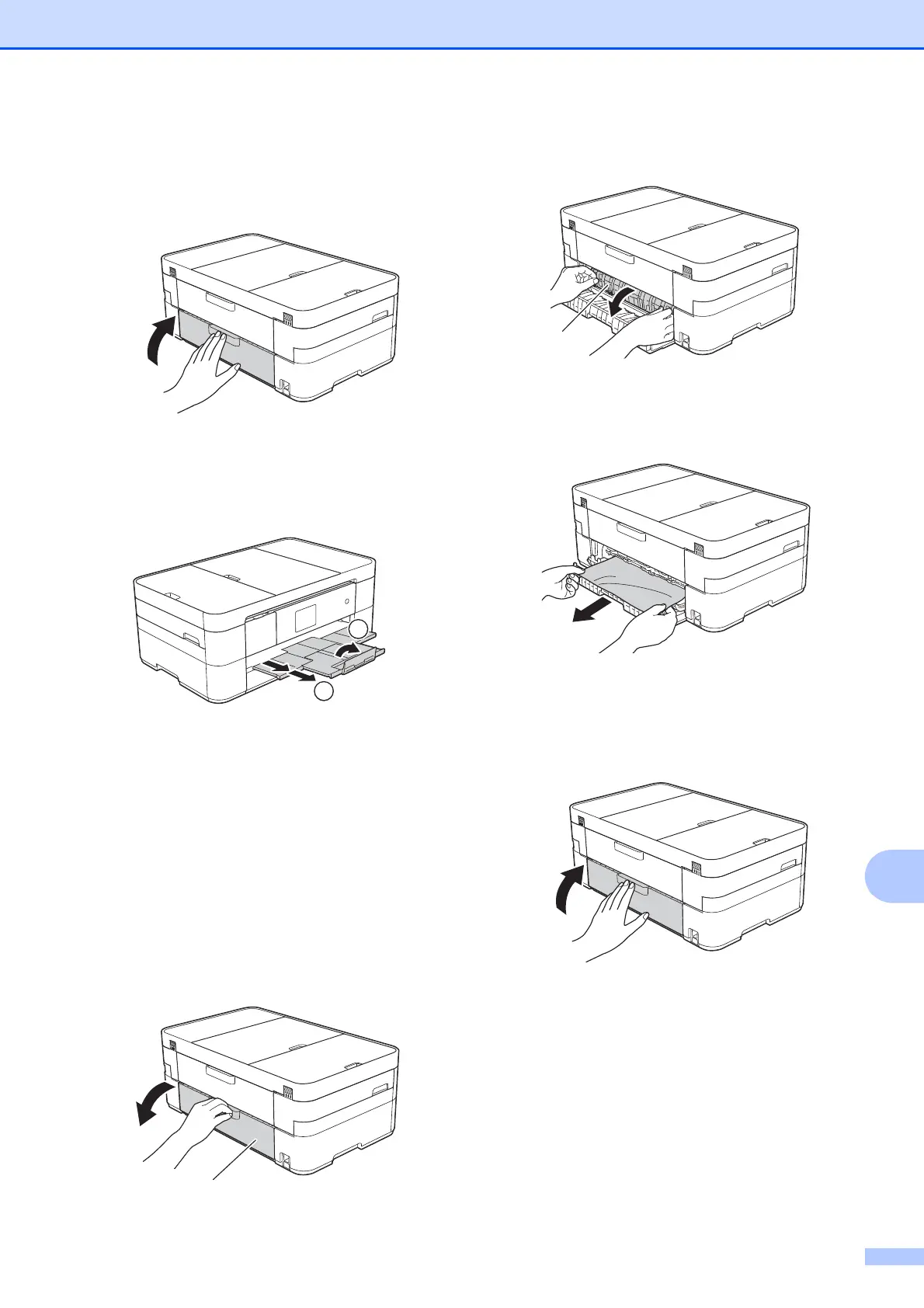
o Pull out the paper support (1) until it
locks into place, and then unfold the
paper support flap (2).
p Reconnect the power cord.
If the Touchscreen displays
Paper Jam [Rear], follow these
steps:
B
a Unplug the machine from the AC power
outlet.
b Open the Jam Clear Cover (1) at the
back of the machine.
c Open the inside cover (1).
d Pull the jammed paper out of the
machine.
e Close the inside cover and Jam Clear
Cover. Make sure the covers are closed
properly.



 To Next Page
 Loading...