Chapter 7
42
i Place the next page on the scanner
glass.
Press OK.
j Repeat steps h and i for each page of
the layout.
k After all the pages have been scanned,
press 2 to finish.
If you have chosen photo paper as the
Paper Type for N in 1 copies, the machine
will print the images as if plain paper had
been chosen.
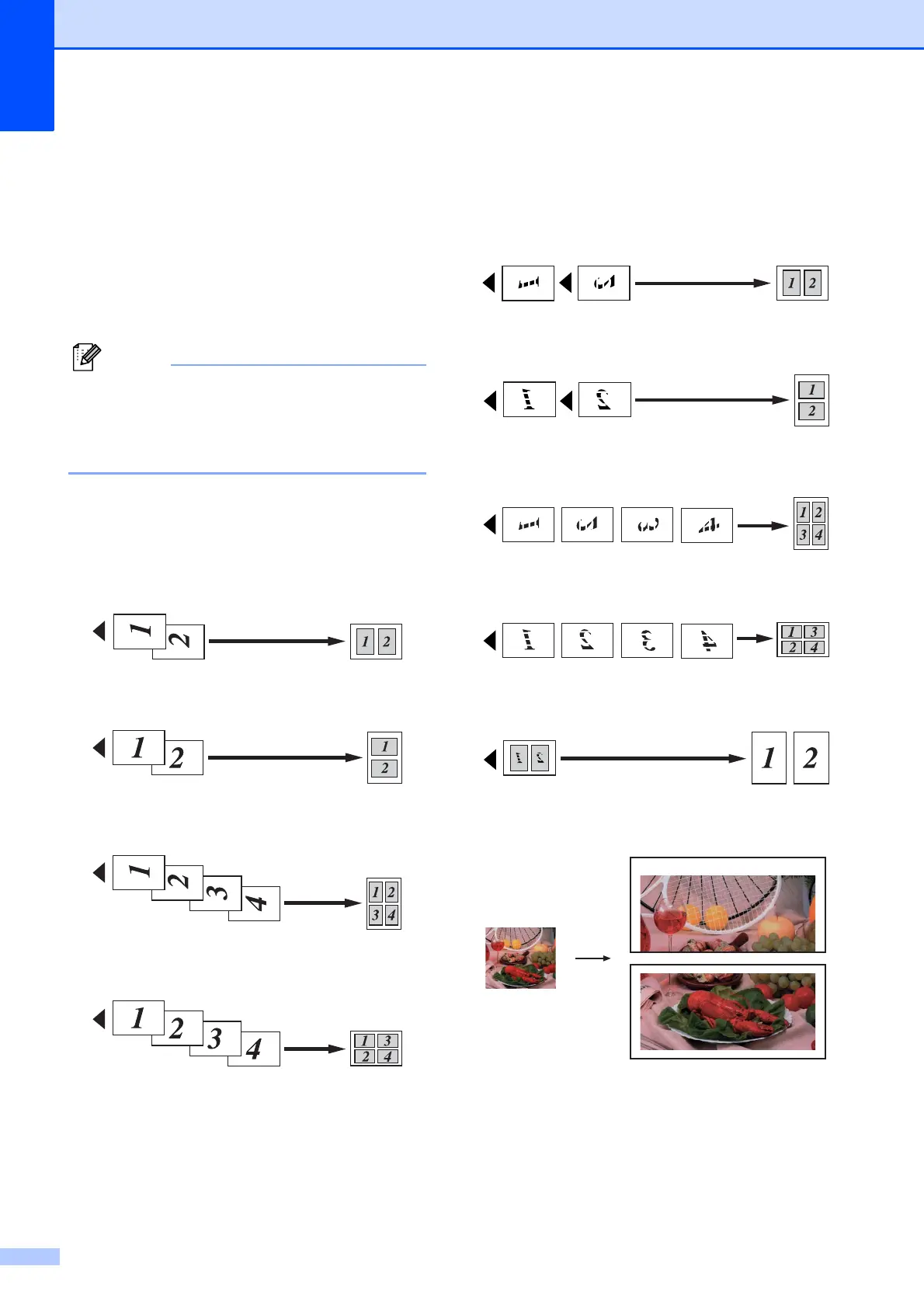
If you are copying from the ADF, insert the
document face up in the direction shown
below:
2in1(P)
2in1(L)
4in1(P)
4in1(L)
If you are copying from the scanner glass,
place the document face down in the
direction shown below:
2in1(P)
2in1(L)
4in1(P)
4in1(L)
1to2
Poster(2 x 1)



 To Next Page
 Loading...











