Chapter 1
10
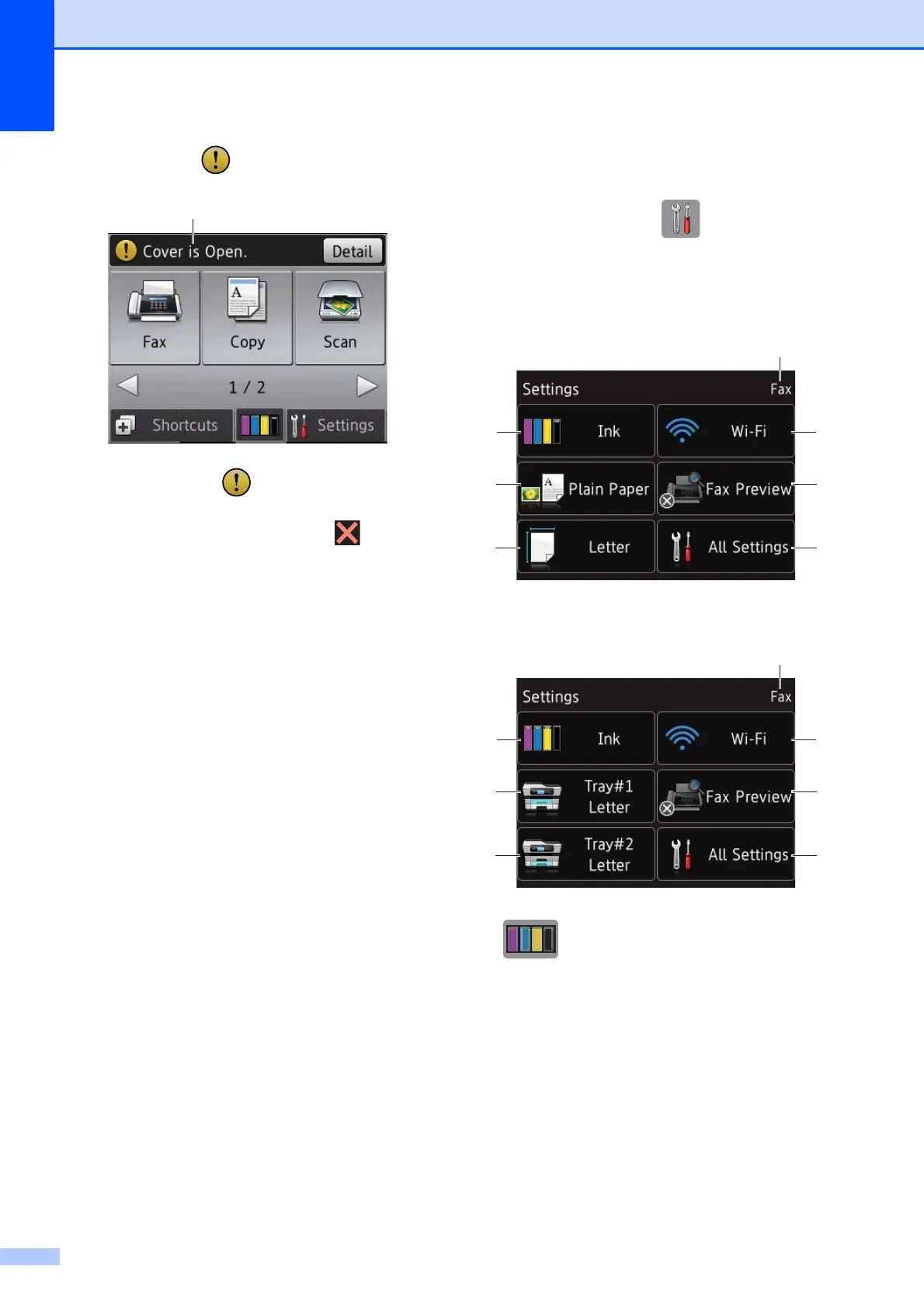
14 Warning icon
The warning icon appears when there is
an error or maintenance message; press
Detail to view it, and then press to return
to Ready mode.
For information about error messages, see
Error and maintenance messages
on page 103.
Settings screen 1
The Touchscreen LCD shows the machine
status when you press (Settings).
You can check and access all the machine's
settings from the following screen.
(MFC-J6520DW)
1
(MFC-J6720DW) 1
1 Ink
See the remaining ink volume.
When the ink cartridge is near the end of its life
or having a problem, the error icon is displayed
on the ink color. For more information,
see Advanced User’s Guide: Checking the ink
volume.
Press to access the Ink menu.
2 Paper Type (MFC-J6520DW)
See the selected paper type.
Press to change the Paper Type setting if
needed.
14



 To Next Page
 Loading...











