116
Cleaning the scanner B
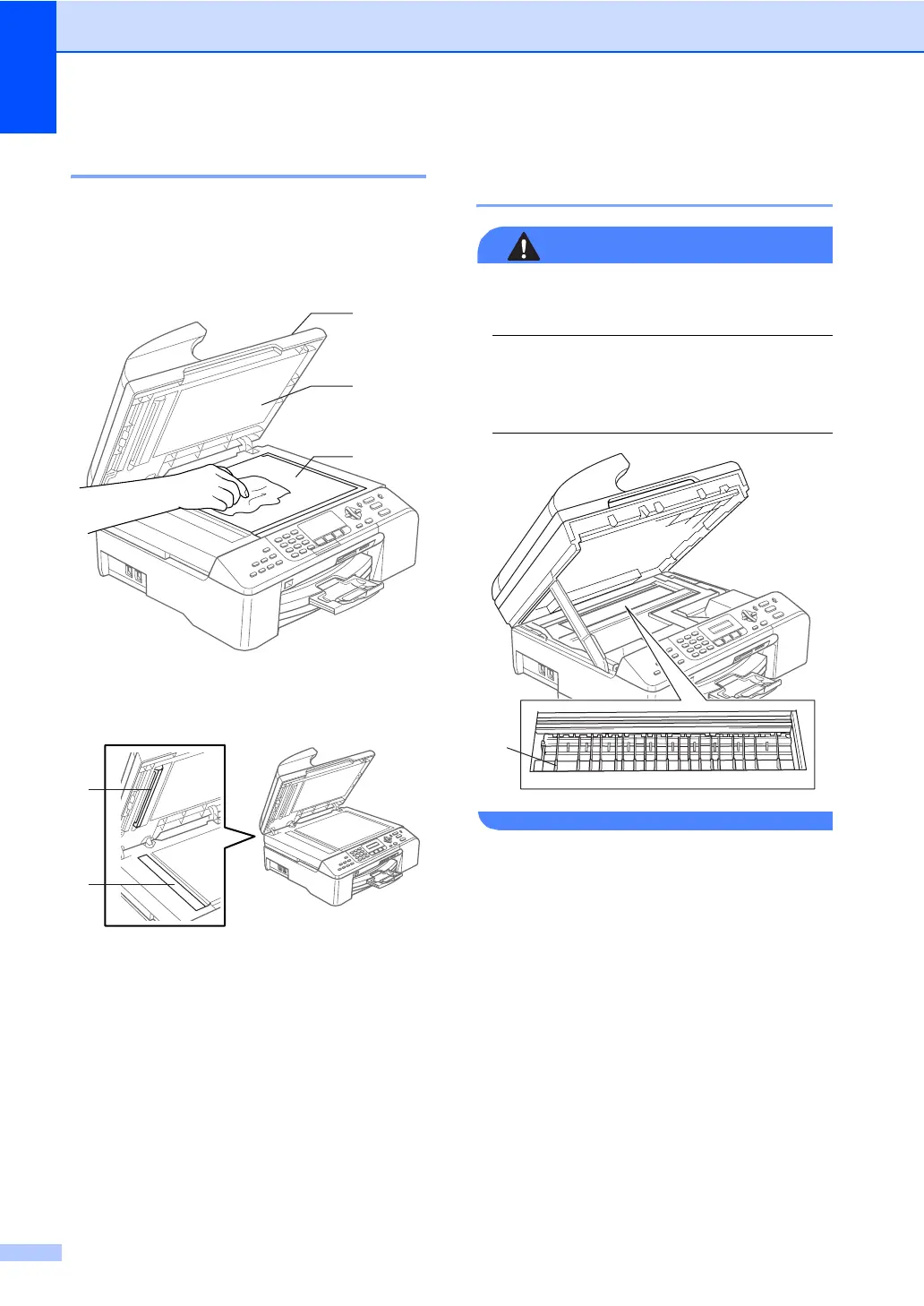
a Lift the document cover (1). Clean the
scanner glass (2) and the white
plastic (3) with isopropyl alcohol on a
soft lint-free cloth.
b In the ADF unit, clean the white bar (1)
and the glass strip (2) under it with
isopropyl alcohol on a lint-free cloth.
Cleaning the machine printer
platen B
WARNING
Unplug the machine from the AC power
outlet before cleaning the printer platen (1).
If ink is scattered on or around the printer
platen, wipe it off with a soft, dry, lint-free
cloth.
a Clean the machine printer platen (1).
2
1
3
1
2
1



 To Next Page
 Loading...