21
Using P-touch Editor
USING P-TOUCH SOFTWARE
Operation modes
Standard Mode
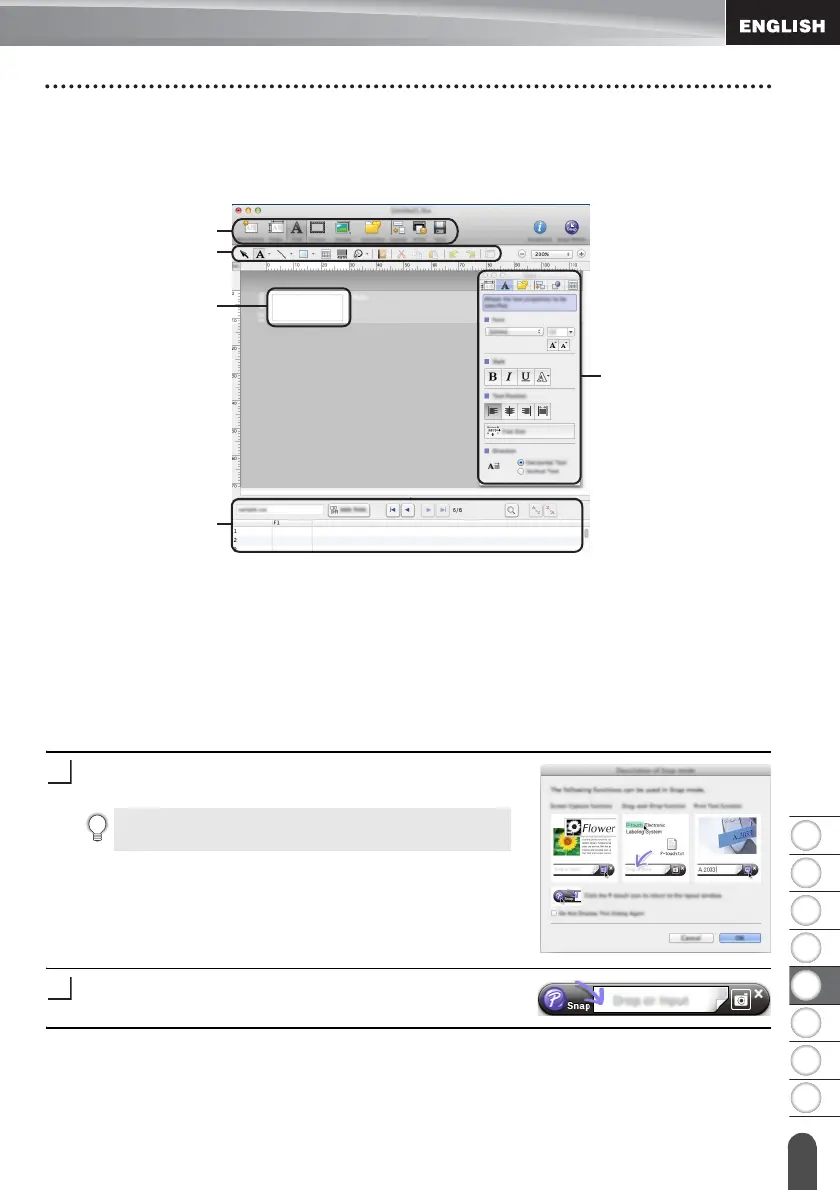
This mode provides easy label creation with texts and images.
The layout window consists of the following sections:
1. Command bar
2. Draw/Edit toolbar
3. Inspector
4. Layout window
5. Database window
Snap Mode
With this mode, you can capture the screen, print it as an image, and save it for future use.
To start the Snap mode, follow the steps below.
When you click [Snap Mode], the [Description of Snap
mode] dialog box appears. Click [OK].
Snap mode appears.
If you select [Do Not Display This Dialog Again], you
can go to Snap mode directly from the next time.
1
2
5
4
3












 To Next Page