QL-1050 Linux Printer Driver Manual Brother Industries, Ltd. P&S Company 3
2. Installation (RPM and Debian)
2.1. Installation procedure
As an example, the installation procedure for the QL-1050 driver is described below.
[1] Prepare the LPR driver or CUPS wrapper driver in the appropriate directory.
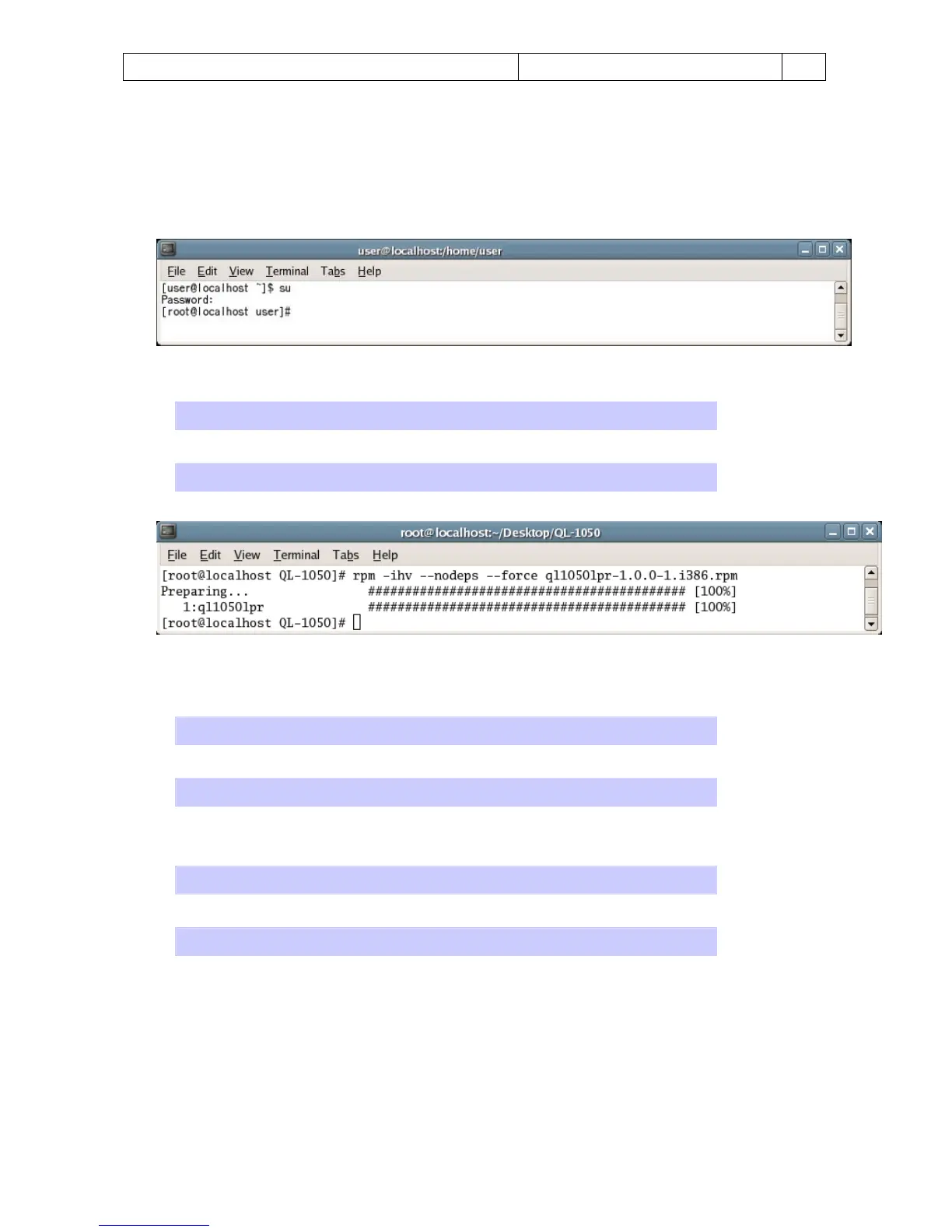
[2] Log on as the root user. Otherwise, use the “su” command to obtain Root permissions.
[3] Install the LPR driver.
・ For Debian users:
dpkg -i --force-all ql1050lpr-1.0.0-1.i386.deb
・ For Fedora Core (RPM) users:
rpm -ihv --nodeps ql1050lpr-1.0.0-1.i386.rpm
(If a Brother LPR driver is already installed, an error will occur. To overwrite it, specify the “--force" option.)
[4] Install the CUPS wrapper driver.
・ For Debian users:
When values are displayed in millimeters
dpkg -i --force-all ql1050cupswrapper-1.0.0-1.debian.i386.deb
When values are displayed in inches
dpkg -i --force-all ql1050cupswrapperinch-1.0.0-1.debian.i386.deb
・ For Fedora Core (RPM) users:
When values are displayed in millimeters
rpm -ihv --nodeps ql1050cupswrapper-1.0.0-1.redhat.i386.rpm
When values are displayed in inches
rpm -ihv --nodeps ql1050cupswrapperinch-1.0.0-1.redhat.i386.rpm



 To Next Page
 Loading...













