Chapter 3 – Measurement Set-up Menu
Measurement Set-up Menu
BB1122–11
3–5
2238 Mediator
User Manual
3.1.5 Measurement Control
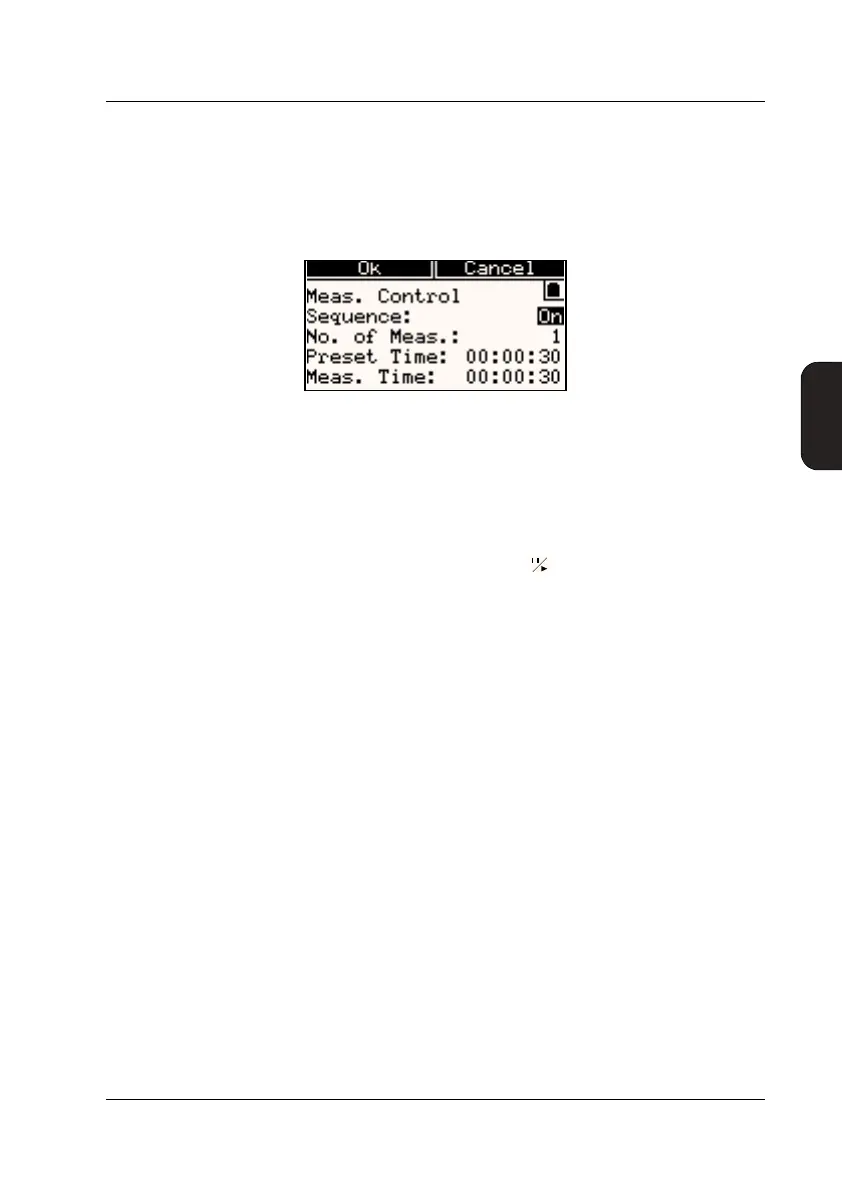
The Meas. Control Window is used to set up a Measure-
ment Sequence and to activate/deactivate it, see Fig. 3.4.
A Measurement Sequence is a specified number (one or more)
of consecutive measurements of specified length.
When switched On, the Measurement Sequence is started as
a normal measurement, using the key, an Auto Start or
an external trigger pulse. During a Measurement Sequence
you can control the instrument in the normal way, for exam-
ple, you can pause a measurement and resume it. When the
last measurement in the Sequence has finished Mediator is
paused.
Switching the Sequence On/Off
The Sequence field is for switching the Measurement Se-
quence On or Off. The sequence parameters only appears
when sequence is set to On.
Setting the Number of Measurements
No. of Meas. allows you to set up the desired number of
measurements from 1 to 99.
Setting the Preset Measurement Time
Preset Time is for setting the measurement time for each
of the measurements in the sequence.
● Hours: Can be set from 0 to 99 in one hour steps
● Minutes: Can be set from 0 to 59 in one minute steps
Fig.3.4 The Measurement Control Window



 To Next Page
 Loading...











