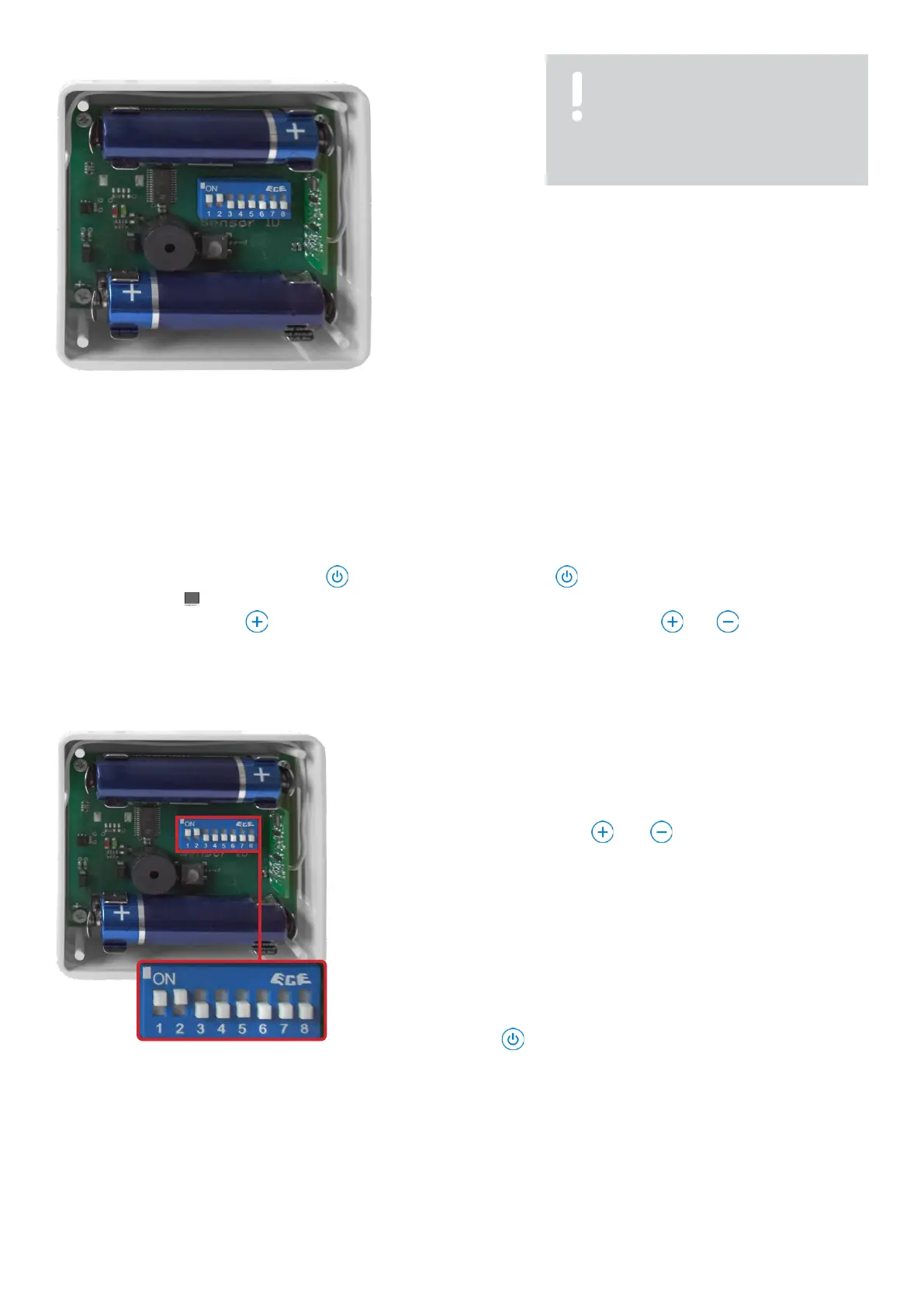
3.5 Encode
radio humidity transmitter
1. Code the radio humidity transmitter by adjusting the sliders with a
suitable non-metallic object.
2. Confirm the coding by pressing the small button. It can then be
read out and selected on the unit.
3. Close the cover of the radio humidity transmitter again.
Fig. 3.5.1: Coding switch for coding
Select
menu
In this menu you can choose many settings for your humidifier. You can find an overview of the possible settings on page 21 chapter
5 "Menu overview".
Switch the unit off with the standby button . Now press the standby button and keep it pressed for 5 seconds until the
display shows "Ad" .
By pressing the FAN button you can now select the menu. With the HUMIDITY button and you can change the
settings in the menus.
Coupling the radio humidity transmitter with the humidifier
Menu Ad: This is where you pair the radio humidity transmitter with
the
device
. You have a choice of 256 address codes here. The setting is
made on the radio humidity transmitter using the 8-digit coding switch.
Fig. 3.5.2: Coding the humidifier
Use the HUMIDITY button and to select the desired radio
coding.
For better orientation, radio humidity transmitters within range transmit
their current coding to the unit. This is indicated by a short beep and two
flashing dots in the display next to the address code.
Caution: If several radio humidity transmitters are within range,
different codes are displayed.
Once the setting has been made, exit the menu by pressing the
standby button .
NOTE!
Material damage due to short
circuit! Only code the radio
transmitter with a non-metallic
object.



 To Next Page