4.
NOTICE! The electronics of the control panel
are very sensitive. Ensure that you do not
touch the electronics and do not damage any
components.
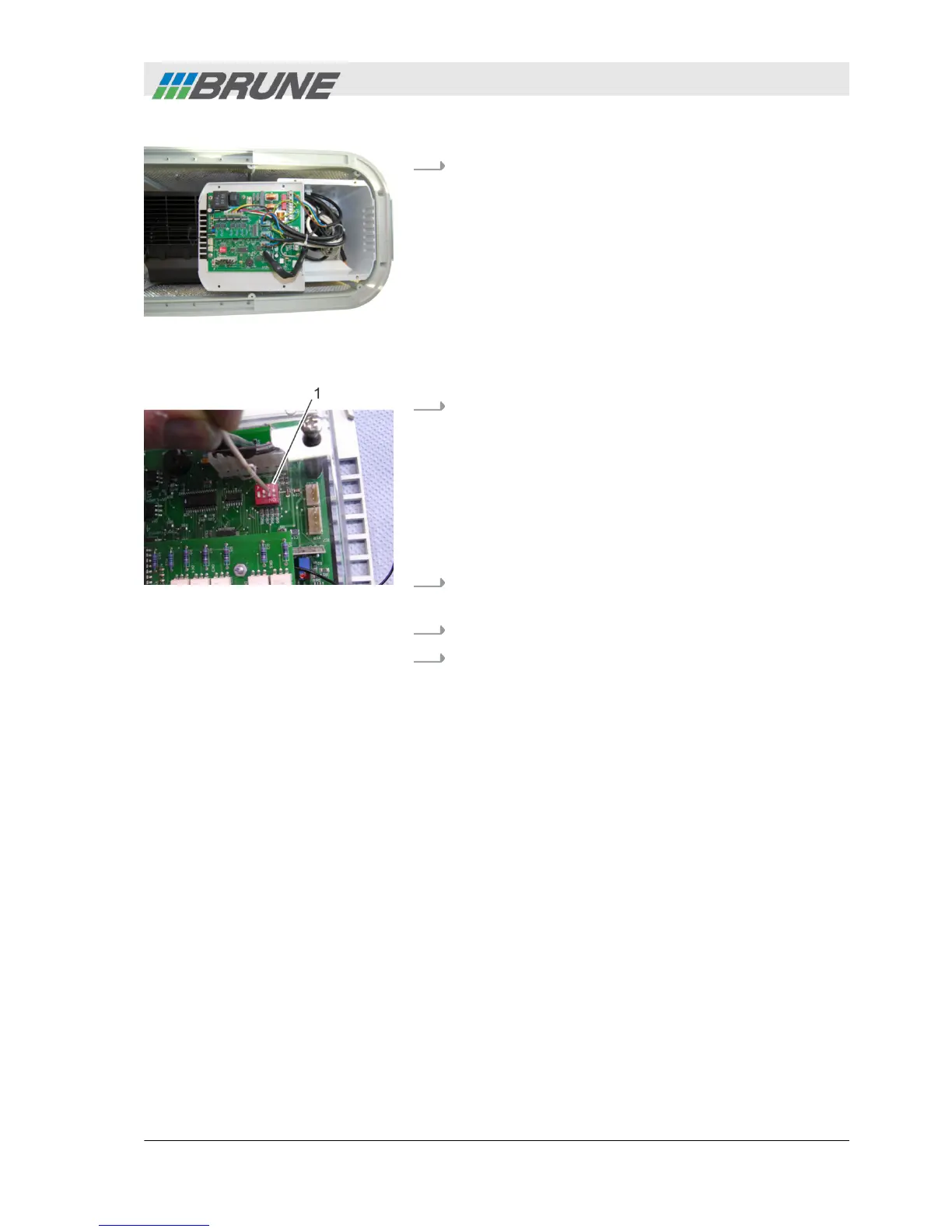
Remove the control panel and place on the oper-
ating side (Fig. 20).
5.
NOTICE! Property damage due to short circuit!
– Code the humidifier only with a non-metallic
object.
Coding the humidifier. For this, using a suitable
non-metallic object, carefully position the slide con-
trols located on the rear side of the board
(Fig. 21/1), in the same position as the ones of the
wireless sensor system.
6.
Place the control panel again and fasten using the
four screws.
7.
Close cover of the device again.
8.
Check the system functioning. For this, carefully
breathe into the housing of the wireless sensor
system.
ð
The actual value indicated on the control panel
changes. The wireless sensor system is ready
for operation.
Fig. 20: Remove the control
panel
Fig. 21: Coding the humidifier
Commissioning
2013-11-04 Evaporation Humidifier B500 Professional 35



 To Next Page