2.
NOTICE! Property damage due to short circuit!
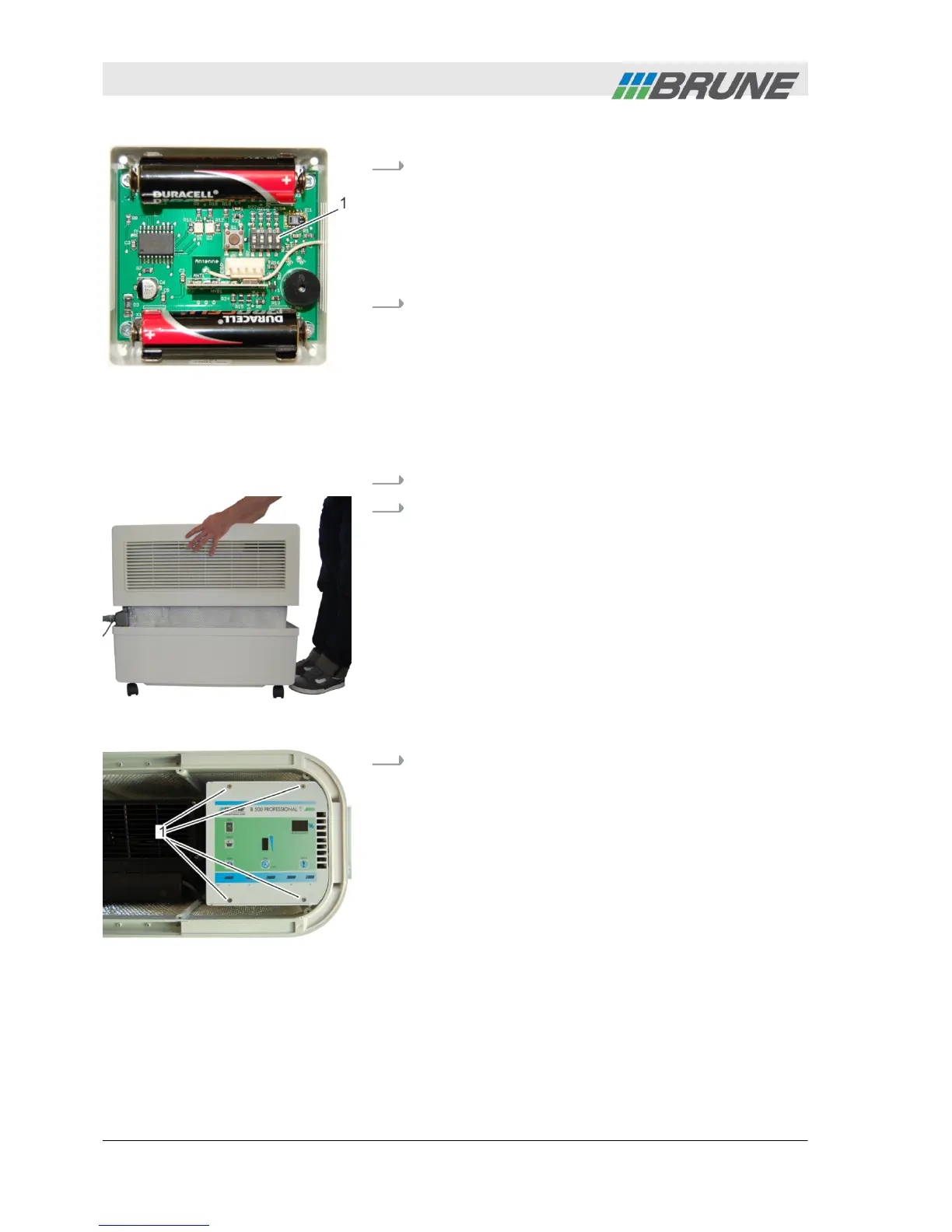
– Code the wireless sensor system only with a
non-metallic object.
Code the wireless sensor system by setting the
slide controls (Fig. 17/1) using a suitable, non-met-
allic object.
3.
Close the cover plate of the wireless sensor
system again.
Personnel:
n
Operator
1.
Switch off device and disconnect power plug.
2.
Lift the cover of the humidifier upwards and place
to the side (Fig. 18).
3.
Use a screwdriver to loosen and unscrew the four
screws at the top of the control panel (Fig. 19/1) by
turning counter-clockwise.
Fig. 17: Coding the wireless
sensor system
Coding the humidifier
Fig. 18: Remove cover
Fig. 19: Loosening the control
panel
Commissioning
2013-11-04Evaporation Humidifier B500 Professional34



 To Next Page