26
Enable Heating/Cooling Alerts
Select No if you do not want the Legacy Line Wi--Fi Thermostat to
generate an alert if a system is not responding to a call for heat or cool. If
disabled, these alerts will not be shown on the Legacy Line Wi--Fi
Thermostat or Web Portal and no emails will be sent.
Wi--Fi
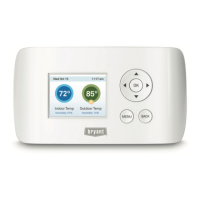
The Legacy Line Wi--Fi Thermostat supports Wi--Fi 802.11 b/g/n. Use
the Advanced Configuration option in the Wi--Fi menu to configure your
network parameters. Choose the network from the list or manually add a
new one (i.e. if your network does not broadcast its SSID).
To configure Wi-Fi manually:
From the Home screen, press MENU.
Select Wi--Fi.
Adjust the network options for your home network.
You will then be able to view and configure the following network
parameters:
d DHCP (select Disabled to use a static IP Address; if unsure, leave
DHCP Enabled)
d SSID
d Encryption (WEP, WEP128, WPA, or WPA2)
d Password (if encryption is used)
d Wi--Fi Channel
d IP Address and IP Subnet
d Gateway Primary and Secondary DNS
If you need to specify your thermostat’s MAC address in your router’s
configuration, you can obtain it from the About menu.






 To Next Page