Appendix F Printing with Software
Revision A 9K-L USERS MANUAL Section F - 18
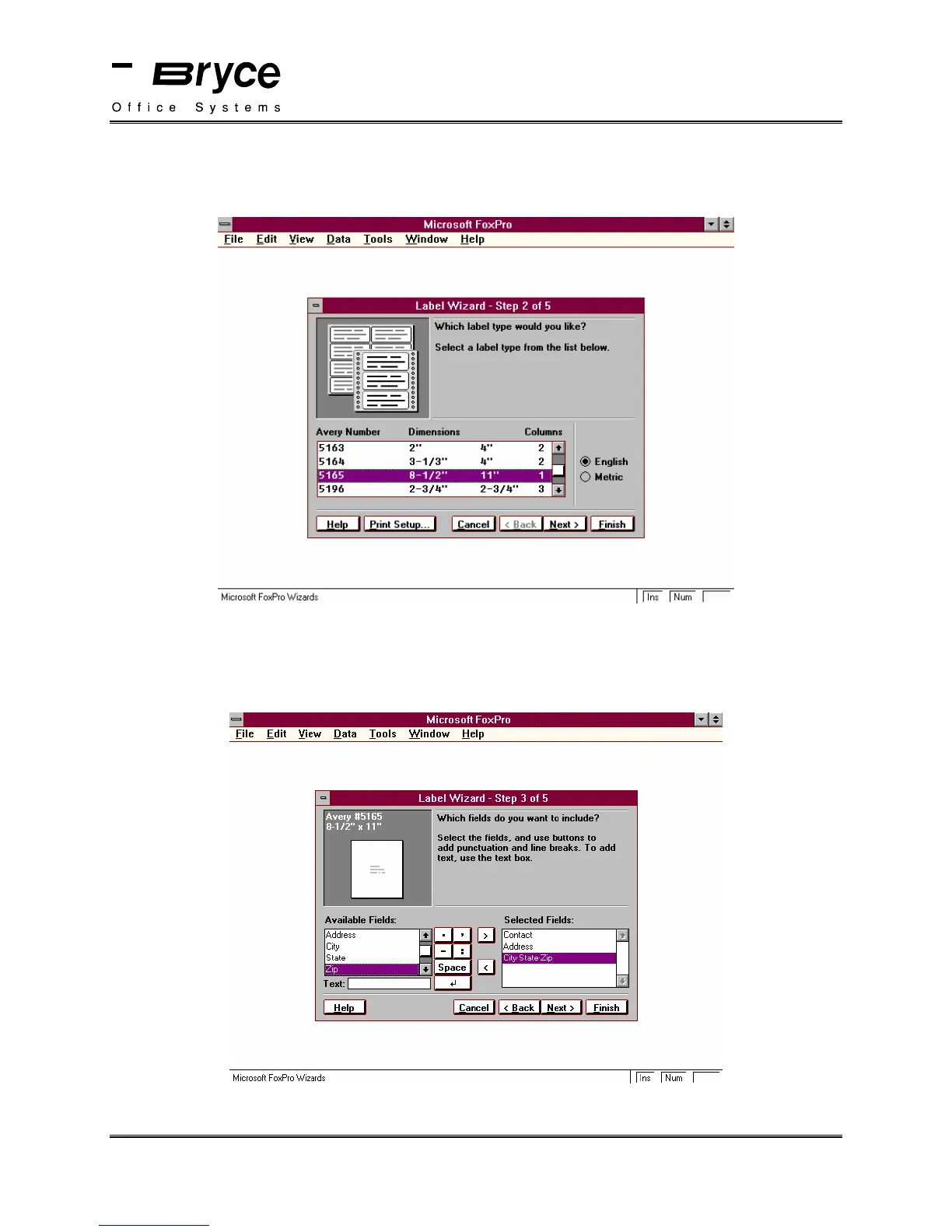
The Label Wizard - Step 2 of 5 window will be displayed.
Select Avery #5165 (8½ x 11)
Click on Next.
The Label Wizard - Step 3 of 5 window will be displayed. Select the fields you wish to include
in your label.
Insert a space between the City and State fields, and also between the State and Zip fields, as
shown below.
When you have done this, Click on Next.
continued on next page
P/N 90-00860-001



 To Next Page