CHASSIS GROUND:
Achassisgroundthumbscrewterminalisprovidedontherearpanel.
12 VOLT TRIGGER CONNECTOR:
These12VdccontroloutputsallowtheB100toexerton/offcontrolovercompatibleequipment.See“REMOTE
POWERCONTROL”formoreinformation..
LINE LEVEL ANALOG AUDIO INPUTS :
TheBrystonB100integratedamplifiercomesequippedwith8pairsofgoldplatedanalogRCAinputcon-
nectors:TV,CD, AUX-1/PHONO,AUX-2/SPDIF,VIDEO,TUNER,RECORD INandPOWER AMP IN.Allhaveandinput
impedanceof50Kohms
•POWER AMP INisnormallyconnected,internally,toPRE AMP OUTviatheCONNECTED/SEPARATEslideswitch
locatedontherearpanel.WhenthisswitchisintheSEPARATEposition,however,anylinelevelaudio
inputcanbeusedatthePOWER AMP INPUTjackstodrivetheamplifier.
•InB100-DAmodelstheAUX2 (D1/D2)inputjacksacceptonlySPDIFPCMbitstreams.TheydoNOT
acceptanalogaudioinputsignals.
•InB100-Pmodels,whichareequippedwithamoving-magnetphonoequalizationmodule,theinputs
labeledAUX1/PHONOacceptmovingmagnetphonocartridgeinputs.TheseinputsareNOTlinelevel
inputsintheB100-Pandcannotbeusedassuch.
LINE LEVEL ANALOG AUDIO OUTPUTS :
TheBrystonB100integratedamplifiercomesequippedwith2pairsofgoldplatedanalogRCAjacksforout-
puts:PREAMP OUTandRECORD OUT.
•PREAMP OUTisnormallyconnected,internally,viatheCONNECTED/SEPARATEswitch,toPOWER AMP IN
•RECORD OUToutputisnotaffectedbyvolume,balanceormutecontrols.
DIGITAL AUDIO INPUTS:
IntheB100-DAmodel,whichcontainsastereoD/Aconvertermodule,thereare4digitalaudioinputsavailable.
TOSLINK: TwoTOSLINKopticalinputsareselectedbypressingtheD3(TOSLINK-1)orD4 (TOSLINK-2)
buttonsonthefrontpanel(whenindigitalmode)oronthehandheldremote.
SPDIF: TwoSPDIFcoaxialinputscanbeconnectedtotheB100-DAusingtheRCAinputjackslabeledD1
andD2. ToselecttheseinputsfirstplacetheunitindigitalmodebypressingtheDIGITAL4Select
button on the front panel (or the A/D button on the handheld remote) and then press the D1
orD2buttononthefrontpanelorontheremote).WhenthegreenLEDabovethefontpanel
DIGITAL4SELECTswitchbuttoninONconcurrentlywitheithertheD1 (CD),D2 (TUNER),D3 (TV) or
D4 (VIDEO) LEDs,thendigitalmodeisengaged.
Note:Whenreturningtoaninputthemodepreviouslyusedwiththatinputwillbeautomaticallyre-selected.See
alsotheDIGITAL-to-ANALOG CONVERTER OPTIONsectionformoreinformation.
HEADPHONE JACK:
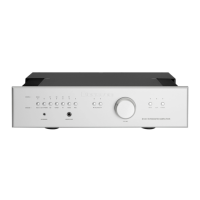
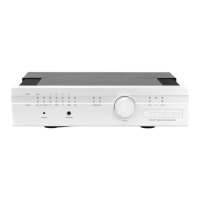
ThereisaquarterinchheadphoneoutputjackavailableonthefrontpaneloftheBrystonB100integrated
amplifier.Theheadphoneoutputisdrivendirectlyfromthepreamplifiersectionutilizingseparateheadphone
buffers.Insertingtheheadphonejackmutestheloudspeakersautomatically(indicatedbythemuteLEDon
thefrontpanelturningred).TheB100PREAMP OUTisalsomuted.
YoucanadjustthevolumesettingoftheheadphonesbyusingthevolumecontrolonthefrontoftheB100inte-
gratedamplifier.Youmayalsoutilizetheremotecontrolunittoadjustheadphonevolume.Theheadphones
cannotbe mutedwiththeremotecontrolunitor thefront panelMute.Onlyheadphoneswithimpedancesof
greaterthan50ohmsshouldbeused.
AUXILIARY IR INPUT:
Thismono1/8”(3mm)phonejackallowsadirectconnectiontoequipmentwhoseremotecontrolsystempro-
videsanoutputfromtheirinfra-redLEDdrivecircuit.Thesignalconnectedtothisjack,whichisexpectedto
B100 INTEGRATEDAMPLIFIER


 To Next Page