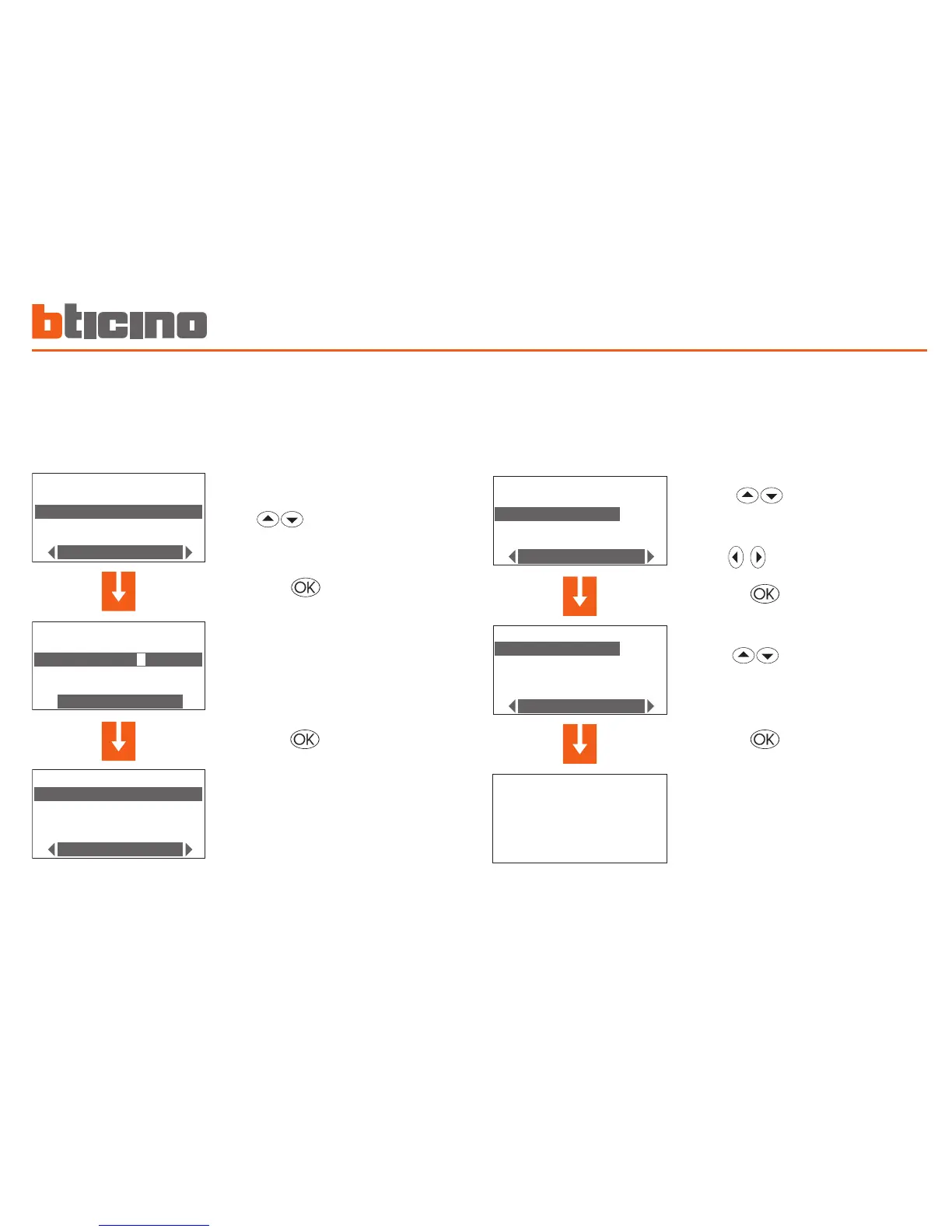
In the Program Selection menu se-
lect the program to be re-
named (E.g.: Week 2)
Press the key to confirm
using the keypad type the new name
to be assigned to the weekly program
(E.g.: Winter week)
press the key to confirm
Rename a Weekly program
On selecting this function you can assign a name which better identifies
the program selected (max 13 characters).
Copy a Weekly program
This function lets you copy a previously programmed weekly program
into another. For example copy the Example program (preset in the
factory) in Week 2.
Select the program to be
copied into (E.g.: Winter week)
select the Copy from function
Press the key to confirm
Select the program to copy
(E.g.: Example)
Press the key to confirm
The display shows the following mes
-
sage:
Copy
from: Example
to: Winter week



 To Next Page