72
Programming5
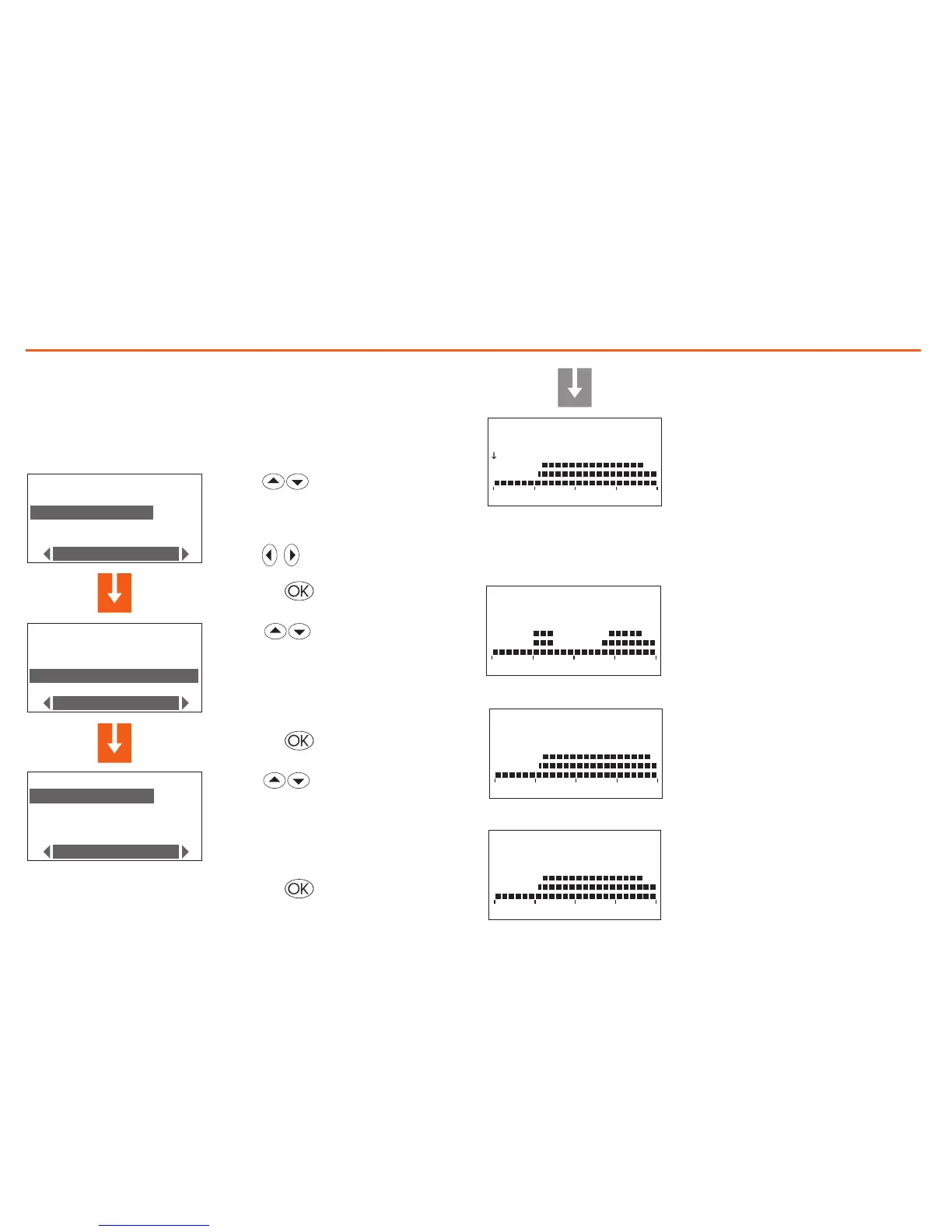
Modify a Weekly program
On selecting this function you can modify the weekly program selected,
associating a daily profile to each zone.
P RO G R AM S E L ECT .
E xa m p le
W in t e r we e k
W ee k 3
M od i f y
Z ON E S E LE C T ION
Z on e 1
Z on e 2
M od i f y
C HO I C E DA Y
F ri d a y
S at u r da y
S un d a y
M od i f y
Z on e 1 S u n
0 0: 0 0 T 1 18 . 0 C
0 6 1 2 1 8 2 4
select the program to modify
(E.g.: Winter week)
select the Modify function
Press the key to confirm
Select the day (E.g.: Sunday)
Press the key to confirm
The
Copy from function can also be
selected for the day selected
The
Copy from and Display func-
tions area also available for the zone
selected
Select the zone (E.g.: Zone 1)
Press the key to confirm
CONT
E xa m p l e
Z on e X X M o n
0 6 12 1 8 2 4
E xa m p l e
Z on e X X S a t
0 6 12 1 8 2 4
E xa m p l e
Z on e X X S u n
0 6 12 1 8 2 4
- from 00:00 to 06:30 - 18°C (T1)
- from 06:30 to 07:00 - 20°C (T2)
- from 07:00 to 22:00 - 22°C (T3)
- from 22:00 to 24:00 - 20°C (T2)
Domenica
E xa m p l e
Z on e X X M o n
0 6 12 1 8 2 4
E xa m p l e
Z on e X X S a t
0 6 12 1 8 2 4
E xa m p l e
Z on e X X S u n
0 6 12 1 8 2 4
- from 00:00 to 06:00 - 18°C (T1)
- from 06:00 to 09:00 - 22°C (T3)
- from 09:00 to 16:00 - 18°C (T1)
- from 16:00 to 17:00 - 20°C (T2)
- from 17:00 to 22:00 - 22°C (T3)
- from 22:00 to 24:00 - 20°C (T2)
Monday to Friday
E xa m p l e
Z on e X X M o n
0 6 12 1 8 2 4
E xa m p l e
Z on e X X S a t
0 6 12 1 8 2 4
E xa m p l e
Z on e X X S u n
0 6 12 1 8 2 4
- from 00:00 to 06:30 - 18°C (T1)
- from 06:30 to 07:00 - 20°C (T2)
- from 07:00 to 23:00 - 22°C (T3)
- from 23:00 to 24:00 - 20°C (T2)
Sabato
Presettings of the “Example” weekly program
P RO G R AM S E L EC T .
E xa m p le
W in t e r we e k
W ee k 3
M od i f y
Z ON E S E LE C T IO N
Z on e 1
Z on e 2
M od i f y
C HO I C E DA Y
F ri d a y
S at u r da y
S un d a y
M od i f y
Z on e 1 S u n
0 0: 0 0 T 1 18 . 0 C
0 6 12 1 8 2 4
The profile displayed can now be
modified using the navigation keys as
shown in detail in the pages below.
Note: The “Example” program is preset but can be modified.



 To Next Page