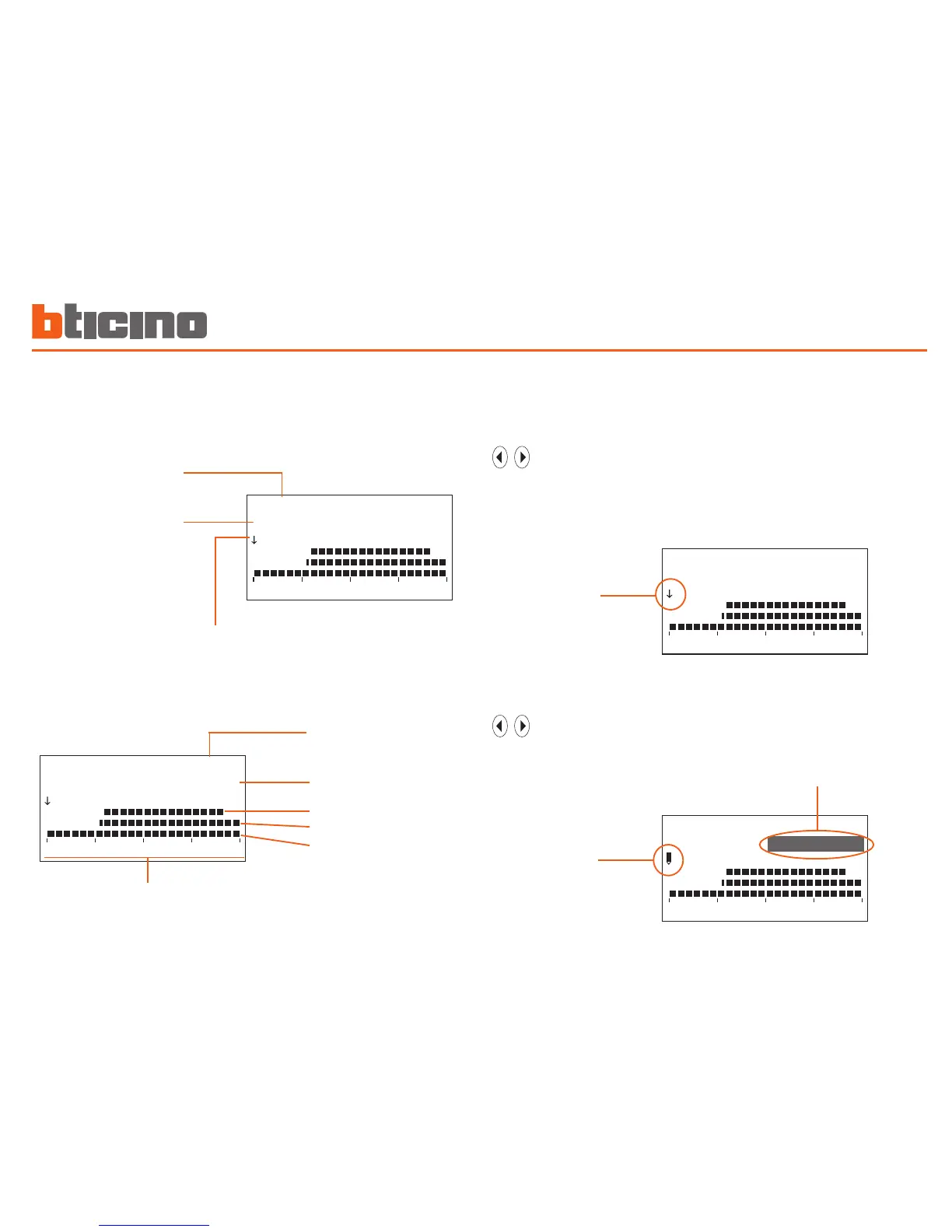
time axis
day
temperature level
T3
T2
T1
Information shown on the display: There are two modes of work:
SCROLL
Characterised by an arrow-shaped cursor, lets you, using the
keys, move the cursor along the time axis without making
any modification to the daily profile.
arrow cursor
MODIFY
Characterised by a “pencil”-shaped cursor, lets you, using the
keys, move the cursor along the time axis to set the tem-
perature level selected.
p e n c i l
cursor
temperature level
- from 00:00 to 06:30 - 18°C (T1)
- from 06:30 to 07:00 - 20°C (T2)
- from 07:00 to 22:00 - 22°C (T3)
- from 22:00 to 24:00 - 20°C (T2)
Domenica
- from 00:00 to 06:00 - 18°C (T1)
- from 06:00 to 09:00 - 22°C (T3)
- from 09:00 to 16:00 - 18°C (T1)
- from 16:00 to 17:00 - 20°C (T2)
- from 17:00 to 22:00 - 22°C (T3)
- from 22:00 to 24:00 - 20°C (T2)
Monday to Friday
Sabato



 To Next Page