74
Programming5
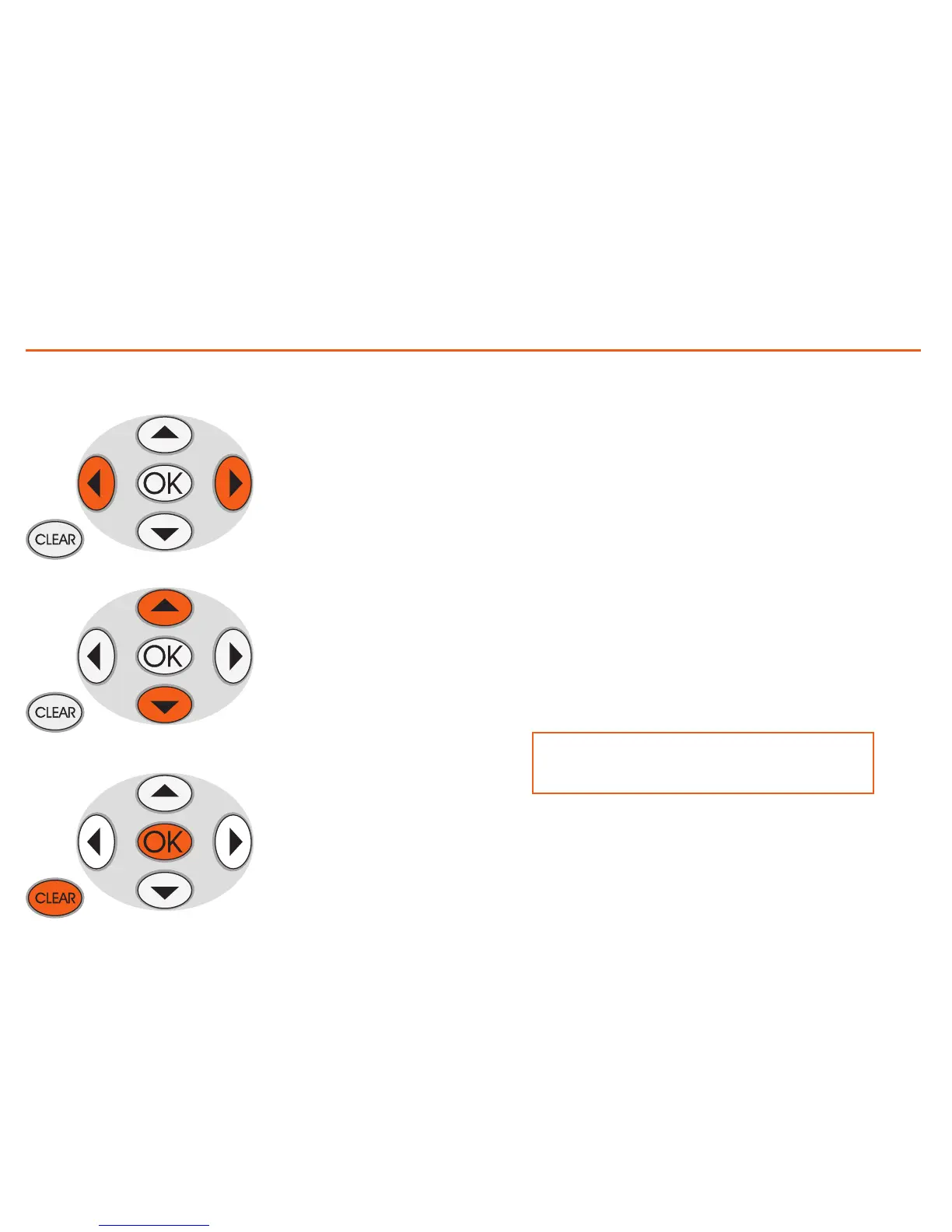
Move the cursor along
the time axis
- Change from SCROLL
mode to MODIFY,
- in the MODIFY mode
scroll the three tempera-
ture levels
OK
- change from MODIFY
mode to SCROLL
- In SCROLL mode con
-
firms quitting the Modi-
fy function
CLEAR
returns to the previous
page without saving
How to use the cursor keys:
Temperature levels set
T1= 18°C - T2= 20°C - T3= 22°C
When the procedure has been performed, using the
“Copy from” function (see page 34), you can:
- copy “Zone 1” to other zones
- copy “
Monday” to other days
Create a new daily profile
We recommend you follow the procedure described in this example
step by step, as a useful instrument for becoming familiar with the
Modify/Scroll mode of work and the use of the cursor keys.
Example: creation of a new temperature profile belonging to “Zone
1” of “Monday” for the weekly program “Week 2”, with the following
time bands and temperature levels:
1 - from 00:00 to 06:00 - 18°C (T1)
2 - from 06:00 to 09:00 - 22°C (T3)
3 - from 09:00 to 16:30 - 20°C (T2)
4 - from 16:30 to 22:00 - 22°C (T3)
5 - from 22:00 to 24:00 - 20°C (T2)



 To Next Page