15
Melting point B-540
5.5.3 Determination of the MAXPOINT
Normally, the temperature of the MAXPOINT is adjusted
automatically at 15°C above the SETPOINT. If this temperature
differential exceeds 15°C in an individual case, the MAXPOINT
may be adapted manually. The MAXPOINT is equally adapted
in the main menu. By way of example, the MAXPOINT
temperature of 195°C is to be increased to 230°C.
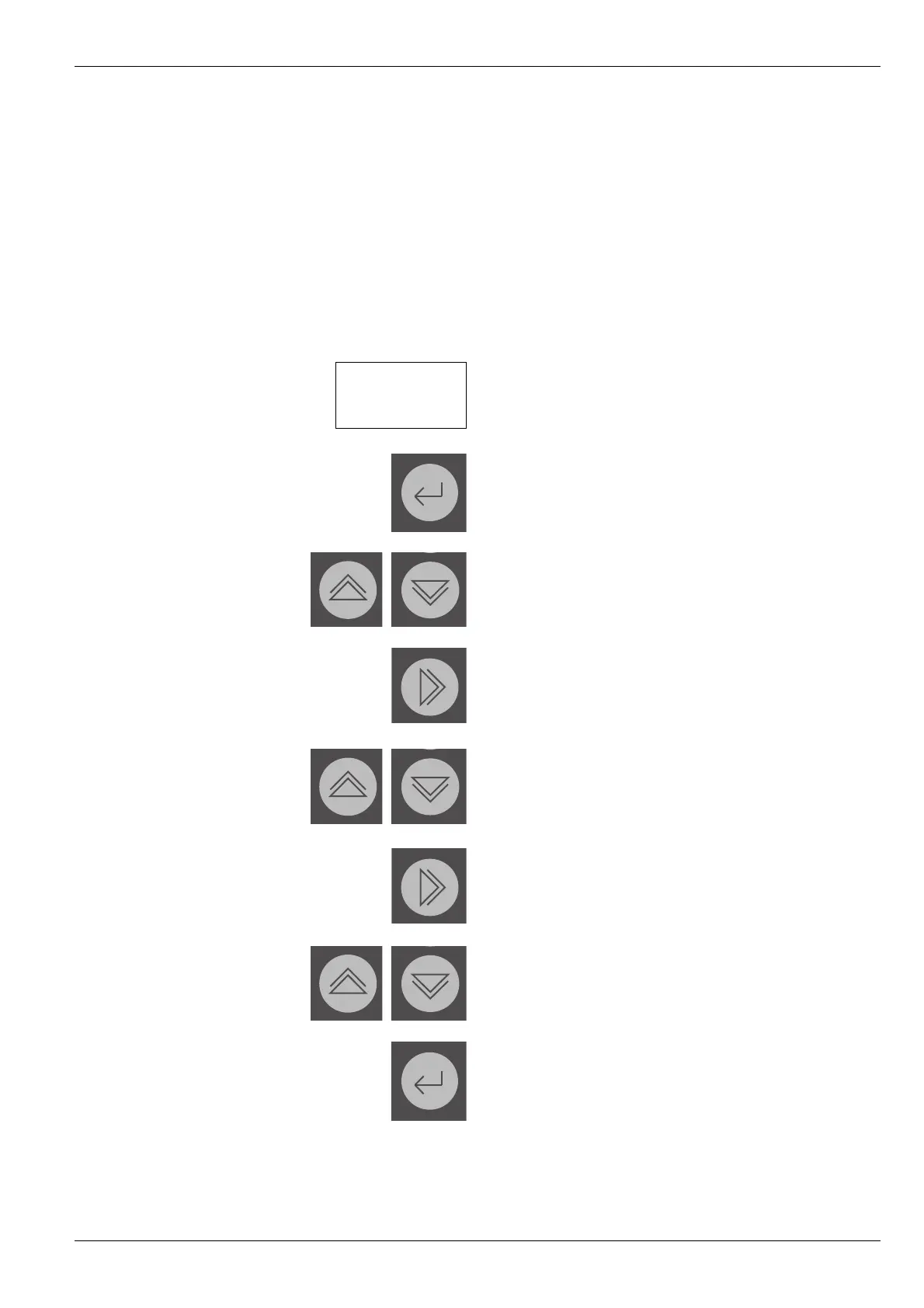
Actuate ENTER until the cursor is on the MAXPOINT field.
Increase or reduce the value until the number 2 is in the first
digit.
NEXT until the cursor is on the second digit.
Increase or reduce the value until the number 3 is in the
second digit.
NEXT until the cursor is on the third digit.
Increase or reduce the value until the number 0 is in the third
digit.
ENTER to transmit the MAXPOINT temperature.
5 Operation
TEMPERATURE : 25.0°C
SETPOINT : 100°C
GRADIENT : 2.0°C
MAXPOINT : 120°C


 To Next Page