9. Camera Installation
Make sure the Base is installed and powered up and the camera is registered
(i.e. PC Base, Cell Base, Net Base, or Camera Base).
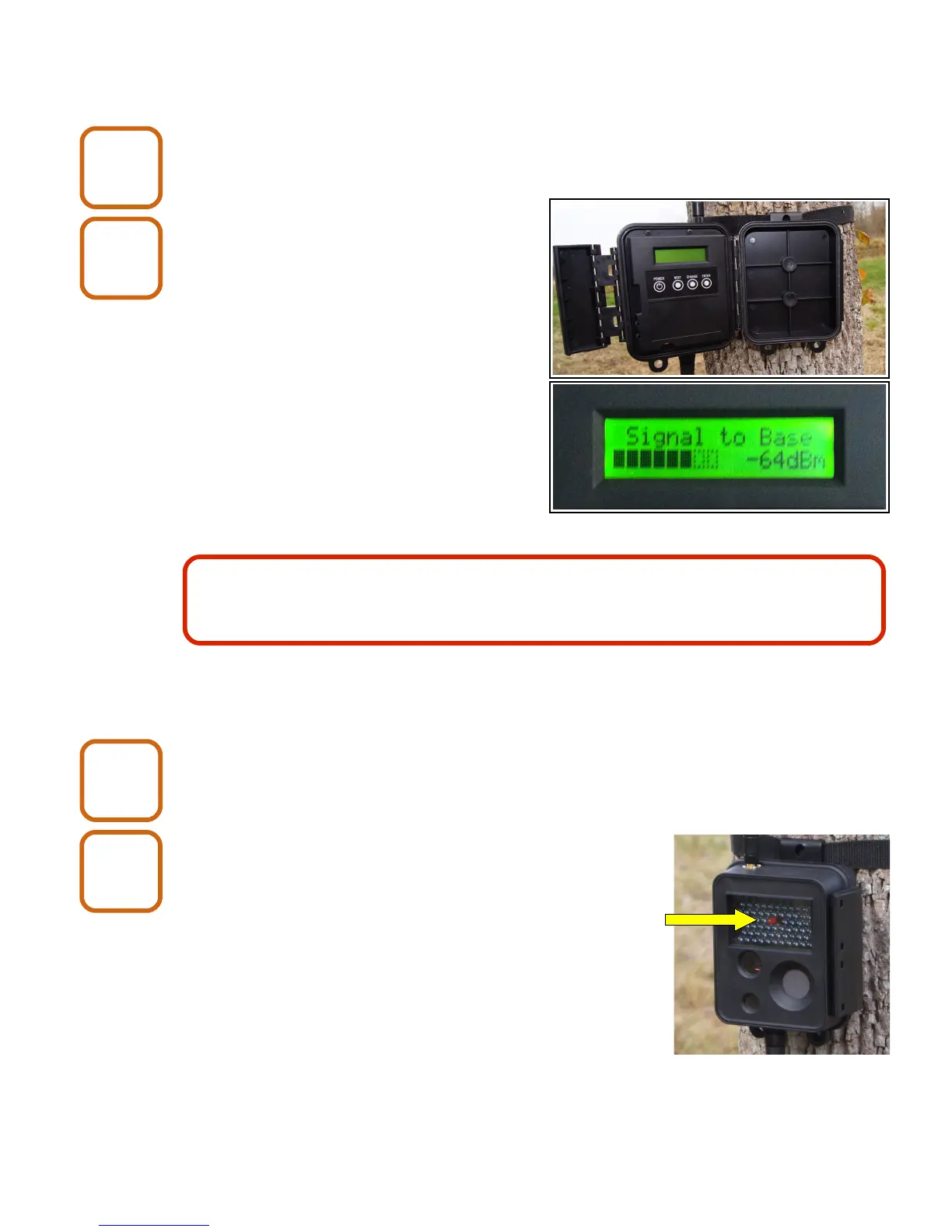
Open the camera enclosure and
push the NEXT button until the
LCD display shows the following
message:
Signal to Base
measuring...
If the camera can get a signal to the
Base, the LCD display will show the
signal strength.
If the camera cannot get a signal to the
Base, it will show the following:
no response!
If the camera cannot get a signal to the Base, you can try moving it to a different
location. If that is not an option, refer to Chapter 10, Antennas and Chapter 11,
Repeaters.
Close the camera enclosure.
Do a “walk test”.
Make sure that the “Blink LED when motion detected”
option is set to Yes and “Delay between motion triggers”
is set to 1 in X-Series Network Manager.
Walk in front of the camera and verify that the visible
LED triggers.
To get the get the maximum trigger distance, the face of
the camera should be perpendicular to the ground.
If maximum distance is not critical, the camera may be
placed at an angle.
X80 Wireless Camera User's Manual v2.0 20 of 35
Install
3
Install
4
Transmission distance may be up to 1-2 miles line-of-sight using the standard
antennas. This distance may be reduced if there are obstructions between the
camera and the Base.
Install
5
Install
6


 To Next Page