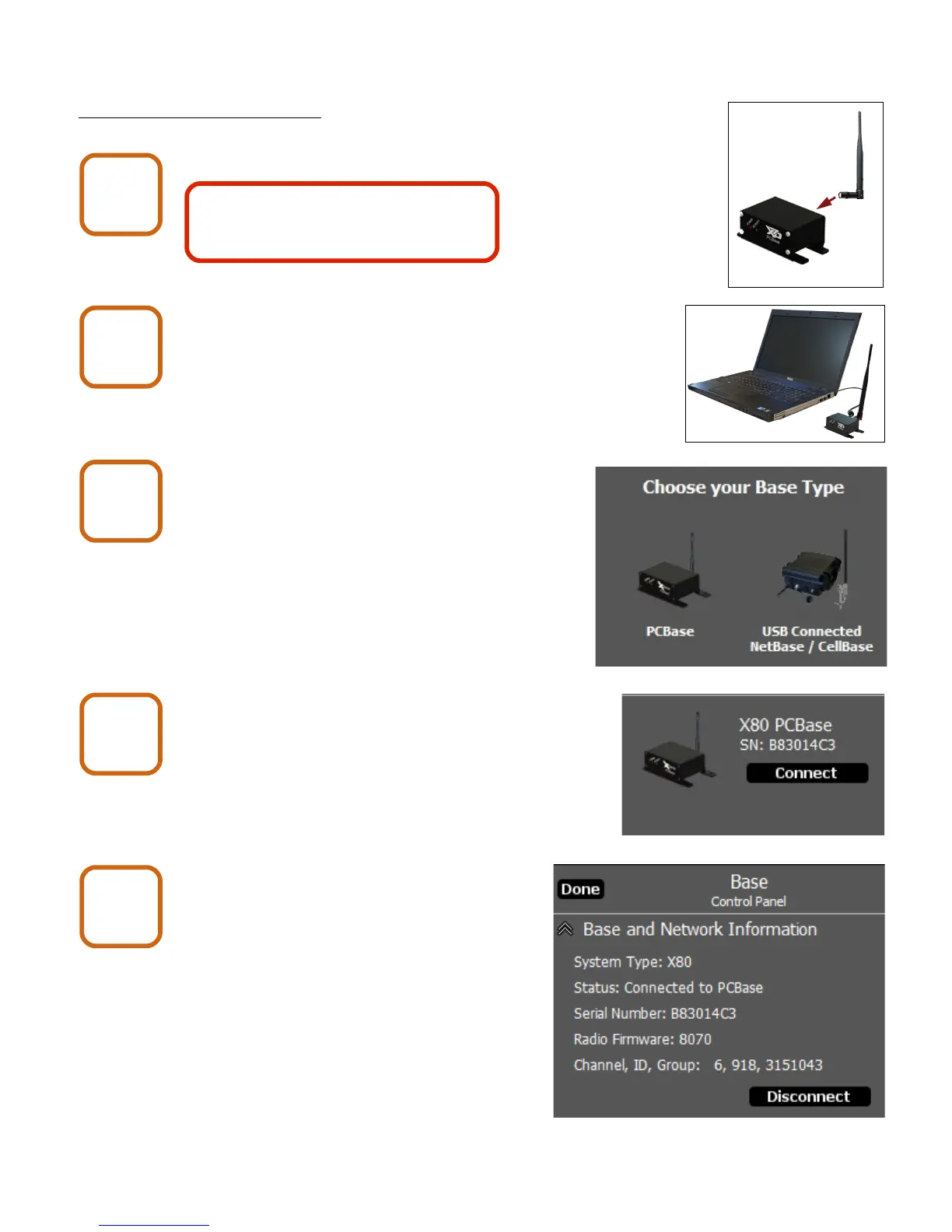
4. Connecting to a PC Base
4. Connecting to a PC Base
Attach antenna.
Connect PC Base to computer with USB cable.
Minimum computer requirements are :
Windows XP or later, 128 MB RAM,
1.5 GB disk space, USB port.
Start X-Series Network Manager
and click the PCBase icon.
Click the Connect button.
Click the Done button.
X80 Wireless Camera User's Manual v2.0 6 of 35
PC Base
1
PC Base
2
PC Base
3
PC Base
4
PC Base
5
The PC Base is for indoor use only.
If optional high gain antenna will be
used, refer to Chapter 10.


 To Next Page