8. Camera Settings
8. Camera Settings
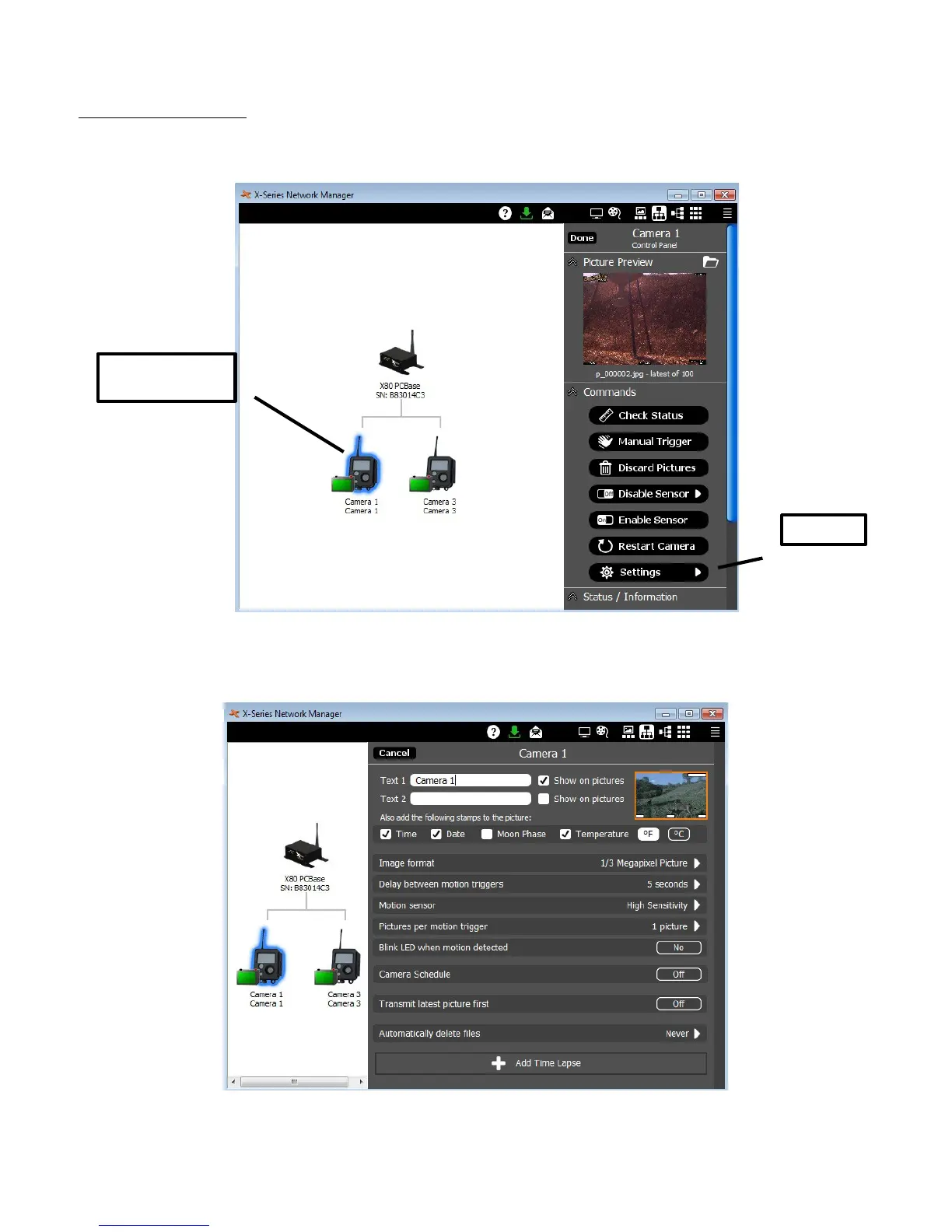
To access the camera settings for any camera, click on the camera icon in the network view to
open the camera Control Panel.
Click on the Settings button from the camera Control Panel. ( Note: The X-Series Network
Manager window is re-sizable. If you do not see the Settings button, you may need to use the
scroll bar on the right side of the window to scroll down. )
X80 Wireless Camera User's Manual v2.0 17 of 35
Click to open
Control Panel
Settings


 To Next Page