Page 24
LIGHTING INSTRUCTION
1. STOP! Read safety information on preceding page 23.
2. Make sure manual shutoff valve is fully closed.
3. Turn off all electrical power to appliance.
4. Open access panel door located at bottom front of appliance.
5. Turn control knob clockwise to full “OFF” position.
6. Wait five (5) minutes to clear out any gas. Then smell for gas, including near floor. If you
smell gas, STOP! Follow “B” on preceding page in Safety Information. If you don’t smell
gas, go to next step.
7. Find Pilot: The pilot is located in front of rear log and burner on right hand side of appli-
ance. Fully open manual shutoff valve.
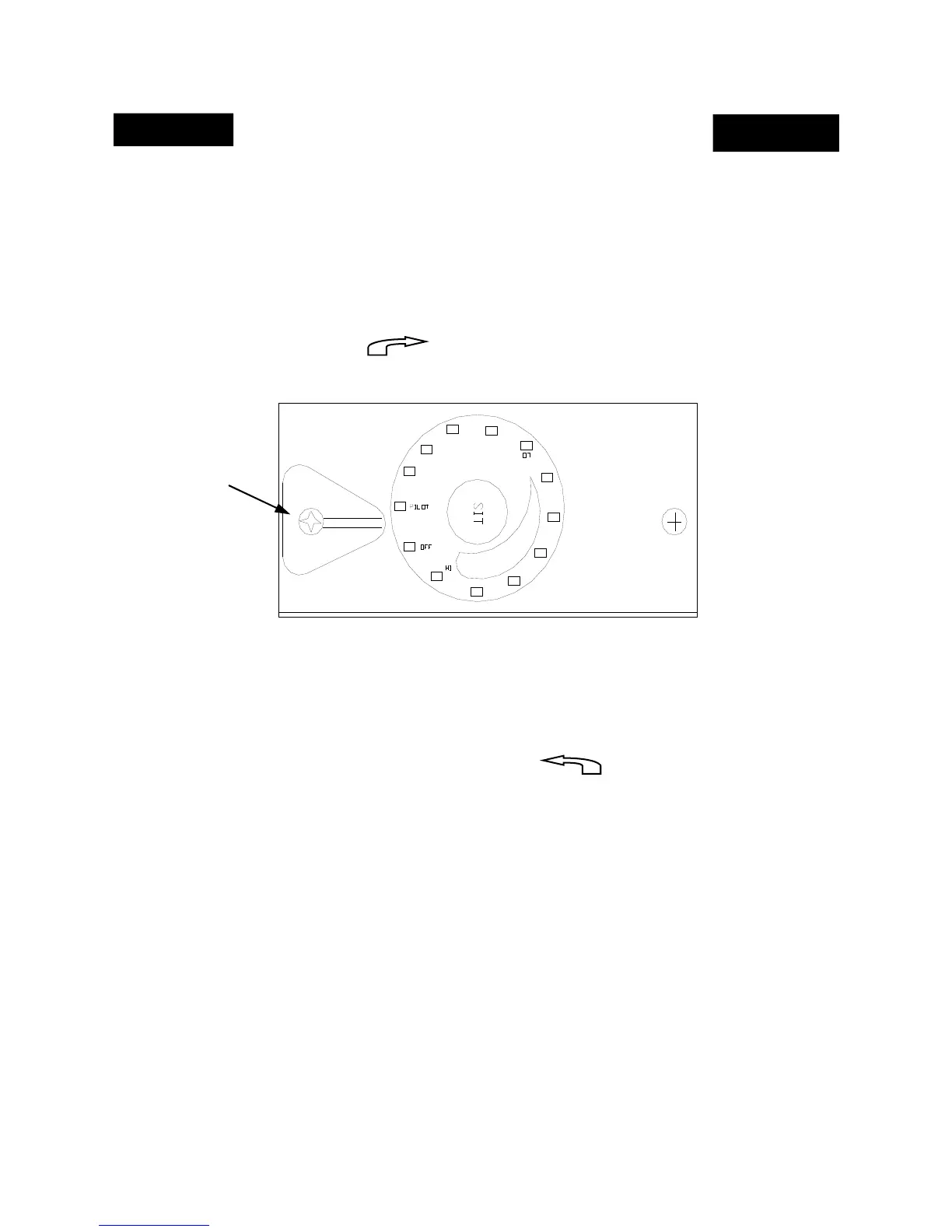
8. Press in and turn gas control knob counterclockwise to “PILOT” position
continue pressing in control knob for fifteen (15) seconds.
9. With control knob pressed in, push down (in) and release the igniter button (igniter button
is located on left hand side of gas control valve) . This will light pilot. If needed, keep re-
peating this step until pilot lights.
10. Keep control knob pressed in for one (1) minute after lighting pilot. After one (1) minute,
release control knob and it will pop back out. Pilot should remain lit. If pilot goes out, re-
peat steps 1 through 9.
• If the knob does not pop out when released, stop and immediately call your service techni-
cian or gas supplier.
• “If the pilot will not stay lit after several tries, turn gas control knob to “OFF” and call your
services technician or gas supplier.”
Igniter Button


 To Next Page