Page 21
• If pilot will not stay lit after several tries, turn gas control knob to “OFF” and call
your service technician or gas supplier.
11. Turn control knob counterclockwise to “ON” position. Push “ON/OFF”
toggle switch to “ON” position. The main burner should light.
12. Close access panel door.
14. Turn on all electrical power to appliance.
NOTE: This unit may be used with an optional Wall Thermostat. If so, the Wall
Thermostat needs to be set at a higher temperature than room temperature.
TO TURN OFF GAS TO APPLIANCE
SHUTTING OFF UNIT
1. Open access panel door located at bottom front of appliance.
2. “If equip with thermostat set to lowest setting.”
3. Turn control knob clockwise to “OFF” position.
4. Turn off all electric power to appliance if service is to be performed.
5. Close access panel door.
SHUTTING OFF BURNER ONLY (Pilot stays lit.)
Turn control knob clockwise to “PILOT” position.
CAUTION
DO NOT TRY TO ADJUST HEATING LEVELS BY USING MANUAL
SHUTOFF VALVE.
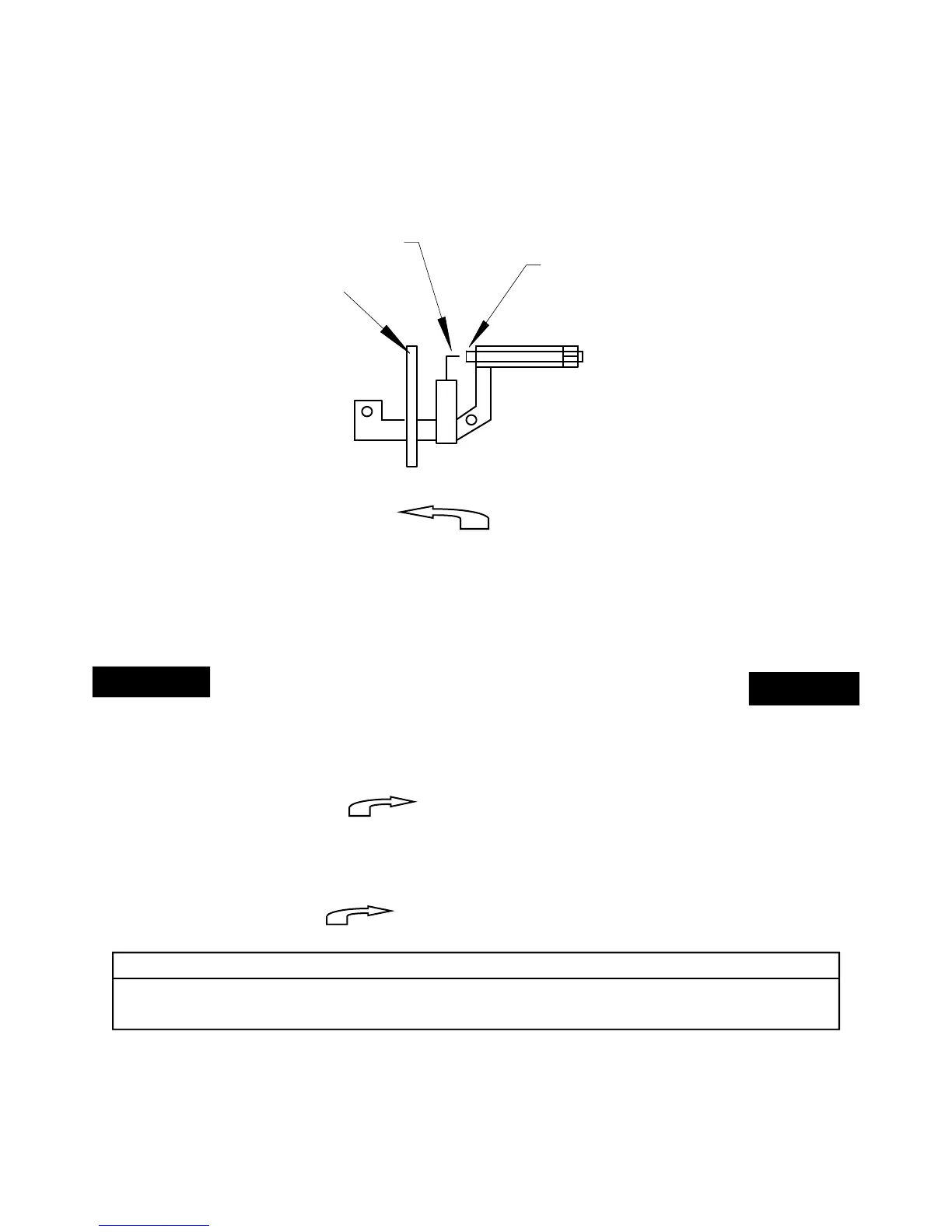
PILOT BURNER
IGNITOR ELECTRODE
THERMO-COUPLE
THERMO-PILE


 To Next Page