NOTE The Support Arm can be raised/lowered and advanced/retracted with
the cover open or closed.
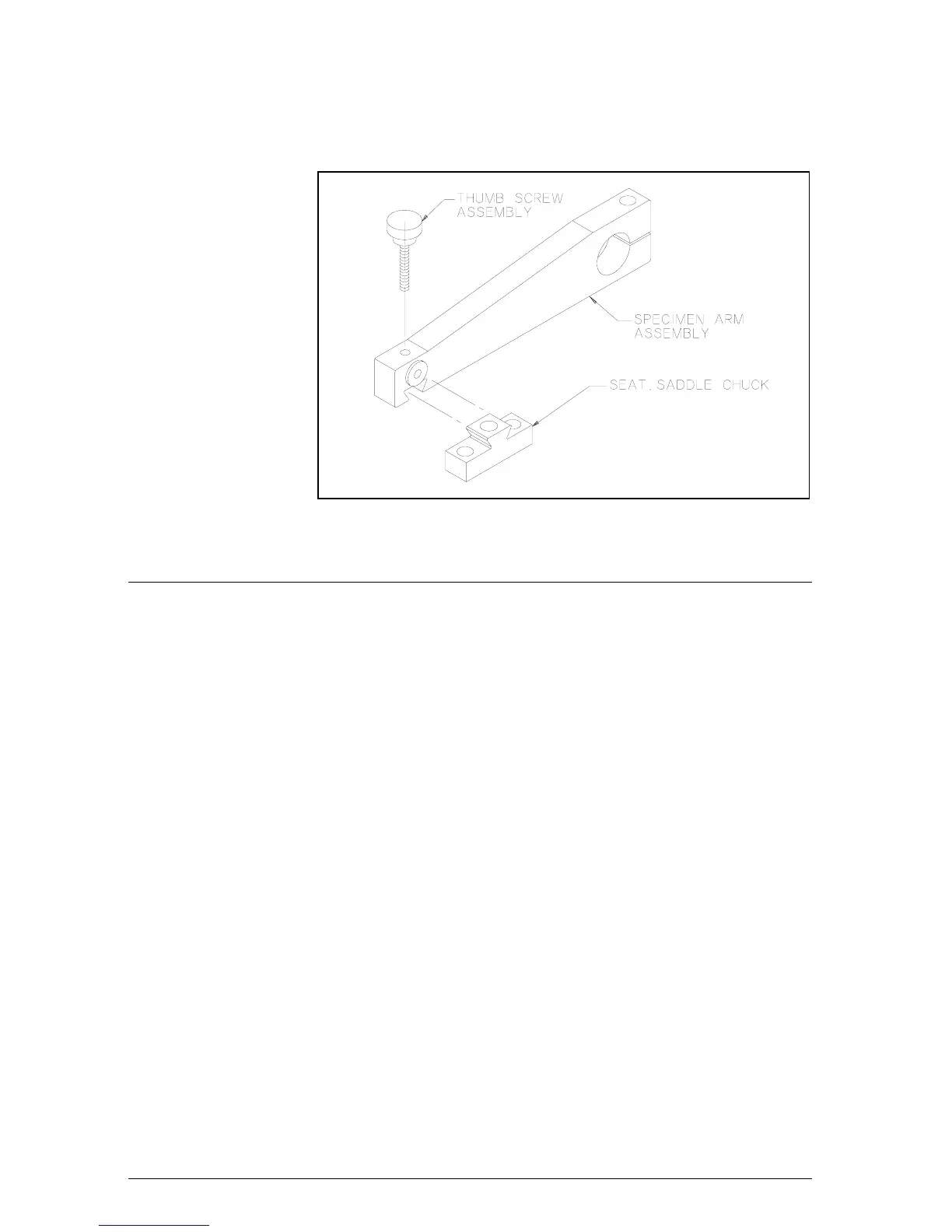
Figure 4 Specimen Chuck Adjustment
Setting the Load
To set the amount of force to be applied to the sample during the
cutting cycle, the Load section of the Control Panel is used. Refer to
Application Guide for proper load selection.
1. Preset the amount of load to be applied to the blade during the
cutting cycle. This is accomplished by pressing the LOAD
INCREASE or DECREASE Button until the desired load is
indicated on the Load LED Display.
NOTE The Display automatically sets to 100g when the unit is powered up.
The Load can be preset between 100g and 1000g in 10g increments.
NOTE The specimen must be loaded while the arm is in the raised position.
The ISOMET™ 2000 automatically tares the sample weight before a
cycle begins. The taring is done when the arm is in the raised position.
This features allows the saw to accurately apply the force displayed on
the front panel.
7
MA112480-20 03/06/00


 To Next Page