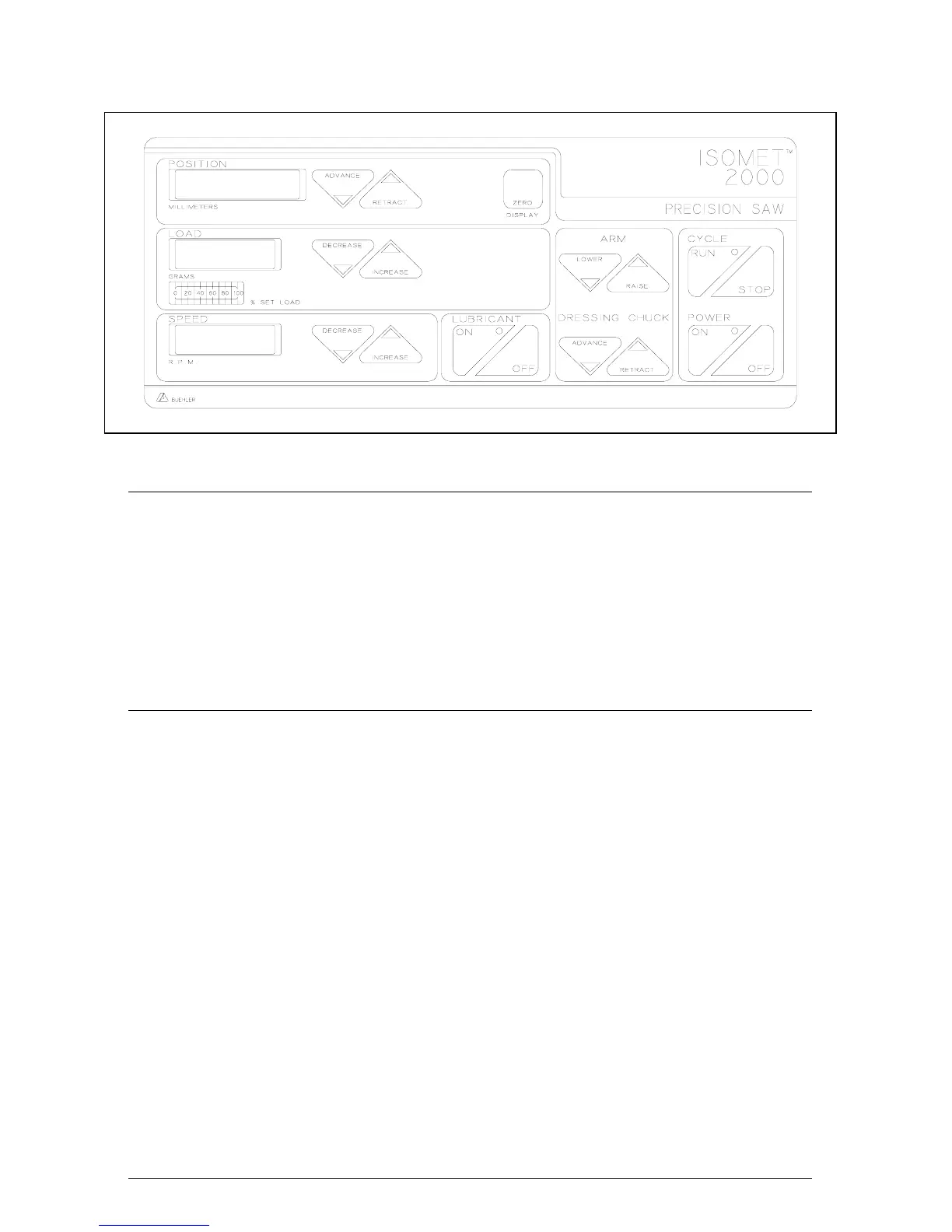
Figure 5 Front Panel
Checking and Adjusting Load
During the cutting cycle, the ISOMET™ 2000 Saw will monitor the load
being applied to the blade. If an overload condition occurs, the system
will automatically decrease the load to maintain optimum cutting
conditions. A Bar Graph on the Control Panel indicates the % of set
load at which the unit is operating. Optimum cutting is attained when
the bar graph reads near or at 100% during the cycle.
To change the set load during operation, press the LOAD DECREASE
or INCREASE Button.
Cutting the Specimen
To cut the Specimen, the Load, Speed, Lubricant and Cycle portions on
the Control Panel are used.
1. Press the Lower Button on the Arm Section of the Panel until
the Specimen is approximately 1 cm above the Blade.
2. Close the cover.
WARNING The ISOMET™ 2000 Saw is designed to operate only with the cover
closed. This prevents manual feeding of sample materials or
dressing sticks into the rotating blade, which could result in
personal injury and/or blade damage. Efforts to defeat safety
interlock could result in personal injury.
3. Set the Blade speed by pressing the SPEED INCREASE or
DECREASE Buttons until the desired RPM is indicated on the
Speed LED Display. The speed can be set between 200 and 5000
RPM in 100 RPM increments. Refer to Application Guide on Page
29 for proper speed selection.
4. Press the LUBRICANT ON Button if the cooling/lubricant system is
being used.
8
MA112480-20 03/06/00


 To Next Page