Steering Wheel Controls
(If
Equipped)
If your vehicle has this feature, you can control certain
radio functions using the buttons on your steering wheel.
Some steering wheel controls may operate climate
controls. See “Steering Wheel Controls for Climate
Control” earlier in this section.
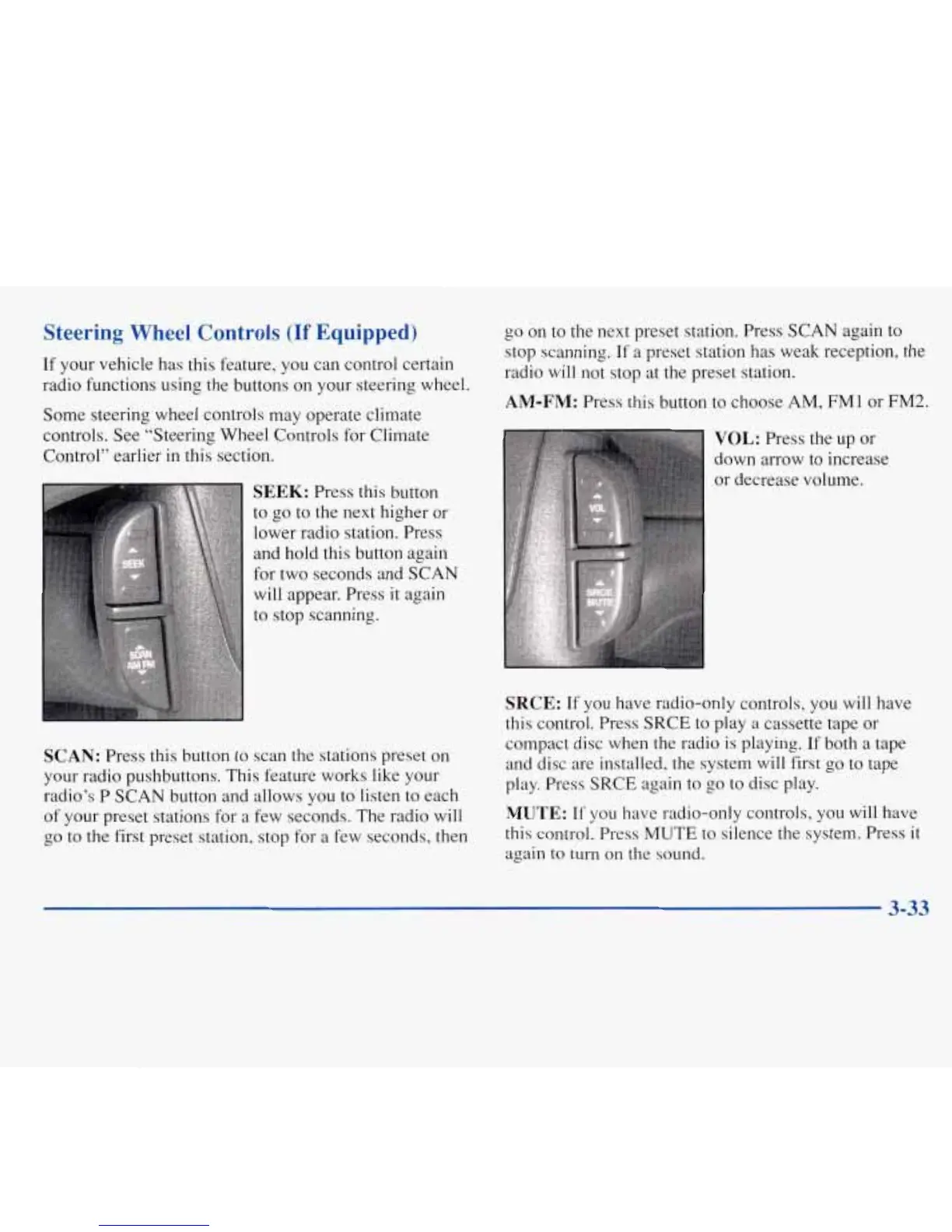
SEEK:
Press this button
to go to the next higher or
lower radio station. Press
and hold this button again
for two seconds and
SCAN
will appear. Press it again
to stop scanning.
SCAN:
Press this button to scan
the
stations preset on
your radio pushbuttons. This feature works like your
radio’s P
SCAN
button and
allows
you to listen to each
of your preset stations for
a
few seconds. The radio will
go to
the
first preset station,
stop
for
a
few seconds, then
go
on
to the next preset station. Press SCAN again to
stop scanning. If
a
preset station has weak reception, the
radio
will
not stop at the preset station.
AM-FM:
Press this button to choose
AM,
FM
1
or
FM2.
VOL:
Press
the
up or
down arrow to increase
or decrease volume.
SRCE:
If you have radio-only controls, you will have
this control. Press SRCE to play
a
cassette tape or
compact disc when the radio is playing. If both
a
tape
and disc are installed, the system
will
first go to tape
play. Press
SRCE
again to
go
to disc play.
MUTE:
If
you have radio-only controls, you will have
this control. Press MUTE
to
silence the system. Press
it
again
to turn
on
the sound.
3-33






 To Next Page