CHOOSING THE COLOURS OF THE FRONT LED
You can use the remote control to adjust the colour scheme of
the front LED (1) to your liking. You have 2 options:
1. Standby = red, ON = green
2. Standby = orange, ON = red
To change the colour scheme, the device must be switched on.
To change the colours, press the number combination “2
6 2 4” and then “OK” on the remote control.
23 46
159 MONO POWER AMPLIFIER
THE BURMESTER REMOTE CONTROL
OPTIONAL
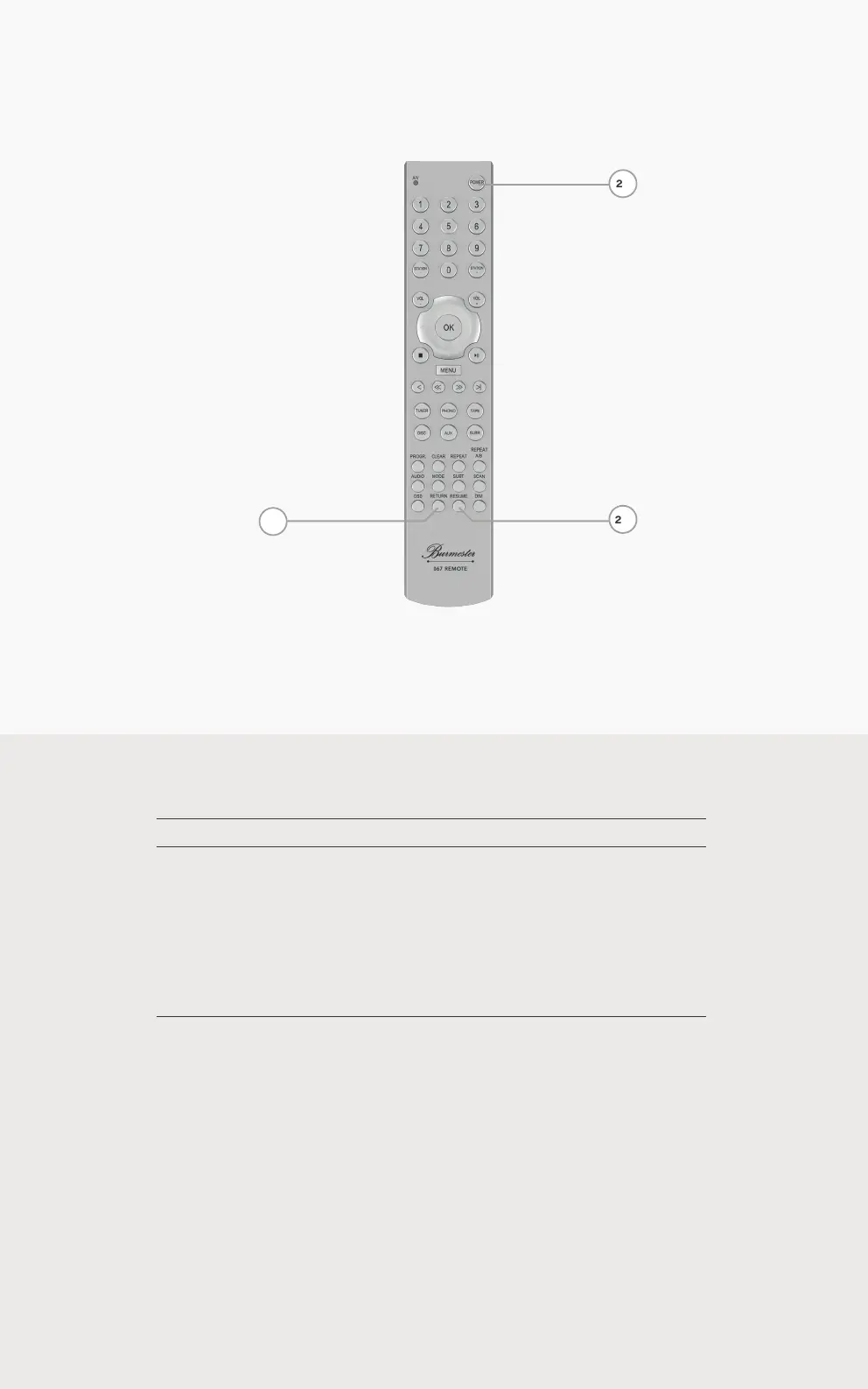
21 Switch the device on or to standby mode.
22 Toggle the damping factor between FIXED / VARIABLE
23
Toggle through the different modes of
the auto power down function:
OFF Switched off
SHORT 30 minutes
MID 60 minutes
LONG 120 minutes
23
22
21



 To Next Page