EasyManua.ls Logo

Bush CDVD90W2SW - Installation; Remote Control Battery Installation; Connection to a TV

Bush CDVD90W2SW
18 pages
Print Icon
To Next Page IconTo Next Page
To Previous Page IconTo Previous Page
Loading...
6
1
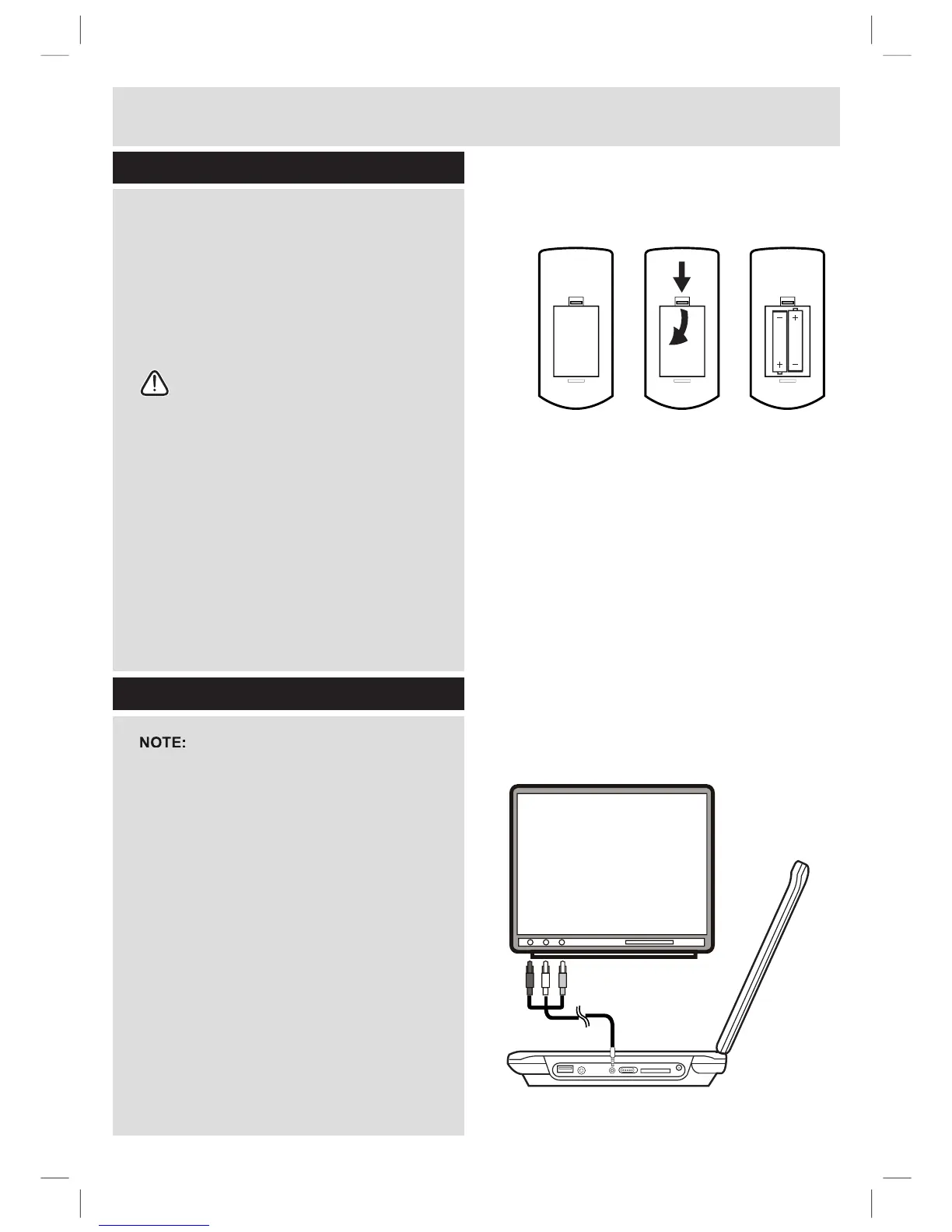
. Remove the batter
y
cover
(
as shown
)
.
2
. Insert
2
x AAA batteries, taking note that the
po
l
ar
i
t
i
es matc
h
up.
3. Replace the battery cover, in the same
manner as you remove
d
i
t.
N
otes on
b
attery usage
Do not insert batter
y
into the remote
control in the wrong direction.
D
o not c
h
arge,
h
eat, open or s
h
ort-c
i
rcu
i
t
t
h
e
b
attery.
D
o not t
h
row
b
attery
i
nto a
¿
UH
I
f th
e
r
e
m
o
t
e
co
ntr
o
l
does
n
o
t f
u
n
c
ti
o
n
correctl
y
or if the operatin
g
ran
g
e
b
ecomes reduced, re
p
lace all batteries
w
ith n
e
w
o
n
es.
I
mproper replacement o
f
batteries ma
y
r
esult in explosive hazard. It must be
r
ep
l
ace
d
on
l
y
b
y
b
atter
i
es w
i
t
h
t
h
e same
RUHTX
L
YD
O
HQWW\SH
Remote control battery installation
Connection to a TV
I
n
sta
ll
at
i
o
n
123
before attempting to connect this unit to
D
79HQVXUHWKDWWKH&'9':6:DQG79
a
r
e
bo
th
s
wit
c
h
ed
o
ff
.
1
. Insert the 3.5mm end o
f
an AV cable
(
not
supplied
)
into the AV
OU
T socket on the
side o
f
the unit
.
2
. Insert the other ends ( coloured red, white &
\HOORZLQWR\RXU79RUDPSOL¿HU
3. The red & white sockets carr
y
audio. The
y
can be connected to either the TV inputs o
r
DQH[WHUQDODPSOL
¿
HU7DNHQRWHWRPDWFKWKH
colours when connecting.
4
.
Th
e ye
ll
ow ca
bl
e
i
s t
h
e v
id
eo ca
bl
e an
d
must
b
e connecte
d
to t
h
e ye
ll
ow v
id
eo
i
nput on
your
TV.
TV
AV Cable
DVD Player

Related product manuals