- 14 -
1RXSSHUOLPLWLVGH¿QHGWRVFKHGXOHUHFRUGLQJVIRUHYHQWVE\,QVWDQW5HFRUGLQJ
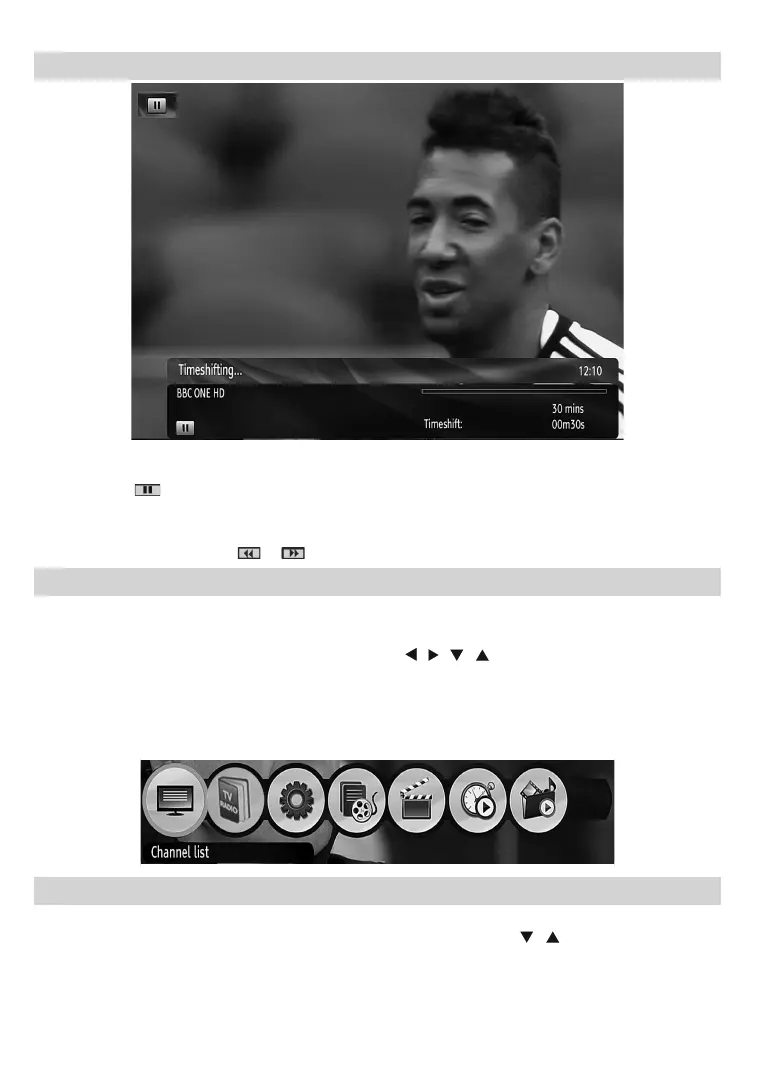
Time Shifting (Pause Live Recording)
3DXVH/LYH5HFRUGLQJLVDIHDWXUHWKDWHQDEOHV\RXWRSDXVHDOLYHEURDGFDVW7KHOLYHEURDGFDVWLQJFDQ
be stopped any time.
3UHVV3$86(
button to timeshift the broadcasting. In the INFO banner the timeshift will commence.
7KHGXUDWLRQRI7LPHVKLIWFDQEHDGMXVWHGIURP5HFRUGLQJVLQWKH&RQ¿JXUDWLRQPHQX
,QRUGHUWRVWRSWKHWLPHVKLIWSUHVVPLAY, PAUSE or OK button. The paused recording can be watched in
different speeds by means of
or keys. To cease the timeshifting press STOP button.
Menu System
Viewing the Main Menu
3UHVVWKHMENU button to view main menu.
<RXFDQPRYHEHWZHHQPHQXVE\XVLQJWKHQDYLJDWLRQ
/ / / ) buttons on the remote control.
<RXFDQHQWHUVHOHFWRUFRQ¿UPDPHQXRSWLRQE\XVLQJOK button.
,QVRPHVXEPHQXV\RXFDQXVH BACK button to return to a previous menu screen.
7RH[LWIURPDPHQXVFUHHQ\RXFDQSUHVVMENU button.
7KHIROORZLQJLWHPVDUHORFDWHGLQWKHPDLQPHQXVFUHHQ
Managing Stations: Channel List
7KHVHWWRSER[NHHSVDOOVWRUHGVWDWLRQVLQWKH&KDQQHO/LVW
3UHVVMENU button to view main menu. Select Channel List item by using “
”/“ button. Press OK to view
menu contents.
Note<RXFDQGLUHFOW\SUHVV2.EXWWRQWRYLHZFKDQQHOOLVW



 To Next Page