- 31 -
Relative Volume (Optional)
8VLQJWKLVRSWLRQWKH$XGLR'HVFULSWLRQYROXPHOHYHOFDQEHLQFUHDVHGRUGHFUHDVHGUHODWLYHO\DFFRUGLQJWR
the general volume.
Language
<RXFDQRSHUDWHWKH79¶VODQJXDJHVHWWLQJVXVLQJWKLVPHQX
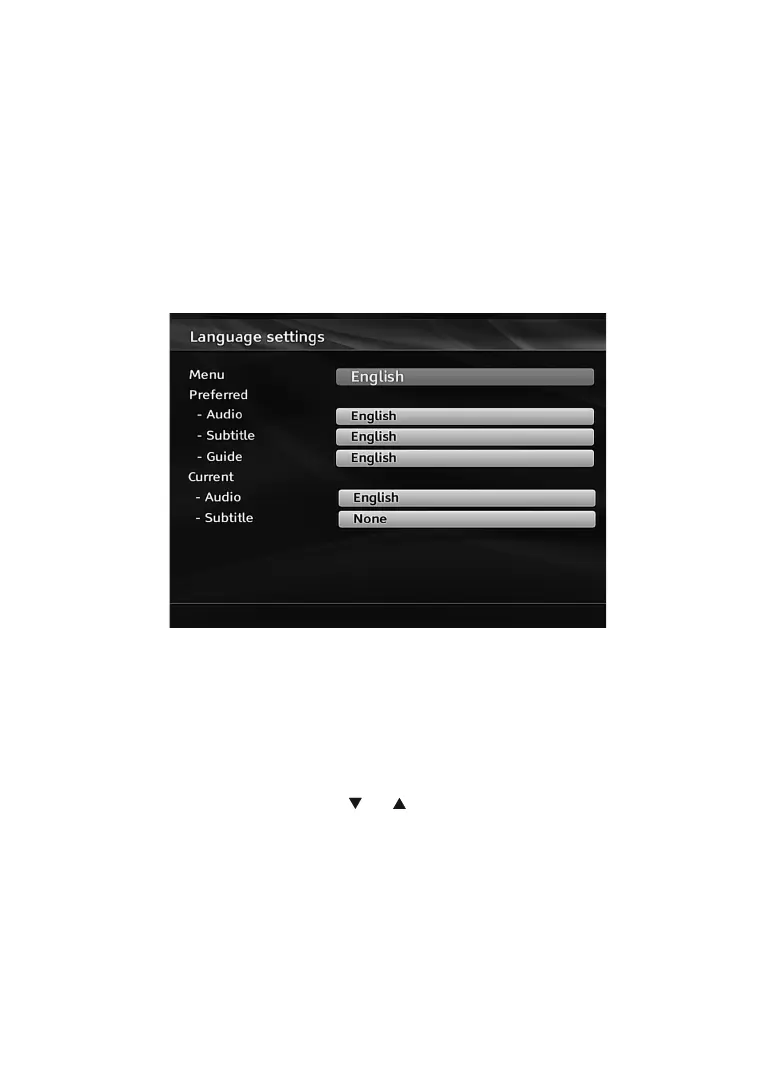
6HOHFWLanguage from Setup menu and press OK to continue.
Menu: shows the language of the system.
Preferred
These settings will be used if available. Otherwise current settings will be used.
Audio: Sets the preferred audio language.
Subtitle: Sets the subtitle language. Selected language will be seen in subtitles.
Guide: Sets guide language.
Current (*)
7KHVHVHWWLQJVFDQEHFKDQJHGLIRQO\WKHEURDGFDVWHUVXSSRUWV2WKHUZLVHVHWWLQJVZLOOQRWEHDYDLODEOHWR
EHFKDQJHG
$XGLR: Changes the audio language for the current channel.
6XEWLWOH: Sets the subtitle language for the current channel.
INSTALLATION
,QVWDOODWLRQPHQXZLOOKHOS\RXWRUHWXQH\RXUVHWWRSER[LQRUGHUWRVWRUHQHZVHUYLFHVRUVWDWLRQV
6HOHFW,QVWDOODWLRQIURP6HWXSPHQXE\XVLQJ³
” or “ ” buttons and press OK to continue.
,QVWDOODWLRQPHQXLQFOXGHVWKHIROORZLQJLWHPV



 To Next Page