- 30 -
3UHVVOK to display the “Set PIN” window. Use numeric buttons to enter the new pin number. You will need
WRLQSXW\RXUQHZSLQDVHFRQGWLPHIRUYHUL¿FDWLRQSXUSRVHV
7KHIDFWRU\GHIDXOWSLQQXPEHULV,I\RXFKDQJHWKHSLQQXPEHUPDNHVXUH\RXZULWHLWGRZQDQG
keep it safe.
Menu Lock
0HQXORFNVHWWLQJHQDEOHVRUGLVDEOHVWKHPHQXDFFHVV<RXFDQGLVDEOHDFFHVVWRWKHLQVWDOODWLRQPHQX
or the whole menu system.
Guidance
Guidance setting enables or disables the menu access.
Low Power
,I\RXHQDEOHORZSRZHURSWLRQORZSRZHUPRGHZLOOEHDFWLYDWHG,QORZSRZHUPRGHWKHSRZHUFRQVXPSWLRQ
is less then 0.5W (in standby). If you disable low power option the power consumption will be high in standby
mode .However the opening time will be shorter and aerial RF loop_through is operative in stand-by when
the “Low Power” is set to “NO”.
Auto Standby
3UHVV³ ” or “ ” button to select Auto Sleep.Use “ ” or “ ” button to set the Auto Sleep to Disabled, 2
Hours, 4 Hours, 6 Hours or 8 Hours.
$IWHUWKHWLPHRXWYDOXHLVUHDFKHGWKHER[ZLOOVZLWFKRII
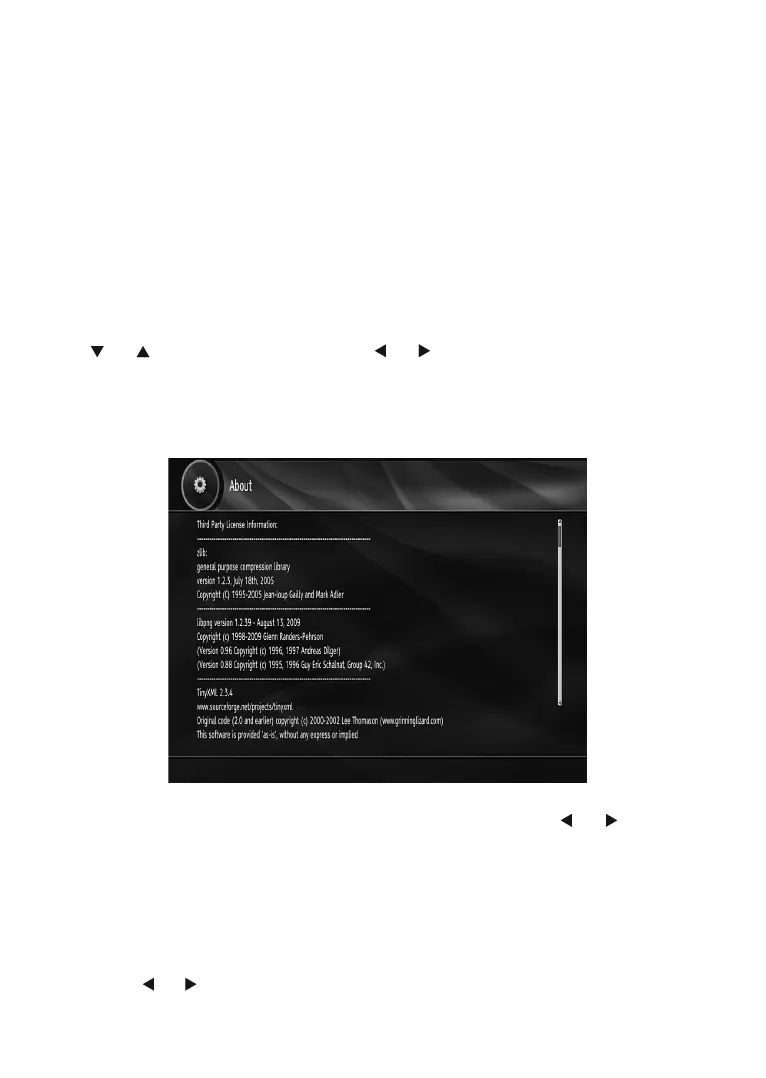
About
Select About and press OK button to display system information.
Audio Description
This function enables or disables the audio description feature by pressing the “ ” or “ ” buttons. Audio
GHVFULSWLRQUHIHUVWR DQ DGGLWLRQDO QDUUDWLRQ WUDFN IRU EOLQG DQG YLVXDOO\ LPSDLUHG YLHZHUVRIYLVXDO PHGLD
LQFOXGLQJWHOHYLVLRQDQGPRYLHV7KHGHVFULSWLRQQDUUDWRUWDONVWKURXJKWKHSUHVHQWDWLRQGHVFULELQJZKDWLV
KDSSHQLQJRQWKHVFUHHQGXULQJWKHQDWXUDOSDXVHVLQWKHDXGLRDQGVRPHWLPHVGXULQJGLDORJXHLIGHHPHG
QHFHVVDU\<RXFDQXVHWKLVIHDWXUHRQO\LIWKHEURDGFDVWHUVXSSRUWVWKLVIHDWXUH
Available Langs.
You can see available language in this section.
Preferred Language (Optional)
By pressing the “ ” or “ ” buttons the preferred audio description language is being changed.
7KLVVHWWLQJFDQEHXVHGRQO\LILWLVDYDLODEOH



 To Next Page