English
24
2.4 Programming procedure
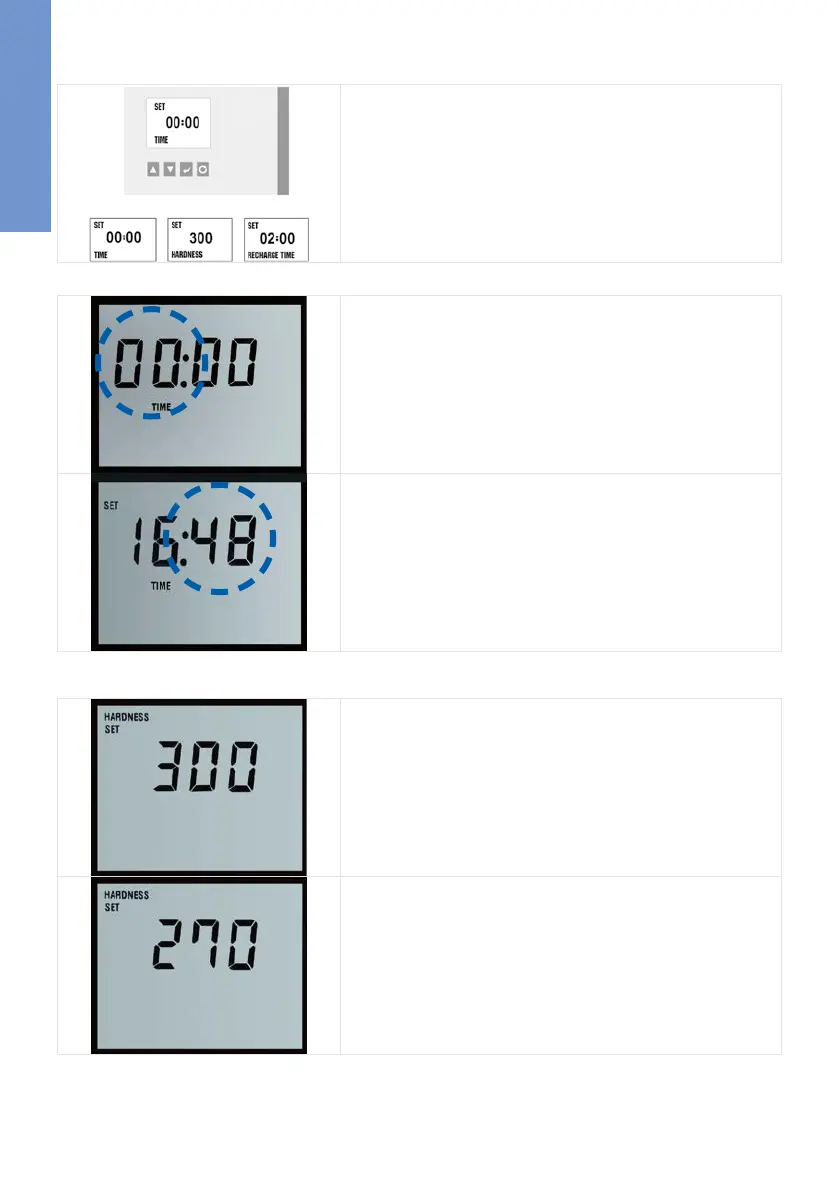
A B C
The display shows three different measures:
The time (Time; A), the hardness of the water (Hardness; B) and the
regeneration or recharge time ( Recharge Time, C)
A Setting the time of day
The display shows the time in hours and minutes (HH:MM).
The initial display on start up of bestsoft 4/11 is 00:00.
The first two digits (showing the hours; HH) of the display will flash
prompting the installer to set the time with the [UP] and
[DOWN] keys.
Pressing the [SET] key confirms the entry.
The digits showing the minutes are flashing now. The
minutes are set by using the [UP], [DOWN] keys.
Pressing the [SET] key confirms the entry.
B Setting the water hardness
The display has moved into the Set Hardness mode. The dis-
play default is 300 ppm (typical hardness level) which indicates a set-
ting suitable for hard water with a value of 300 parts per
million of hardness minerals.
Use the [UP] [DOWN] keys to adjust the setting.
Pressing the [SET] key confirms the entry.


 To Next Page