Lightning Series Fiber Laser User Manual
20
8) When the laser is turned on, the POWER (green) indicator will flash, and when the
POWER (green) indicator lights up, the laser is ready to work.
9) All 3 indicators on the real panel will be flashing after the expiration of trial period. When
it occurs, please contact BWT representative to update the password.
10) When using the CDA function, the air must be dry and cool that is treated by freeze
dryer followed by filtering through 5μm and 0.3μm particulate filters and 0.1μm oil mist filter.
The CDA temperature must be within 5-40°C, and the pressure less than 0.1MPa. CDA tube is
connected to the port by 4mm or 6mm push-in connector.
11) When using the CDA function in a high temperature humidity environment, CDA must
be supplied to the laser at least 30min before the laser is turn on. This will help reduce the internal
temperature, avoiding any condensation. When the ambient temperature is below 10°C, the CDA
function is not necessary.
12) QBH and laser processing head connection: Before the laser is powered on, it must be
ensured that the QBH and the laser processing head are connected reliably. When checking the
QBH quartz block or installing the QBH, it is strictly forbidden to power on the laser.
a) Spread out the output cable, and the length should be enough to let the processing
head reach the farthest end of its movement. The cable must not be twisted in case of damage
caused by long-term movement.
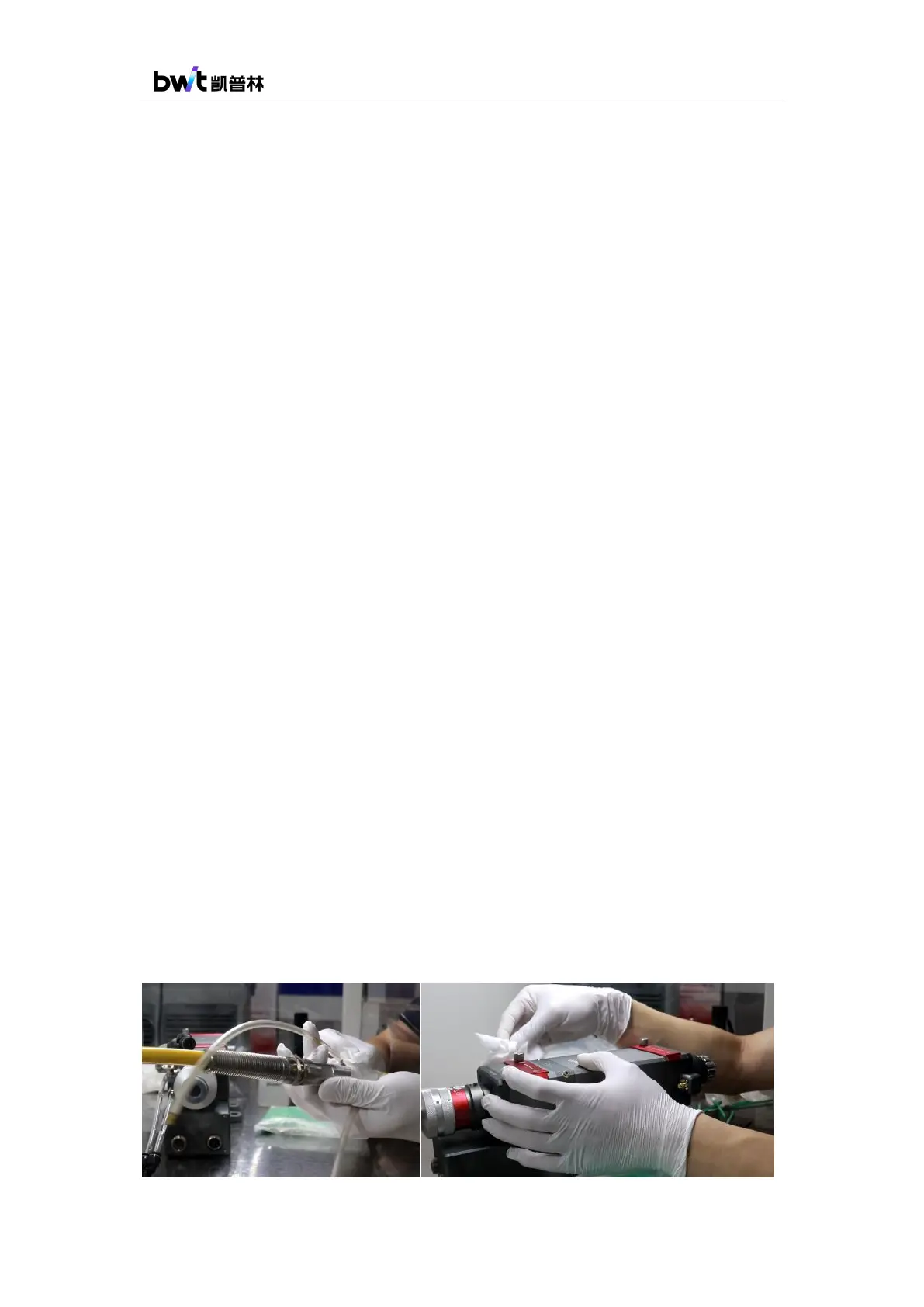
b) Cleaning the QBH: Put the QBH connector into a dust-free box or a clean table. Use
a dust-free cloth to dip in isopropyl alcohol, and then wipe the surface of the laser processing
head, QBH connector, microscope, cables and cooling water tubes near the QBH connector
(as shown in Figure 16). Make sure that the area near the QBH connector is free of dust.
Operators should wear rubber gloves, wash the hands, and keep the hands clean and
dust-free.



 To Next Page