10
Advanced Operation
EDC-2051 Instruction Manual
Set the Meeting Mode
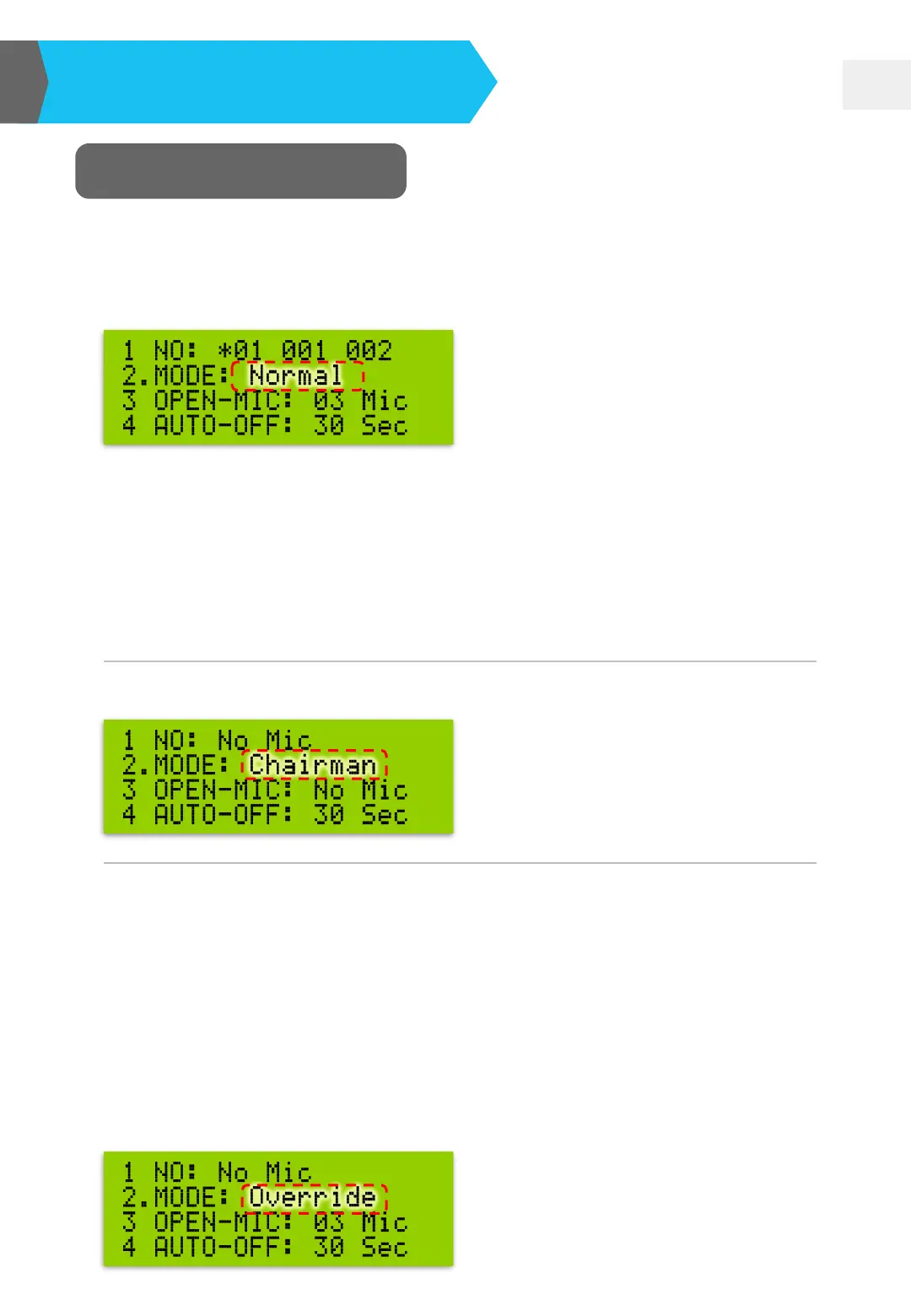
❏ Press MODE button and move the “◘” icon to “2. MODE”. Meanwhile, the
“Normal” item is flashing. Just press “UP▲” or “DOWN▼” button to change
the conference mode.
❏ Following are all the conference modes offered:
※ Chairman microphone can be operated anytime; it will not be restricted by
any conference mode.
Normal: delegate can randomly speak (within open-mic limit) and stop talking.
Chairman Mode and Override Mode cannot function in this mode.
Chairman: only chairman can speak.
Override: delegates take turn speaking. For example, if Open Mic Qty is set
as one, only one delegate microphone can be turned on. If the second
delegate presses the speaking button, the first microphone will be overridden
and then turned off. If the Open Mic Qty is set as three. When the fourth
microphone is on, the first one will be off; when the fifth microphone is on, the
second one will be off. In short, always 3 delegates can talk; and so forth.
However, chairman microphone is always unrestricted in this mode.


 To Next Page