17
Appendix
EDC-2051 Instruction Manual
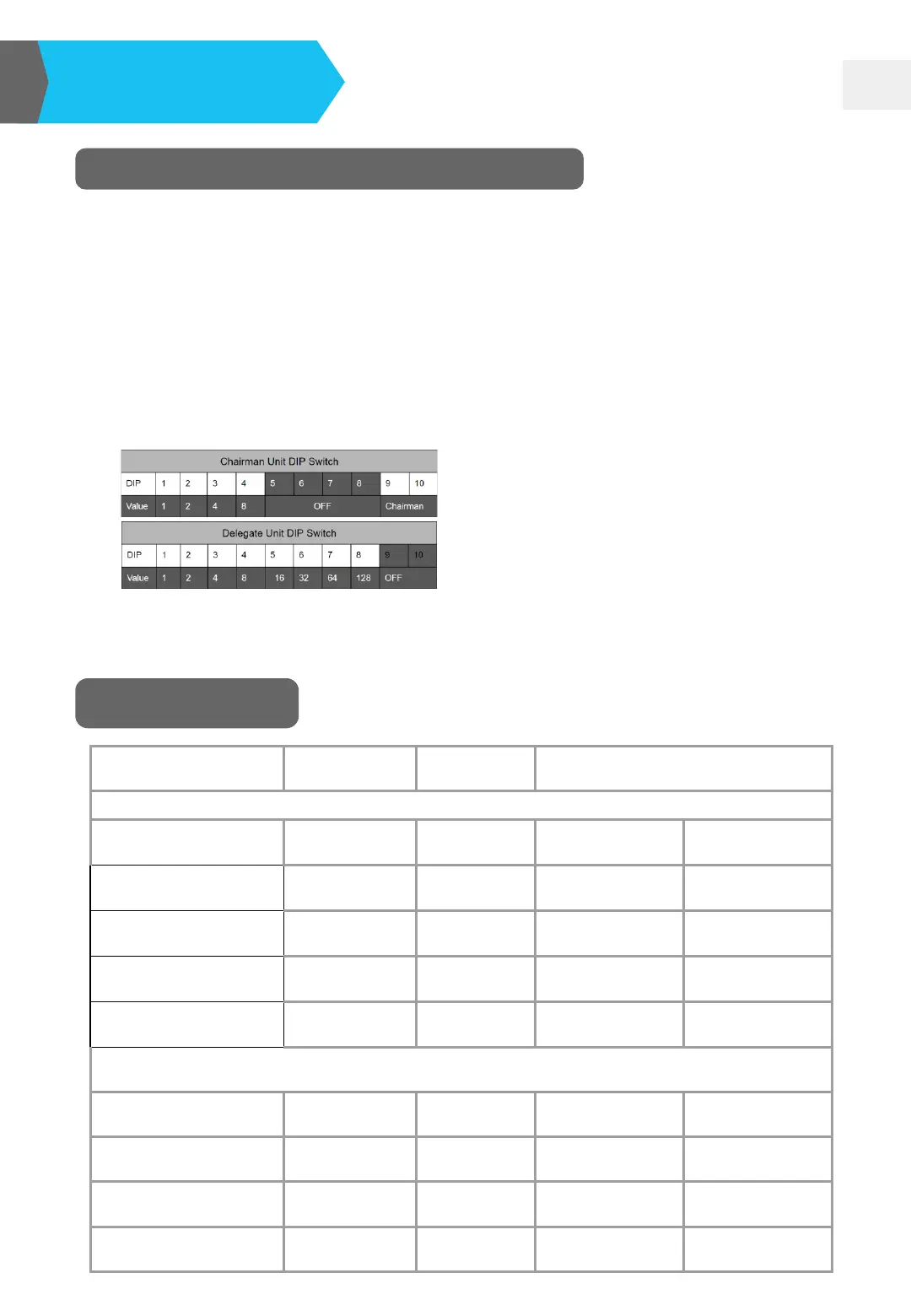
Set the DIP Switch of Microphone Unit
❏ Each of the EDC-2011/2012 already has a preset ID number, which will show
on the label at the bottom of the unit.
❏ Change the ID number via the DIP Switch at the bottom of the unit.
❏ All the adjustments should be done after the system has been shut down.
❏ 10-digit DIP switch is set based on the binary combination; chairman unit’s ID
cannot share with delegate unit’s ID.
❏ Please refer to the table below for Chairman/Delegate DIP Switch setting.
EDC-2011 chairman ID range→ *01~*10
EDC-2012 delegate ID range→ 1~255
Protocol Setting
Type RS-232 Baud Rate 2400 bps N,8,1 (Hex)
Byte1 Byte2 Byte3 Byte4
DELEGATE-MIC ON
0x55 0x55 0x01 ~ 0x7f 0x0D
DELEGATE-MIC OFF
0xAA 0x55 0x01 ~ 0x7f 0x0D
CHAIRMAN-MIC ON
0x55 0xAA 0x01 ~ 0x7F 0x0D
CHAIRMAN-MIC OFF
0xAA 0xAA 0x01 ~ 0x7f 0x0D
ex.
DELEGATE 1 On 0x55 0x55 0x01 0x0D
DELEGATE 1 Off 0xAA 0x55 0x01 0x0D
DELEGATE 127 On 0x55 0x55 0x7F 0x0D
DELEGATE 127 Off 0xAA 0x55 0x7F 0x0D
Note: When switching to the number out of the range, the microphone’s
indicator light will flash as EDC-2051 is turned on.


 To Next Page