14
Advanced Operation
EDC-2051 Instruction Manual
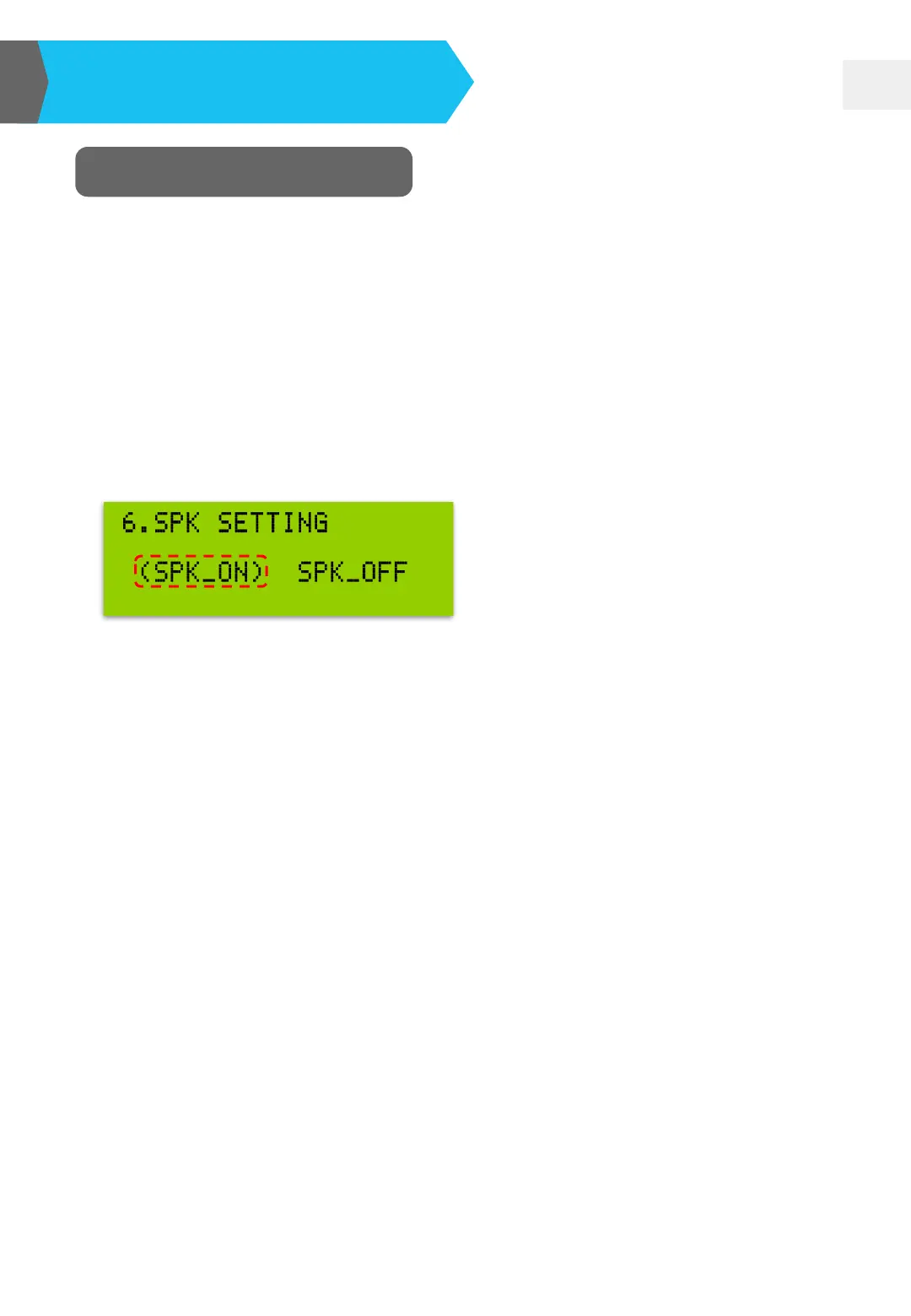
Microphone SPK Setting
❏ The default setting of the built-in loudspeaker is ON. You can set as OFF
based on your need.
❏ Press MODE button and then move “◘” to “6. SPK SETTING”. Press "UP▲“
or "Down▼" button to select "SPK_ON" or "SPK_OFF" mode. The
brackets indicates that the item has been selected.
❏ With the "SPK_OFF“ mode, the audio output of the earphone and recording
still work normally.
❏ If EDC-2051 doesn’t detect any action, it would go back to the main menu.
The current setting would be also saved automatically. You don’t need to
press any button for saving and exiting.


 To Next Page