12
Advanced Operation
EDC-2051 Instruction Manual
Set the MIC Auto-OFF Time
❏ Delegate unit will be automatically off after receiving no sound for 30/45 sec.
The delegate can also switch off the speaking button manually.
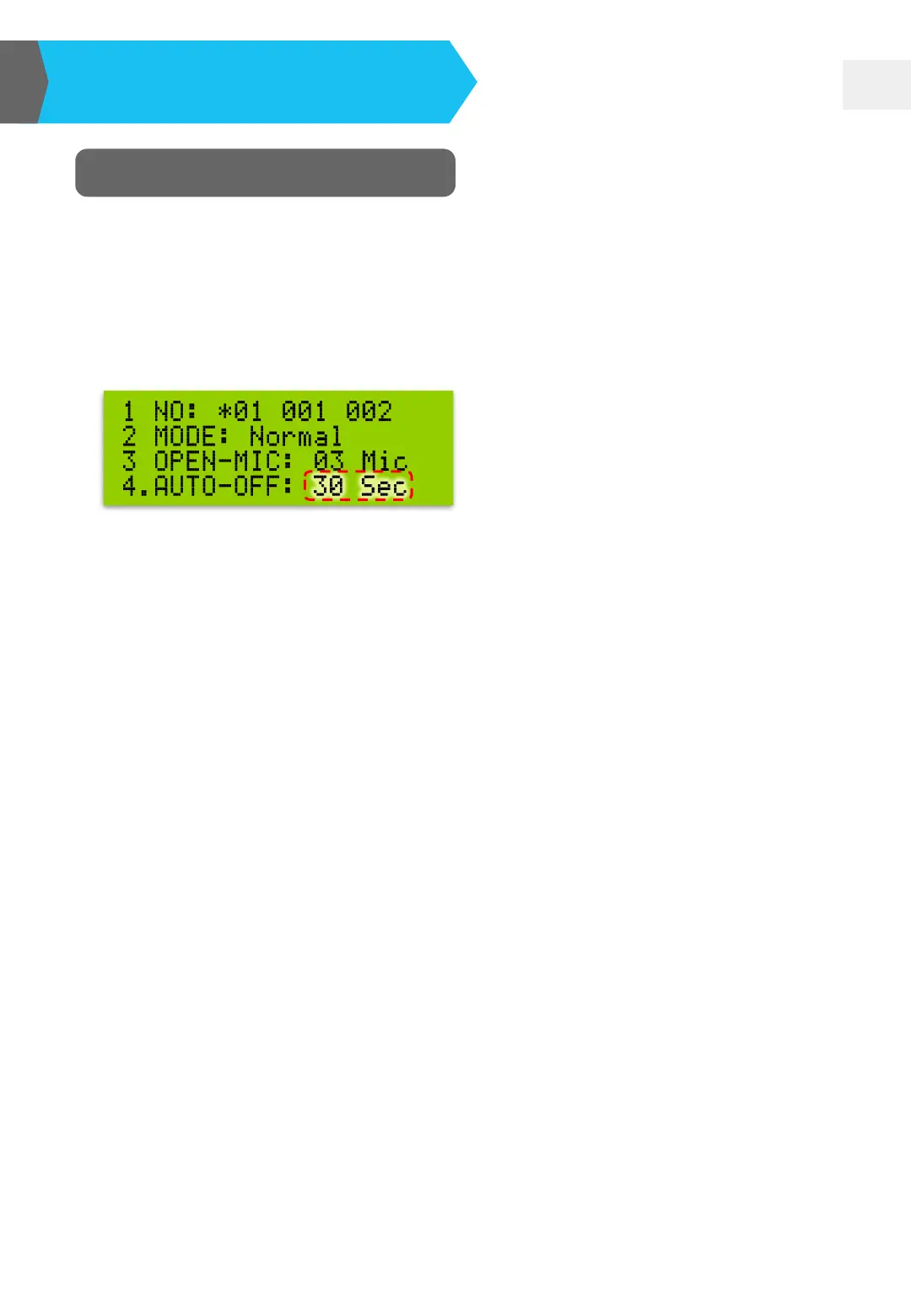
❏ Press MODE button and move “◘” to “AUTO-OFF”. Meanwhile, “30 Sec” item
will be flashing. Just press “UP▲” or “DOWN▼” button to set 30 or 45 sec.
AUTO-OFF: 30 Sec
→ Delegate microphones will be turned off in 30 sec after receiving no sound.
AUTO-OFF: 45 Sec
→ Delegate microphones will be turned off in 45 sec after receiving no sound.
AUTO-OFF: Invalid
→ Delegate microphones will not be turned off all the time. The delegate
should switch off the speaking button manually.
Note:
1. EDC microphone unit belongs to cardioid type. It perfectly receives the voice of
the in-front speaker. The sound reception from other directions would be
reduced.
2. The in-front speaker and the microphone unit should keep with the proper
distance to make the microphone completely receive the human voice. Or, it
would cause sound offset due to the time difference of sound receiving.


 To Next Page