11
Advanced Operation
EDC-2051 Instruction Manual
Set the Open-Mic Qty
❏ ALL Mic/1-9 delegate microphones turn on at the same time.
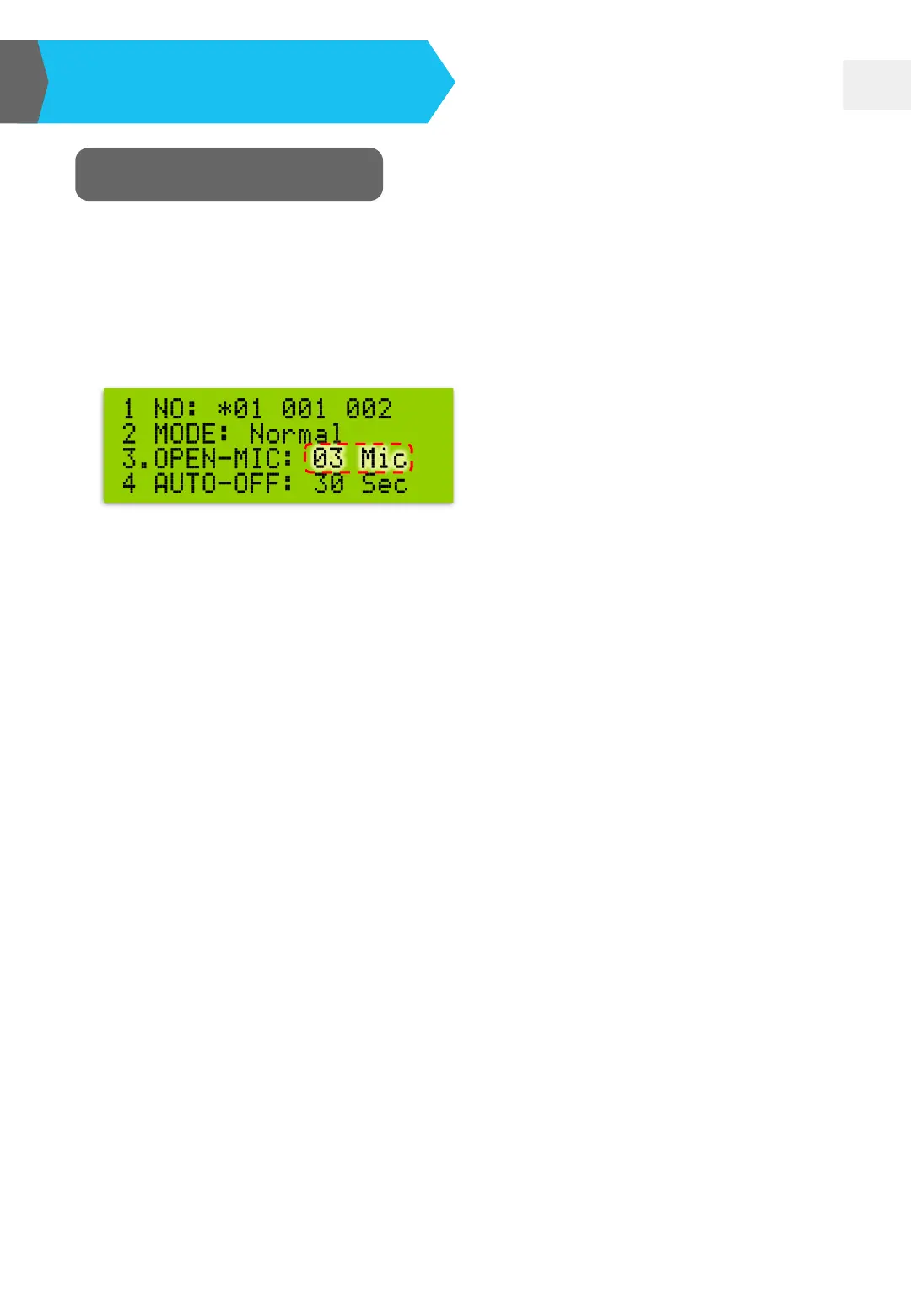
❏ Press MODE button and then move” ◘” to “OPEN-MIC”, Meanwhile, “03 Mic”
item will flash. Just press “UP▲” or “DOWN▼” button to change the Open-
Mic quantity.
The 1~9 number indicates the Open-Mic quantity.
OPEN-MIC: 1 Mic
→ Only 1 delegate can talk.
OPEN-MIC: 9 Mic
→ 9 delegates can talk at the same time.
OPEN-MIC: ALL Mic
→ All delegates can talk freely at the same time.


 To Next Page