27
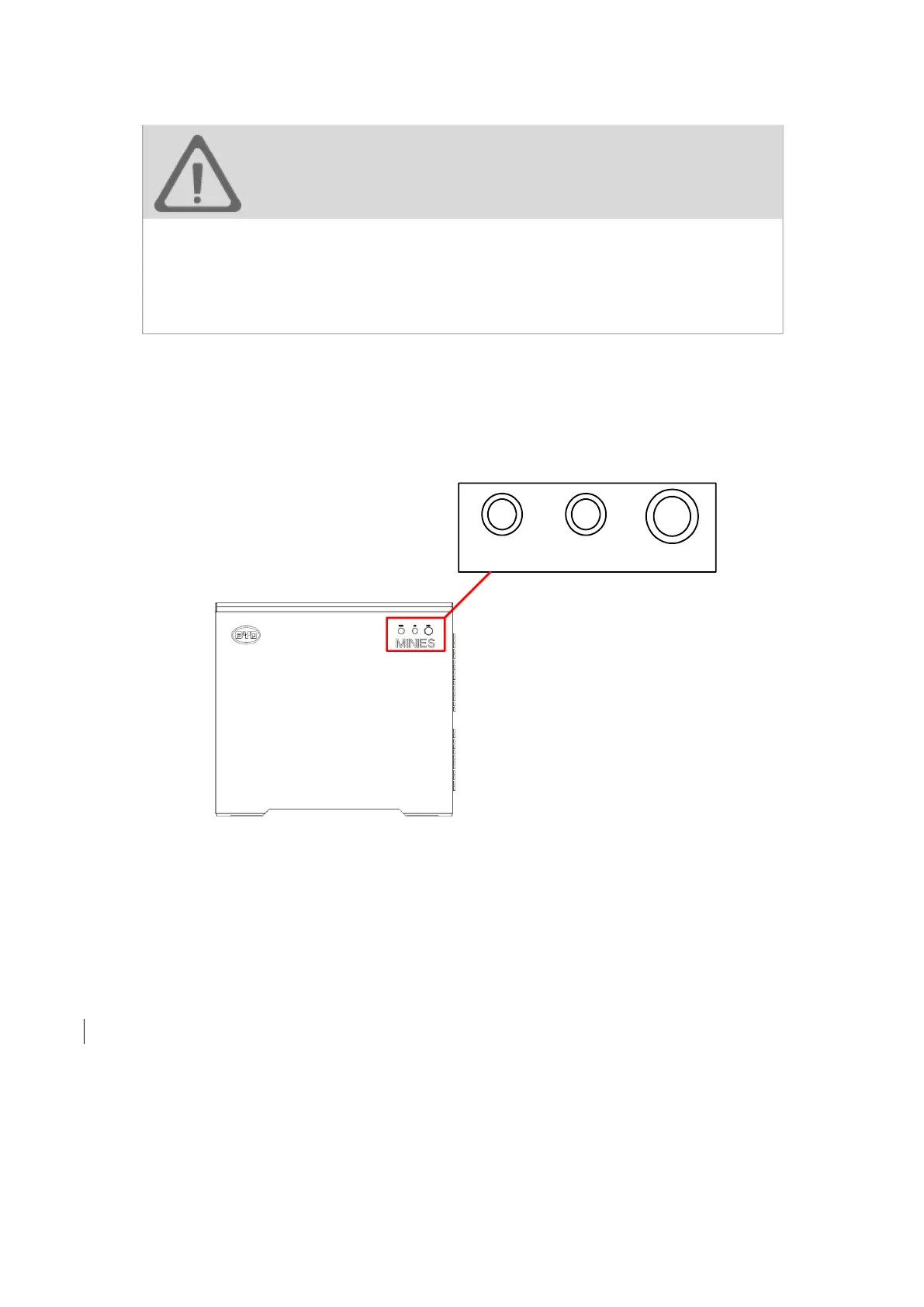
3.6 Product button introduction
figure13. MINI ES Button schematic diagram
POWER: Power-on and power-off button
LOCAL: Local control button
REMOTE: Remote control button
Power-on Function
Procedure: hold "POWER" button for 10s. When "POWER" indicator or both “LOCAL”
and “POWER” indicator keeps on, MINI ES is operating.
During the power-on process, MINI ES will do the self-inspection, at this moment
all of "POWER"、”LOCAL” and “REMOTE” indicators will keep on, it is a normal
phenomenon. This self-inspection will last 1-2 minutes.
WARNING!
· All these interfaces shall be connected by a qualified electrician. Any external
device connected to MINI ES shall be authorised by BYD Company. BYD does
not assume liability and warranty for any problem or damage caused by
unauthorized external devices.
· Please refer to installation manual for correct method of installation.


 To Next Page